Theme

Forthcoming Events

No forthcoming events scheduled.


Expired Events

October Deals Ended: 31 Oct 2026
6th Birthday Sale Ended: 08 Oct 2026

Live Event

Active

Black Friday 2026

Our biggest sale of the year. Scoring for film, designing next-generation sounds, or mixing your next release? Explore deep discounts across thousands of premium plugins, virtual instruments, and sample libraries.

Ends In
13d 14h 45m 09s
VIEW ALL DEALS

0

0

Change country:

We use cookies

We and selected 3rd parties use cookies or similar technologies as specified in our Cookie Policy

You can consent to the use of such technologies by using the "Accept" button

Manage cookies

Essential
Essential cookies required for business process and to make the website usable by enabling basic functions. (always active)
Marketing
Marketing cookies are used to serve personalised ads and analyse performance.

Kontakt Player

Custom Libraries

Osterhouse Sounds

Sea Sampler

Drop samples into the sea, then unleash flocks of fish with your keyboard to play them.

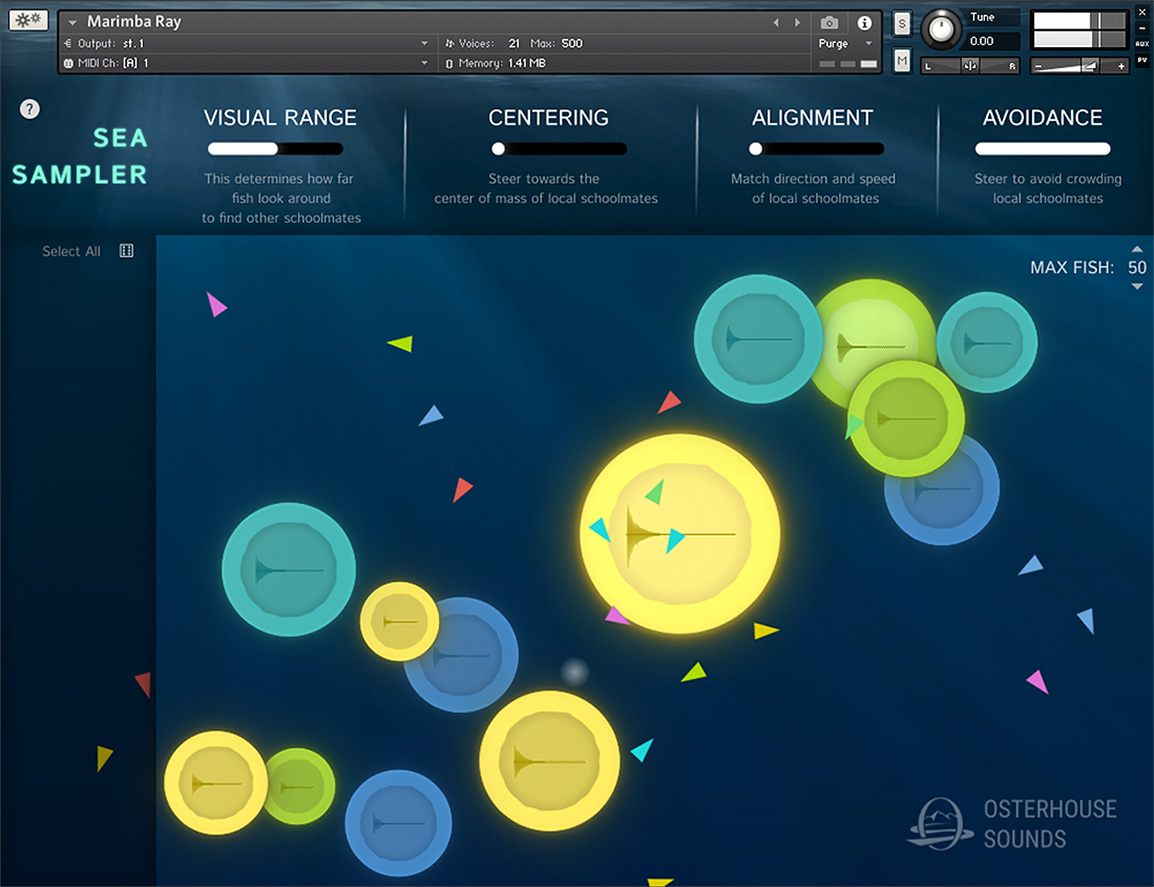
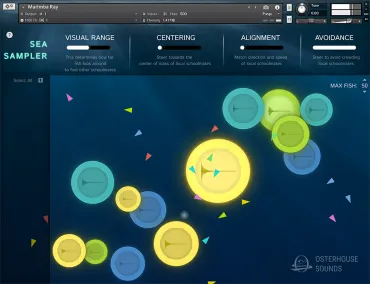
Osterhouse Sounds - Sea Sampler - Main GUI
SAVE 30%
ENDS IN:

13

d

:

14

h

:

46

m

:

08

s

$21.00

$30.00

Save $9.00
★ Earn 55 Credits ($0.72 cashback)

0

SYSTEM & OS COMPATIBILITY
OS Support
macOS 11+ (Intel/M1–M3) Windows
Kontakt Requirement ✓ Free Kontakt Player 7.3+ Compatible
Delivery Method ⚡ Manufacturer Serial
🎁 Free Bonus Gift with £15+ orders: choose from Aura, Blox Reverb, DP-06+, Things: Flip EQ at checkout.

Note: This product is compatible with Kontakt Player

✓ Instant Digital Delivery
✓ Official Partner License
✓ Safe & Secure Checkout
Guaranteed Safe & Secure Checkout
Visa Mastercard American Express Apple Pay Google Pay Klarna
IN-DEPTH LOOK

Product Overview

Sea Sampler is a super unique and creative tool for generating chaotic textures.

Drop samples into the sea, then unleash flocks of fish with your keyboard to play them.

CAPABILITIES & CONTENT

Key Features

  • Drop in your Samples - The Sea Sampler will analyze and automap them, creating an Object
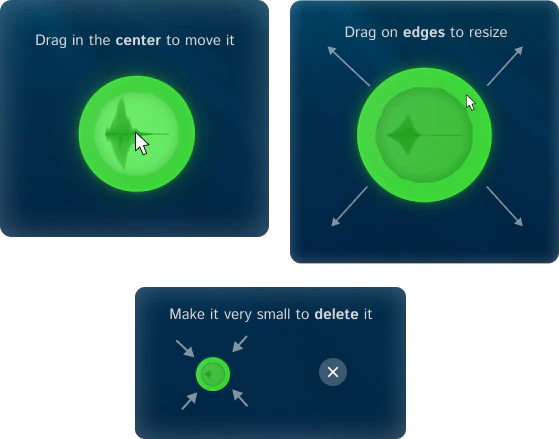
  • Manipulate Objects - drag in their center to move them, or drag on edges to resize. You can also remove them by making them very small
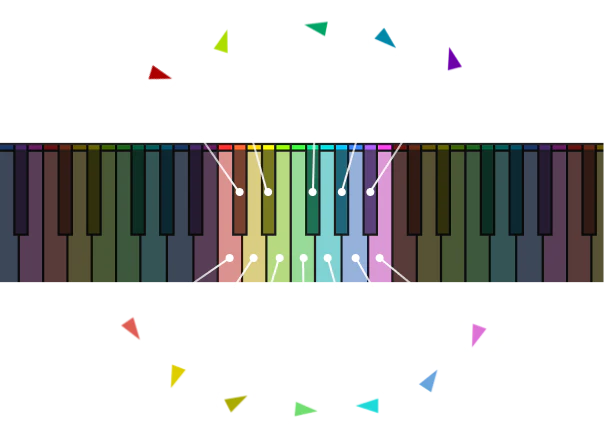
  • Spawn Fish - Each pitch you play spawns a different color fish. The fish's starting speed depends on how hard you play. When fish collide with objects, the object's sample gets triggered, whatever pitch the fish is. The faster the fish, the louder it will be.
  • Emitter - This is where fish spawn from. When you drag it around, it will attract the fish. The faster it is moved, the more the fish will be attracted. Note that if you turn down Visual Range, the fish further away won’t be able to see the emitter.
  • Pedal - Hold down the Pedal to keep fish alive even after you have let go of the key
  • Pitchwheel - Speed up or slow down the boid simulation’s framerate using the Pitchwheel
  • Max Fish Control - This controls how many fish there can be at once. Once the limit is reached, the oldest fish are replaced by the new ones
  • Modwheel - The higher you put the Modwheel, the more often fish will emit
  • Expression (CC 11) - Move Expression to twirl the emitter in a circle
  • Change the sound of objects by changing their pitch, filtering them, sending them to different reverbs, or enveloping them.
PACKAGE CONTENTS

What's Included?

  • Start out with 30 nki presets
  • Presets include samples taken from other Osterhouse Sounds libraries, synthesized sounds, and recordings of household objects

THE FUN STUFF

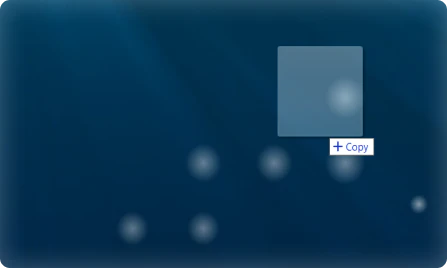
Drop in your Samples

drop-samples

The Sea Sampler will analyze and automap them, creating an Object

Manipulate Objects

manipulate

Drag in the center to move them

Drag on edges to resize

Make them very small to remove

Spawn Fish

fish-keys

Each pitch you play spawns a different color fish. The fish's starting speed depends on how hard you play

When fish collide with objects, the object's sample gets triggered, whatever pitch the fish is

The faster the fish, the louder it will be

CONTROL THE FISH

Emitter

This is where fish spawn from. When you drag it around, it will attract the fish. The faster it is moved, the more the fish will be attracted. Note that if you turn down Visual Range, the fish further away won’t be able to see the emitter.

Max Fish

This controls how many fish there can be at once. Once the limit is reached, the oldest fish are replaced by the new ones.

Pedal

Hold down the Pedal to keep fish alive even after you have let go of the key

Modwheel

The higher you put the Modwheel, the more often fish will emit

Pitchwheel

Speed up or slow down the simulation’s framerate using the Pitchwheel

Expression (CC 11)

Move Expression to twirl the emitter in a circle

Control the Objects

Change the sound of objects by changing their pitch, filtering them, sending them to different reverbs, or enveloping them.

SMART CO-PURCHASE UPSELL

Frequently Bought Together

Sea Sampler
Sea Sampler
$21.00 $30.00
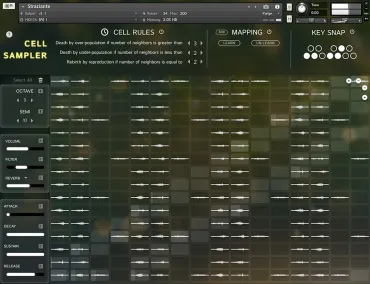
Cell Sampler
Cell Sampler
$21.00 $30.00
Total for Both: $42.00
VERIFIED BUYER FEEDBACK

Customer Reviews (2)

✓ Verified Owners
4.0
2 Verified Reviews
5 ★
0%
4 ★
100%
3 ★
0%
2 ★
0%
1 ★
0%
Showing Verified Customer Reviews

Sort By:

✓ Verified

Interesting

An interesting instrument that can create a variety of textures. There's certainly a lot of potential here, but overall I don't find it as easy to use or inspiring as Osterhouse's other offerings.
✓ Verified

Osterhouse delivers again

Something new from Osterhouse. Looks good.
Sea Sampler $21.00 $30.00

Discover More

View All Events

BROWSE ALL

Happening Now

View Black Friday 2026

SHOP LIVE EVENT
Your Playlist CLEAR
Your playlist is currently empty. Visit a product page and add some tracks to your playlist
Audio Player
0:00
0:00