Theme

Forthcoming Events

No forthcoming events scheduled.


Expired Events

October Deals Ended: 31 Oct 2026
6th Birthday Sale Ended: 08 Oct 2026

Live Event

Active

Black Friday 2026

Our biggest sale of the year. Scoring for film, designing next-generation sounds, or mixing your next release? Explore deep discounts across thousands of premium plugins, virtual instruments, and sample libraries.

Ends In
15d 09h 36m 16s
VIEW ALL DEALS

0

0

Change country:

We use cookies

We and selected 3rd parties use cookies or similar technologies as specified in our Cookie Policy

You can consent to the use of such technologies by using the "Accept" button

Manage cookies

Essential
Essential cookies required for business process and to make the website usable by enabling basic functions. (always active)
Marketing
Marketing cookies are used to serve personalised ads and analyse performance.

Plugin

Plugin Effects

Steinberg

SpectraLayers Pro 13 Full Version

The Expert in Spectral Editing and AI-Driven Audio Processing

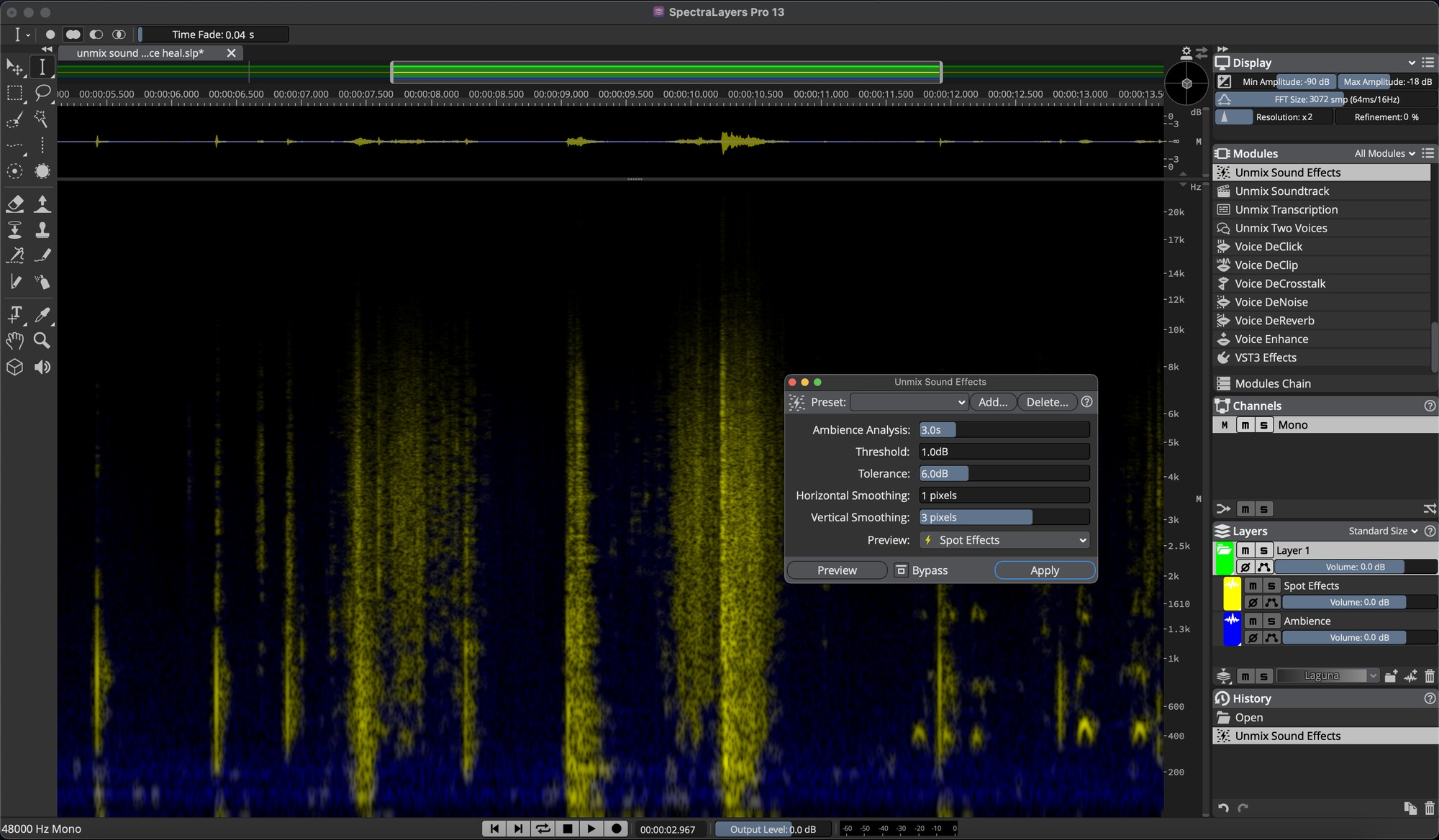
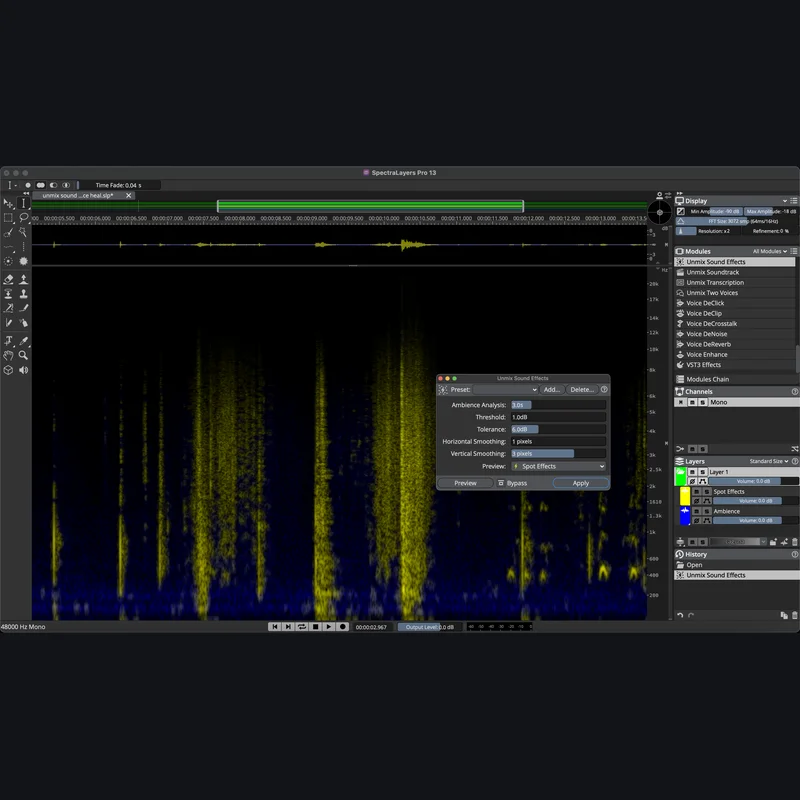
Steinberg - SpectraLayers Pro 13 Full Version - Main GUI
SAVE 50%
ENDS IN:

20

d

:

08

h

:

37

m

:

15

s

$179.99

$359.99

Save $180.00
★ Earn 452 Credits ($5.94 cashback)

0

SYSTEM & OS COMPATIBILITY
OS Support
macOS (Intel/M1–M3) Win 10+
Plugin Formats ✓ VST3 • AU • AAX
Delivery Method ⚡ Manufacturer Serial
🎁 Free Bonus Gift with £15+ orders: choose from Aura, Blox Reverb, DP-06+, Things: Flip EQ at checkout.

✓ Instant Digital Delivery
✓ Official Partner License
✓ Safe & Secure Checkout
✓ Dedicated Customer Support
Guaranteed Safe & Secure Checkout
Visa Mastercard American Express Apple Pay Google Pay Klarna
IN-DEPTH LOOK

Product Overview

The expert in spectral editing and AI-driven audio processing

SpectraLayers delivers audio empowerment by showing sounds as visual objects. You can explore, reach in, take and transform, working wonders on tasks ranging from repairing and restoring audio to freeform sound design. Unmatched selection tools developed over many years are now joined by new artificial intelligence-driven audio extraction and repair processes, making this the most significant version of SpectraLayers yet.

  • The vanguard of spectral editing applications
  • Touch, sculpt, and shape audio on a spectral graph
  • Automatic, artificial intelligence-driven processes
  • From repair and restoration to freeform music creation

SpectraLayers 13 builds on the application’s core strengths in a new edition which delivers powerful new post-production options and workflow enhancements that span the entire application. New and improved algorithms include tools for creative unmixing, speech refinement, audio reconstruction, and noise control.

Working with selections in the spectrum is easier and more flexible than ever, with new options for sizing, fading, and pasting content. User-requested improvements focus on new utilities, studio compatibility, and other practical refinements, making this edition perfectly suited for integration with contemporary workflows.

CAPABILITIES & CONTENT

Key Features

New and Improved Modules

  • Unmix Sound Effects separates short sounds from ambient background sounds
  • Ambience Heal fills empty spaces in the audio spectrum automatically
  • Reconstruct resynthesizes selected spectral data
  • Attenuate module for attenuating high-amplitude content within selections
  • Voice DeClick removes unwanted mouth noises
  • Voice DeCrosstalk separates non-target voices from the primary voice
  • Unmix Two Voices automatically separates two voices
  • Level Check quickly calculates and displays a variety of loudness data
  • Fade functions allow you to apply fades to selections within single layers
  • Improved DeNoise is an improved noiseprint-based noise reduction
  • Improved Unmix Components module provides more accurate separation

Workflow and User Interface Improvements

  • Paste Into Selection is ideal for repeating or replacing events in the timeline.
  • Paste Insert let's you easily select a selection-length period of time
  • Dynamic Fade-Shaping Control sliders can now be used on active selections
  • Resize Selection Corners allows time and frequency coordinates to be adjusted simultaneously
  • Disable Selection Fades allows for fades to be switched off via menu or shortcut
  • Disable Selection Events from History allows for more flexibility with Selection Events
  • Module Information Help displays descriptions of module functionality, keyboard shortcuts etc.
  • Search Modules by Name and Keyword quickly locates modules
  • Interface Layout Presets saves and recalls interface states for frequently used scenarios
  • New Shortcuts are now available for more than 100 functions
  • New Metering options with added functionality such as Display Peaks, RMS or Loudness

Further Enhancements

  • Improved Pro Tools AudioSuite Bridge Plug-in includes support for round trip editing and processing of multiple audio clips at once
  • Batch Process Open Projects allows you to apply the full range of sophisticated batch processing options
  • More than 128 Device Channels let’s you integrate audio devices with channels mapped beyond the 128th device channel
  • Unmix Transcription Export Options for exporting to frame rates such as 23.976

A new Era in Unmixing and Spectral Editing

Unmix Sound Effects

This new process separates short sounds from continuous environmental and ambient background sounds, such as wind, crowd, traffic, and nature.

Ideal for audio post, it enables fast, precise isolation of a very wide range of sounds, extracting them to their own dedicated layer while retaining the background texture.

This can then be shaped and smoothed using other new processes in this version.

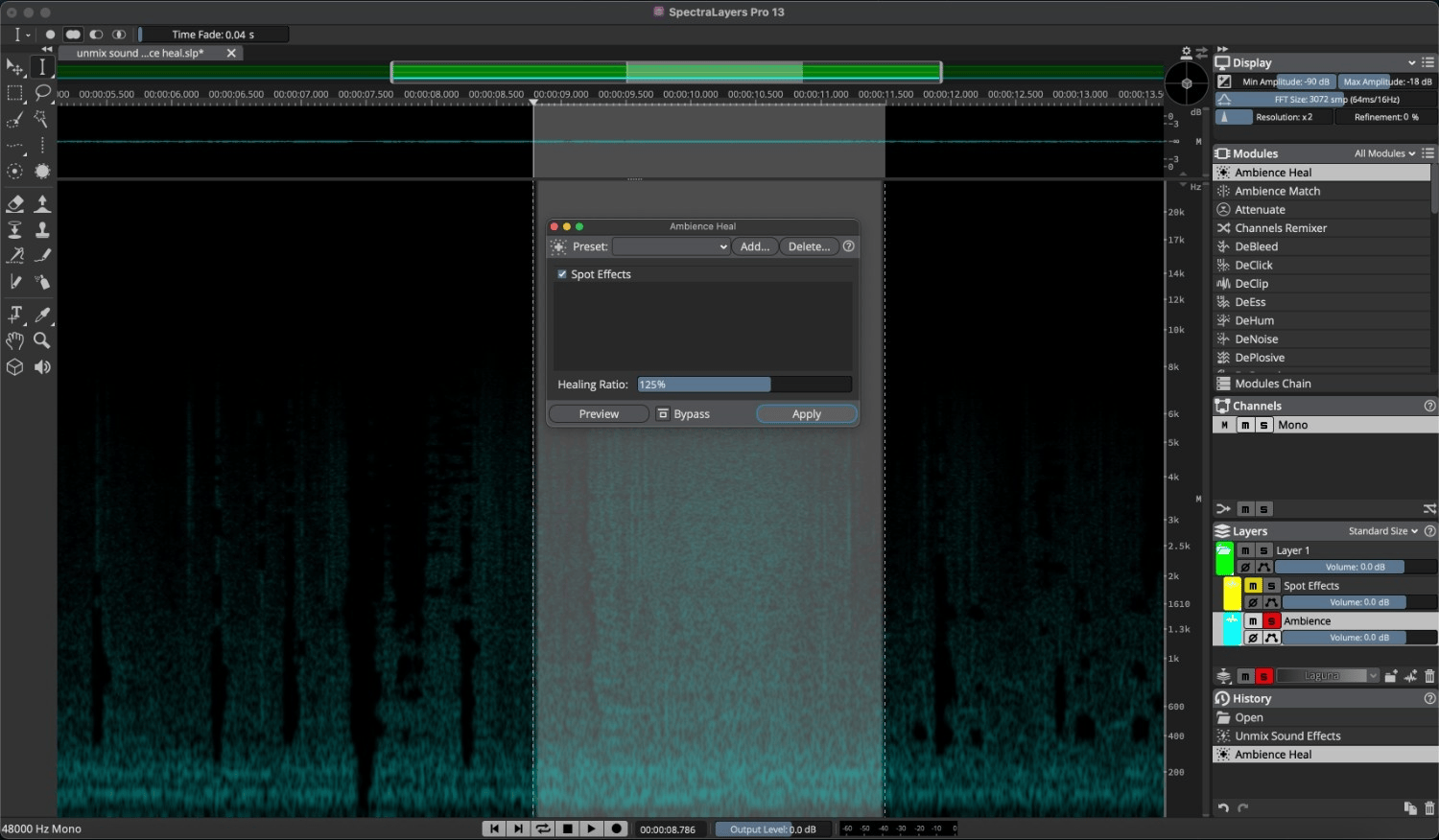
Ambience Heal

Automatically fill empty spaces in the audio spectrum left by unmixing and cut-to operations. For example, empty spaces previously occupied by voices on a source layer can be filled with the surrounding background texture (environment, room tone, etc) already present in the layer.

The process references user- designated foreground layers containing content extracted from the source layer.
ReConstruct

This new module resynthesizes selected spectral data. It analyses and reconstructs tones (by tracking before and after selections), transients (by tracking above and below selections), and noise. Reconstruction amounts are configurable for all three components.

Attenuate

Attenuate relatively high-amplitude content within selections, based on the maximum spectral power of the surrounding content. This facilitates easy, natural-sounding blending with selection-adjacent content.

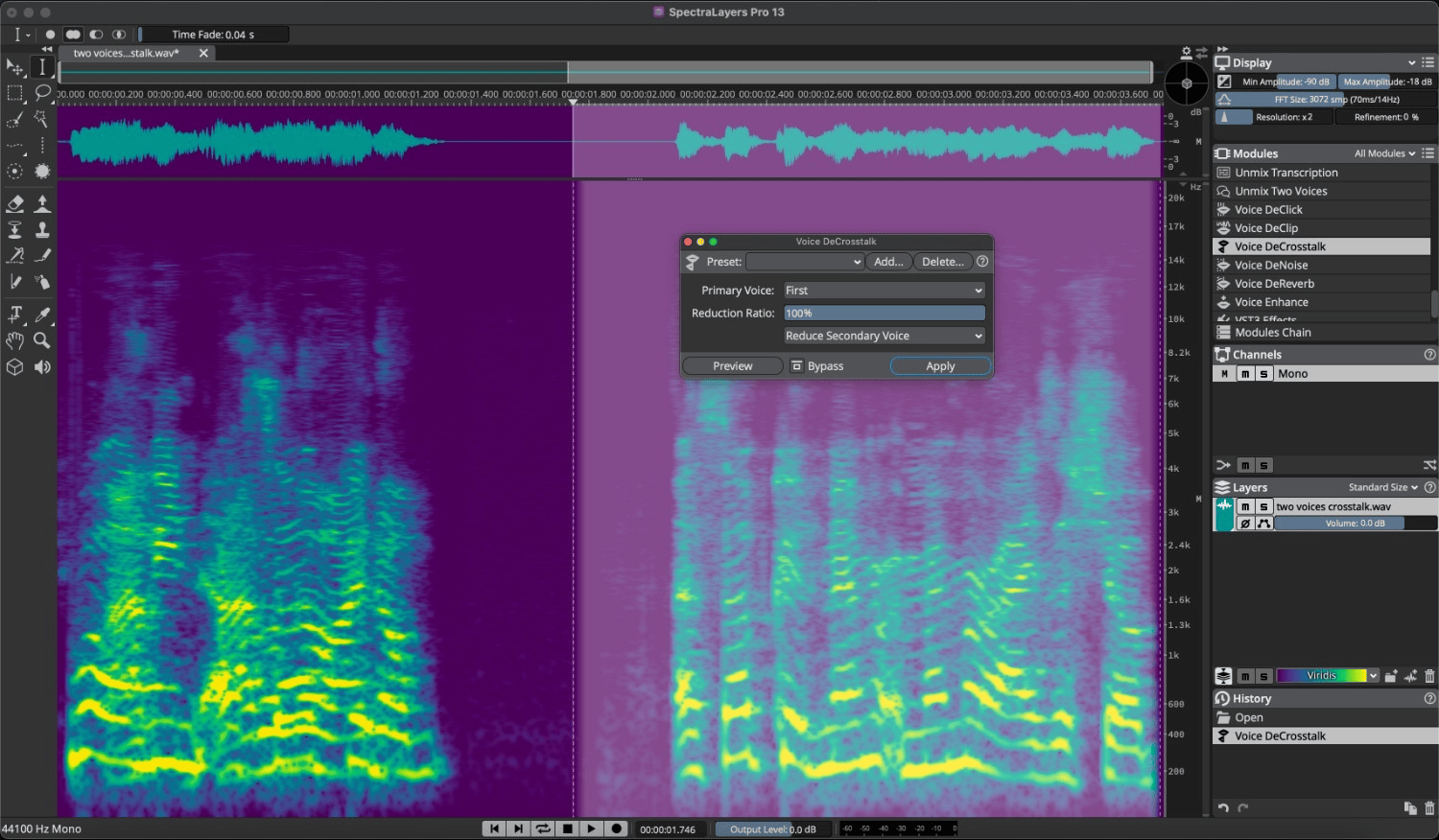
Voice DeCrosstalk

Separate non-target voices (background or foreground) from the primary voice, even when they are overlapping. Speech unmixing has never been easier!
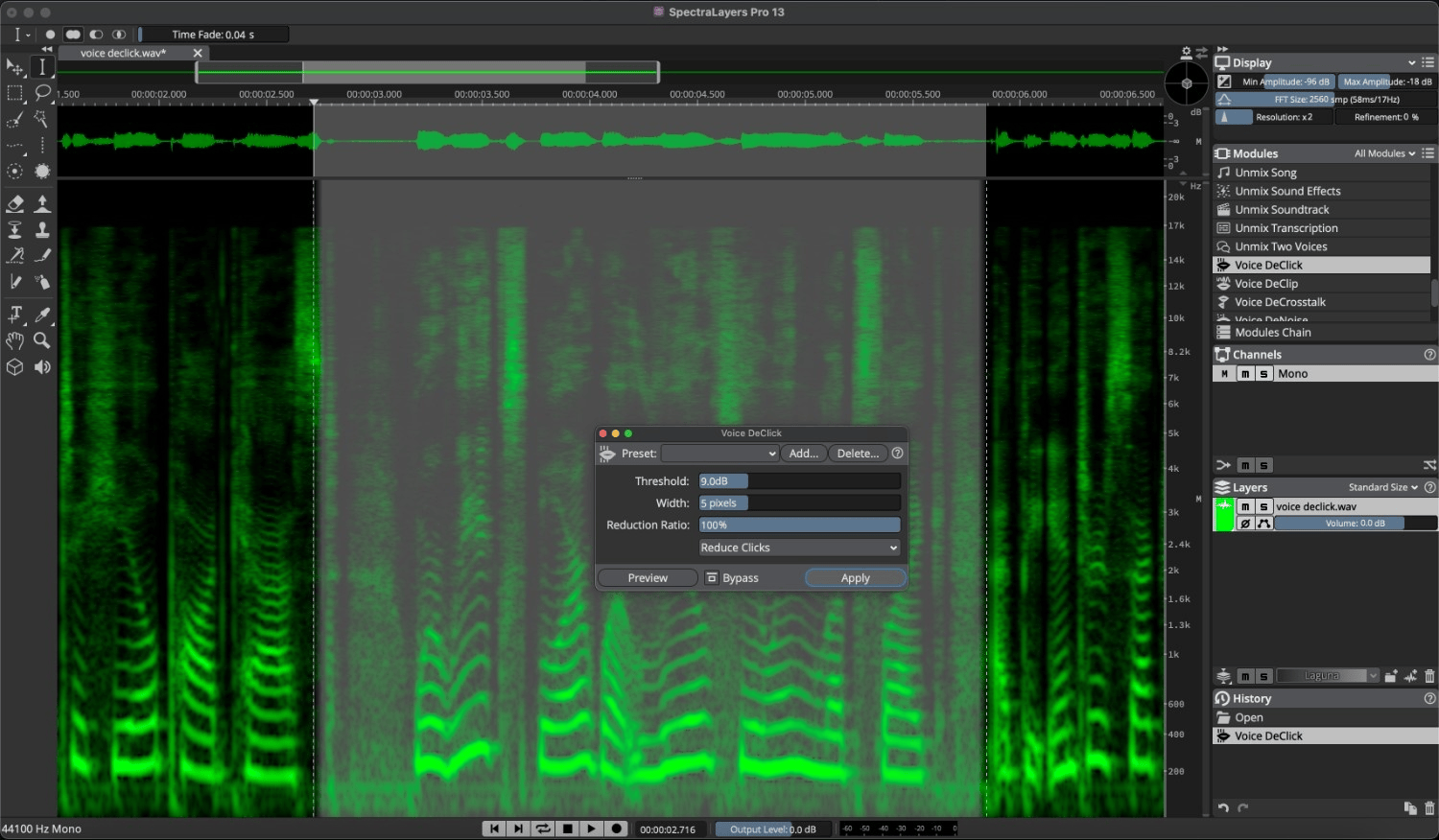
Voice DeClick

Remove unwanted mouth noises, such as lip smacks and tongue clicks. Threshold, pixel width, and reduction ratio controls are provided for fine-tuning the process.
Unmix Two Voices

Automatically separate two voices without having to register voice profiles. This is one of the workflow speed and efficiency improvements which are a hallmark of the new edition.

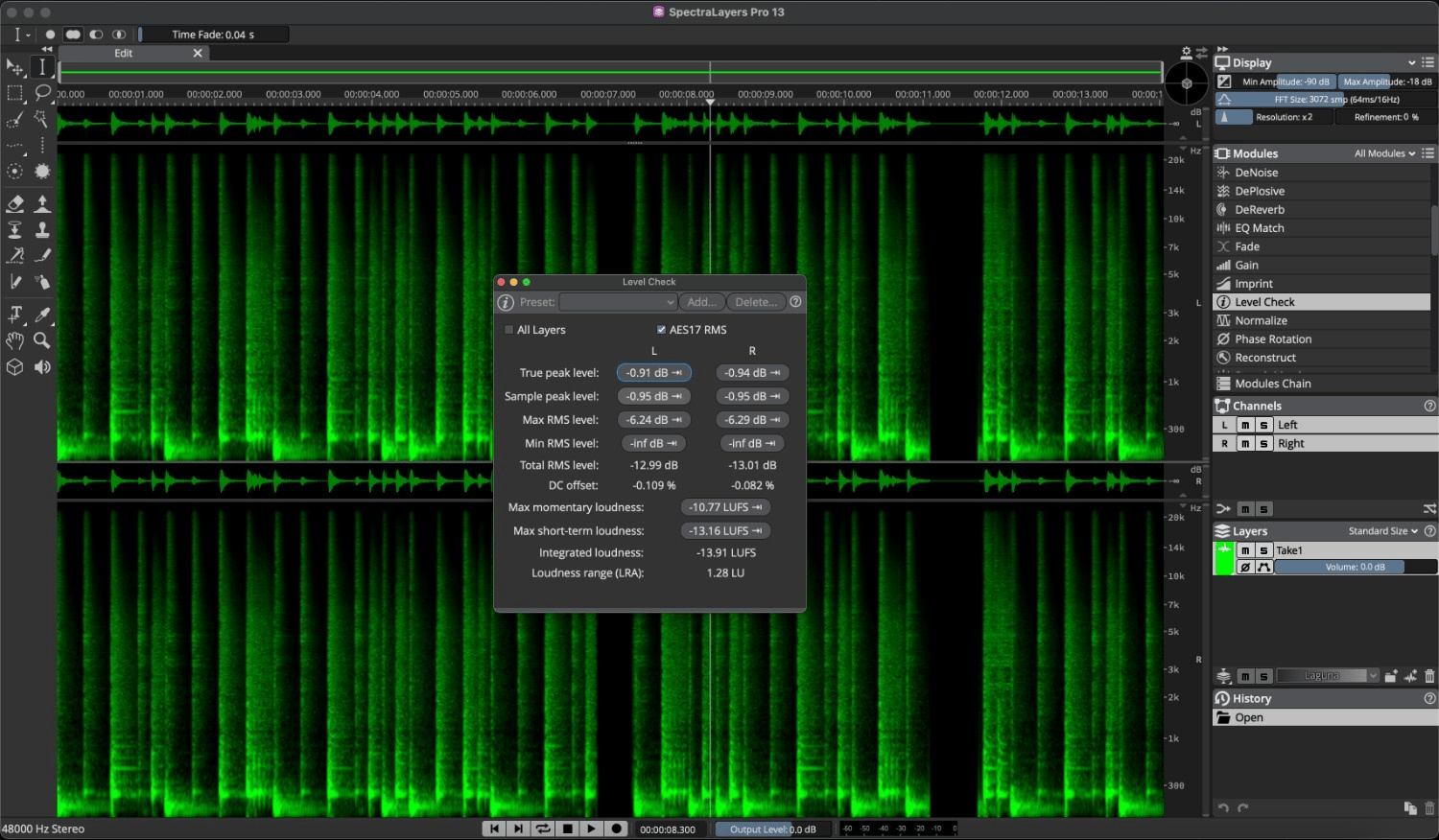
Level Check

Quickly calculate and display a variety of loudness data, including True Peak and a host of LU measurements. Calculations update automatically and can be made on spectral selections, as well as any combination of layers.

In addition, clicking on various fields in the module interface makes the playhead snap to the exact project locations where instantaneous data was gathered.
Fade

Apply fades to selections within single layers or crossfade between two selected layers in a project. Choose fade in, fade out, or let the module automatically determine the fade type, based on the selection location in the timeline. Four fade types are provided.

Improved DeNoise

Noiseprint-based noise reduction is alive and well! This classic SpectraLayers process is now improved with the addition of controls which add increased precision and variable spectral smoothness.

Improved Unmix Components

It’s a sound designer’s delight! This process is now improved to provide more accurate detection and separation of discrete tones, transients, and noise.

SMART CO-PURCHASE UPSELL

Frequently Bought Together

SpectraLayers Pro 13 Full Version
$179.99 $359.99
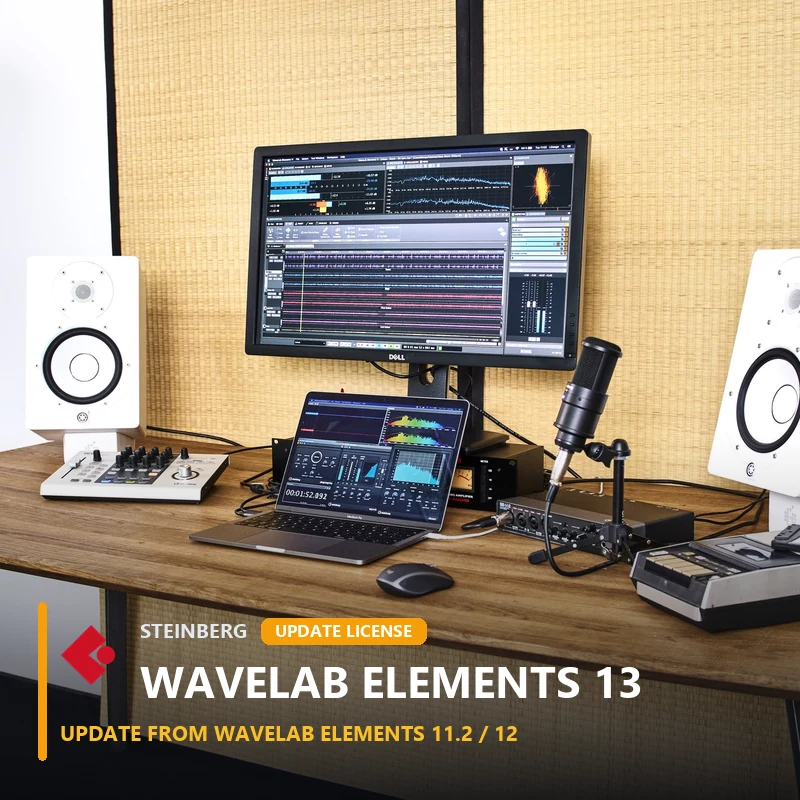
WaveLab Elements 13 UD1 (fr.12/11.2)
$19.99 $39.99
Total for Both: $199.98
SpectraLayers Pro 13 Full Version $179.99 $359.99

Discover More

View All Events

BROWSE ALL

Happening Now

View Black Friday 2026

SHOP LIVE EVENT
Your Playlist CLEAR
Your playlist is currently empty. Visit a product page and add some tracks to your playlist
Audio Player
0:00
0:00