Dual mode allows YOU to switch from peak compression (regular mode) to RMS compression (buss mode).
If you route your drum tracks (or any other group of tracks) into a group track, you are able to compress this group as a whole. Tying or “gluing” the individual elements to perform as one. The Buss mode is designed especially for that, It reacts to the RMS (root mean square) or the average of the signal, creating a smooth and musical compression. Regular mode reacts to the peaks of the signal, with it, you are able to dynamically shape the individual tracks. Keep in mind that some individual tracks will benefit much more from RMS compression and some groups or mixes will benefit more from peak compression, so experiment and see what works best for your track.
FEATURES
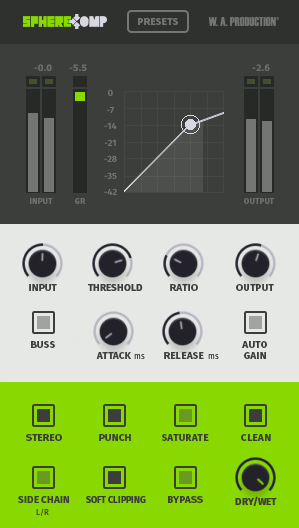
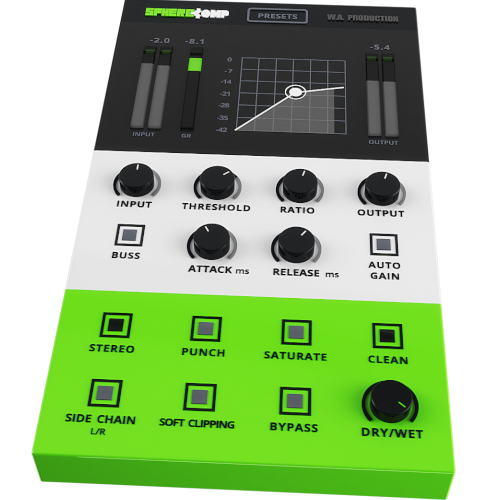
- Input – Control the input gain by +/- 15dB.
- Threshold – Threshold (dB), when the signal level exceeds the threshold the compressor goes into action.
- Ratio – (ratio/1) As an example, a 3:1 ratio means that for every 3dB the input signal exceeds the threshold, only 1dB will be allowed to pass by the compressor.
- Output – Control the output gain by +/- 15dB.
- Stereo – Switch between stereo and mono modes.
- Punch – Parallel processing to add punch to the signal before the compression stage.
- Saturate – Add tube style saturation to the compressed signal.
- Clean – Make the compressor sound as clean as possible. If Punch or Saturate are on, it will reduce their effect giving you different timbre options.
- Side Chain – Signal from the right channel input goes to the detector and the signal from the left channel input goes to the compressor.
- Soft Clipping – Use to round the signal when it approaches 0.0dB and ensures it does not exceed it.
- Bypass – Allows you to engage and disengage the compressor.
- Dry/Wet – Mixes between the processed signal and the input signal creating a parallel compression effect, which leaves the peaks untouched while boosting the lower part of the signal.
- Presets - To help you out there are also 45 presets that focus on individual instruments and drum sounds as well as groups, mix buss and mastering presets.
This is yet another way W.A. Production has made it easy for you to learn as you go. See what the pro's do and make your own modifications. And as if that wasn't enough to get you excited and ready to master compression, you will find pro tips and tricks inside the manual. That's right, we weren't going to just leave ya hanging to figure it out for yourself. There is a manual to assist you with getting started and getting the most out of Sphere Comp.