Theme

Forthcoming Events

No forthcoming events scheduled.


Expired Events

October Deals Ended: 31 Oct 2026
6th Birthday Sale Ended: 08 Oct 2026

Live Event

Active

Black Friday 2026

Our biggest sale of the year. Scoring for film, designing next-generation sounds, or mixing your next release? Explore deep discounts across thousands of premium plugins, virtual instruments, and sample libraries.

Ends In
10d 05h 39m 18s
VIEW ALL DEALS

0

0

Change country:

We use cookies

We and selected 3rd parties use cookies or similar technologies as specified in our Cookie Policy

You can consent to the use of such technologies by using the "Accept" button

Manage cookies

Essential
Essential cookies required for business process and to make the website usable by enabling basic functions. (always active)
Marketing
Marketing cookies are used to serve personalised ads and analyse performance.

Presets

Presets

Korg Modwave

Ocean Swift

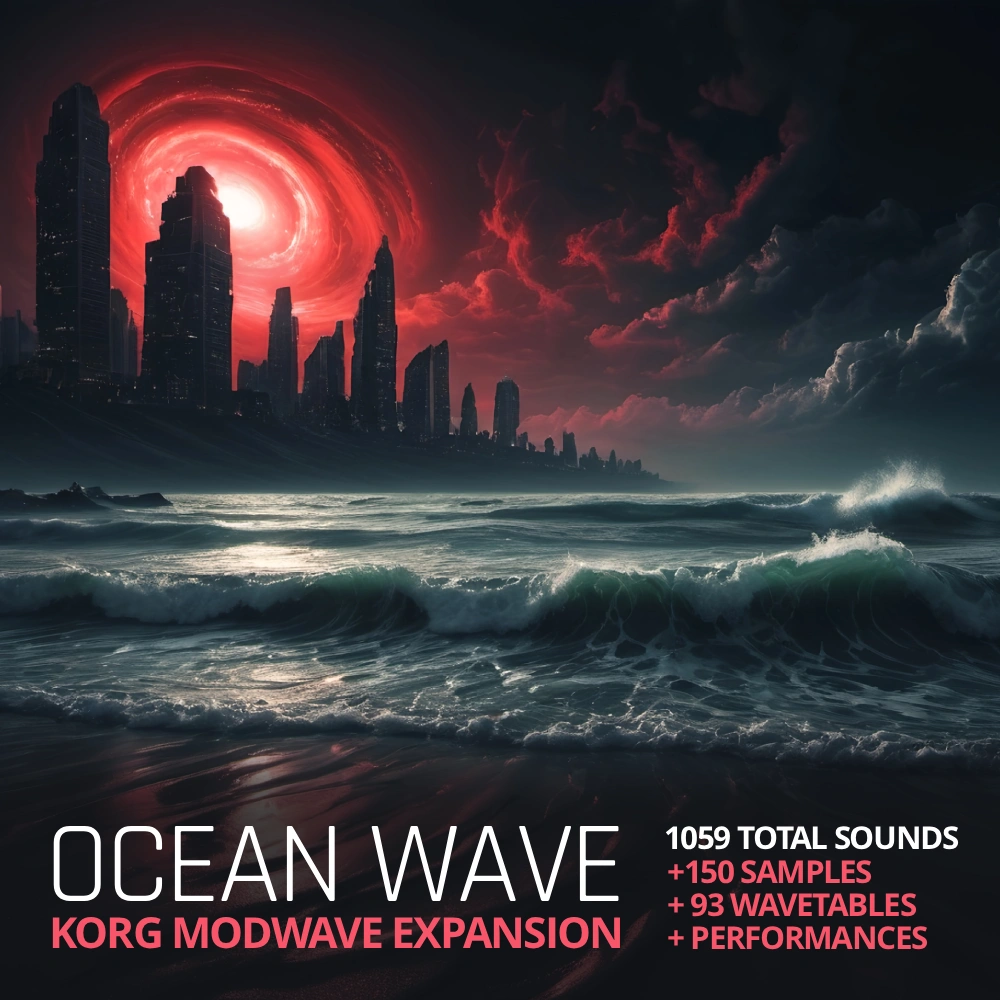
Ocean Wave

Korg Modwave Expansion. 

Ocean Swift - Ocean Wave - Main GUI

$50.00

★ Earn 132 Credits ($1.73 cashback)

0

SYSTEM & OS COMPATIBILITY
OS Support
macOS Windows
Synth Host Required Korg Modwave
Delivery Method ⚡ Direct Download
Disk Space 1.44 GB
🎁 Free Bonus Gift with £15+ orders: choose from Aura, Blox Reverb, DP-06+, Things: Flip EQ at checkout.

✓ Instant Digital Delivery
✓ Official Partner License
✓ Safe & Secure Checkout
✓ Dedicated Customer Support
Guaranteed Safe & Secure Checkout
Visa Mastercard American Express Apple Pay Google Pay Klarna
IN-DEPTH LOOK

Product Overview

With Ocean Wave installed, your Modwave becomes an entirely new beast. This is a monumental expansion for the Korg Modwave, blending Ocean Swift’s signature sound design directly into the heart of this incredibly deep wavetable and sampler hybrid synth engine.

The Ocean Swift touch envelops the instrument, propelling it into bold, unexplored sonic territory.

Aside from the presets, the expansion is packed with raw sonic material. Ocean Wave comes loaded with 150 carefully crafted oscillator style and one-shot samples and 93 wavetables.

These elements have been hand-picked to maximize impact, giving you gritty textures, deep atmospheres, and cutting transients to build your patches from the ground up.

PACKAGE CONTENTS

What's Included?

Contents:

Highlights:

INSTALLATION

Installing the Ocean Wave Bundle entails installing both the samples collection and the presets collection. 

Note: In the Modwave paradigm, the included wavetables are part of the presets installation.


Installing The Samples
  • Place the downloaded “Ocean Wave.korgcompiledbank” file anywhere on your drive.
  • Launch Modwave Native in standalone or as a plugin within a DAW.
  • In the top right corner click the three vertical dots to enter the options menu.
  • In the options menu, select “User Sample Banks…”.
  • In the dialog that opens, point to the folder where the “Ocean Wave.korgcompiledbank” file is located.
Installing The Presets
  • Launch Modwave Native in standalone or as a plugin within a DAW.
  • In the Modwave top menu, navigate to the Librarian tab.
  • In the top right corner click the three vertical dots to enter the options menu.
  • In the options menu, select “Import…”.
  • In the dialog that opens, select the downloaded “Ocean Swift Ocean Wave Presets.mwbundle” file.
Installing The NKS Presets

From inside the downloaded “NKS” folder, copy the “modwave native” folder exactly as it is to the Native Instruments user content folder. By default, the Native Instruments folder itself is located in the computer’s main documents folder. You may need to rescan the user content in Maschine/KK in order for the presets to appear in the browser.


Wavestate Hardware (Mk1, Mk2, Keyboards and racks)
  • Make sure your Modwave hardware is up to date. Refer to the manual and to the Korg website if unsure.
  • If you haven’t already, download both the Modwave Editor Librarian and the Modwave Sample Builder from the Korg website: https://www.korg.com/us/support/download/product/0/928/
Installing The Samples
  • Connect your Modwave hardware to the computer and turn it on.
  • Launch the Sample Builder application.
  • In the Sampler Builder operating system top bar navigation menu, select “File”.
  • In the “File” menu, select “Open Bank…”.
  • In the dialog that opens, select the downloaded  “Ocean Wave.korgbank”.
  • If your Modwave is connected and recognized, the “Send Bank” button on the right side of the Sample Builder application should be clickable.
  • Click the “Send Bank” button
  • The transfer will continue, do not turn off the Modwave or otherwise interrupt the transfer until completion.
Installing The Presets
  • Connect your Modwave hardware to the computer and turn it on.
  • Launch the Modwave Editor Librarian application.
  • In the Modwave Editor Librarian operating system top bar navigation menu, select “Import”.
  • In the dialog that opens, select the downloaded
  • “Ocean Swift Ocean Wave Presets.mwbundle” file.
  • The transfer will continue, do not turn off the Modwave or otherwise interrupt the transfer until completion.
SMART CO-PURCHASE UPSELL

Frequently Bought Together

Total for Both: $65.00
Ocean Wave $50.00

Discover More

View All Events

BROWSE ALL

Happening Now

View Black Friday 2026

SHOP LIVE EVENT
Your Playlist CLEAR
Your playlist is currently empty. Visit a product page and add some tracks to your playlist
Audio Player
0:00
0:00