Theme

Forthcoming Events

No forthcoming events scheduled.


Expired Events

October Deals Ended: 31 Oct 2026
6th Birthday Sale Ended: 08 Oct 2026

Live Event

Active

Black Friday 2026

Our biggest sale of the year. Scoring for film, designing next-generation sounds, or mixing your next release? Explore deep discounts across thousands of premium plugins, virtual instruments, and sample libraries.

Ends In
10d 05h 41m 16s
VIEW ALL DEALS

0

0

Change country:

We use cookies

We and selected 3rd parties use cookies or similar technologies as specified in our Cookie Policy

You can consent to the use of such technologies by using the "Accept" button

Manage cookies

Essential
Essential cookies required for business process and to make the website usable by enabling basic functions. (always active)
Marketing
Marketing cookies are used to serve personalised ads and analyse performance.

Kontakt 5.8.1

Ambiences

TOP RATED!

ThePhonoLoop

Texture Mozaik

11GB of Texture Samples. Advanced Modulation and Morphing Engine.

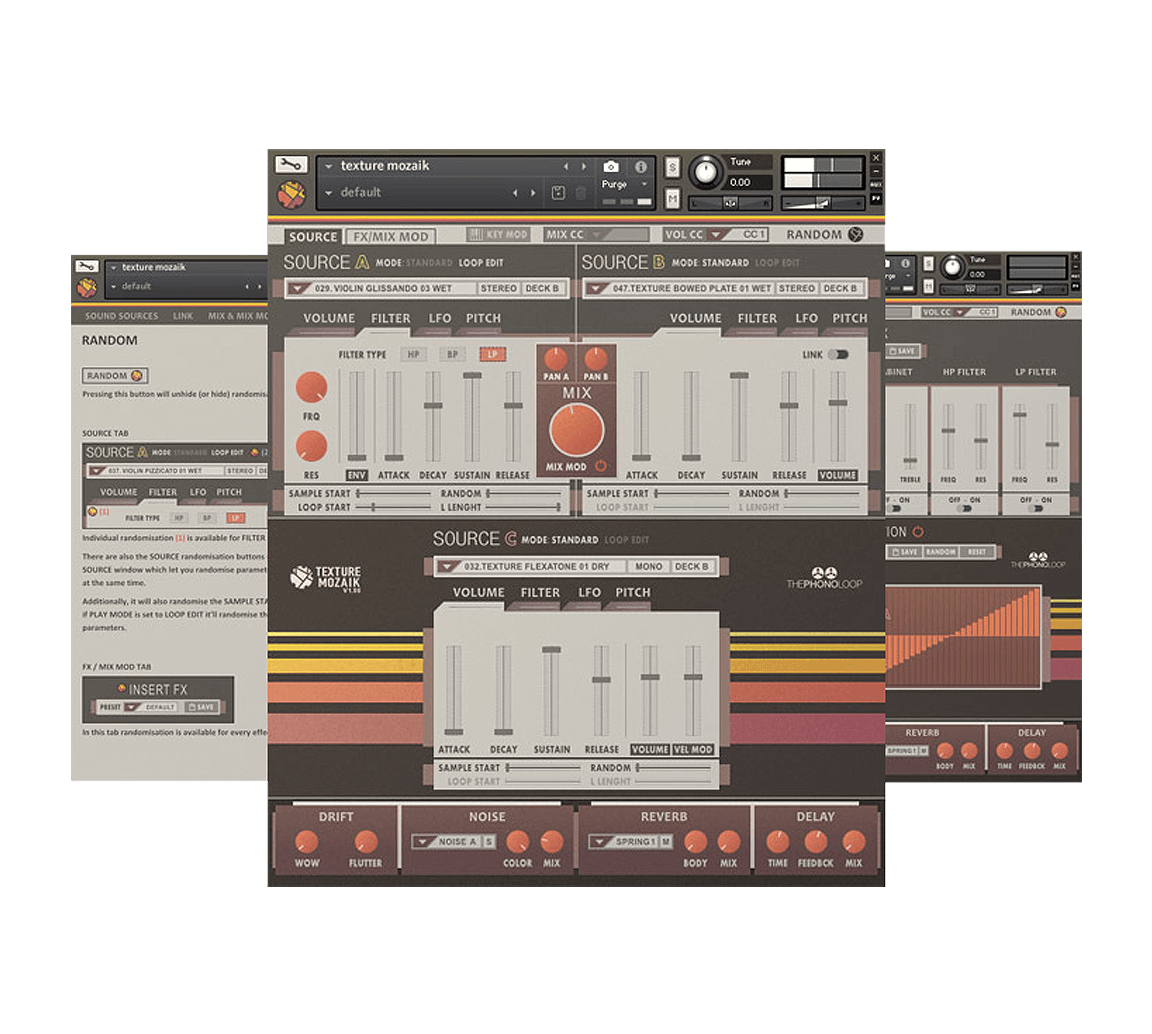
ThePhonoLoop - Texture Mozaik - Main GUI
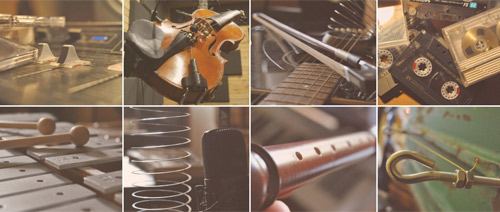
ThePhonoLoop - Texture Mozaik - SOUND SOURCES
ThePhonoLoop - Texture Mozaik - THE INTERFACE - SOURCE
ThePhonoLoop - Texture Mozaik - THE INTERFACE - MODULATION
ThePhonoLoop - Texture Mozaik - QUICK GUIDE
♫ AUDIO DEMOS (3 TRACKS) Swipe 1–3 →

$88.74

★ Earn 203 Credits ($2.66 cashback)

0

SYSTEM & OS COMPATIBILITY
OS Support
macOS Windows
Kontakt Requirement ⚠ Full Kontakt 5.8.1+ Read more
Delivery Method ⚡ Direct Download
Disk Space 7.71 GB
🎁 Free Bonus Gift with £15+ orders: choose from Aura, Blox Reverb, DP-06+, Things: Flip EQ at checkout.

Note: This product is compatible with Kontakt Full 5.8.1 and above

✓ Instant Digital Delivery
✓ Official Partner License
✓ Safe & Secure Checkout
Guaranteed Safe & Secure Checkout
Visa Mastercard American Express Apple Pay Google Pay Klarna
IN-DEPTH LOOK

Product Overview

The main idea behind Texture Mozaik was to create an instrument inspired by the sound design techniques used by some of the film and experimental composers from between 50s to 70s. The name of the instrument suggests that it's mainly focused on the textures - and yes, it's designed to mix 2 or 3 sound sources to create evolving, old school sounds, but due to the amount of tonal sound sources available in Texture Mozaik, it's definitely much more than just a 'background generator'. In fact, as you can hear in available audio demos, Texture Mozaik is perfectly capable of creating melodic parts or even creating main harmony for the production (no other instruments than Texture Mozaik were used in audio demos).

Updated to V1.01 - Changelog:

  • Improved the graphics for Key Mod switch.
  • Added keyboard velocity sensitivity slider for SOURCE A and SOURCE B
  • Updated snapshots for version 1.01 (old snapshots are incompatible with v1.01)

Updated to V1.02 - Changelog:

  • Vastly improved snapshot loading speeds
  • More stable and reliable mix mod sequencer
  • Fixed showing / hiding of some graphical elements when loading a snapshot

DEMO AVAILABLE

Click the DEMO Icon near the top of this page to download a demo version of Texture Mozaik

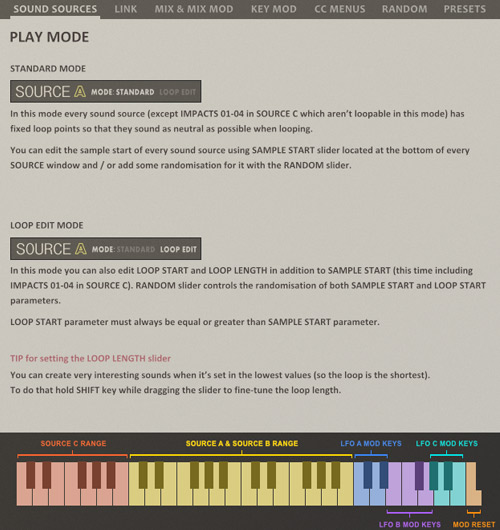
SOUND SOURCES

ThePhonoLoop - Texture Mozaik - SOUND SOURCES

Texture Mozaik contains over 120 unique sound sources all inspired by the sounds of the past when recording on tapes, cutting them, then gluing and looping, passing through spring reverbs, etc. was on the agenda.

You'll find here gloomy, dirty sounds but also those subtle, delicate ones which can be complementary to these first. For example, one of the sounds included in Texture Mozaik is an bowed acoustic guitar whose strings were connected by a spring with a metal pot hanging on a tripod - which worked as an additional resonator. You will also find here a lot of classic sounds such as violin, chromatic bells, bowed saw, flute and more. As always, all included sounds were passed through several different cassette decks.

Every sound source has been carefully denoised with a high quality algorithm to avoid noise stacking when playing more than one note (there’s still some noise left in the samples to avoid denonising artifacts). Noise can still be added with the noise knob - it’s much more flexible this way and allows the ability to adjust the volume of the noise independently whilst also applying parameters such as filtering. It also creates a more realistic sound, so when playing a few notes at the same time, only one sample of noise instead of few stacked on top of each other will be heard.

From the technical point of view there are 3 kind of sound sources in Texture Mozaik:

  • Standard - looping available in both STANDARD and LOOP EDIT modes - available in SOURCE A, SOURCE B and SOURCE C
  • Impacts - looping available only in LOOP EDIT mode, 4 round-robin samples - available only in SOURCE C
  • Textures - looping available in both STANDARD and LOOP EDIT modes, no pitch tracking, one voice per SOURCE (can't play chords) - available in SOURCE A, SOURCE B and SOURCE C

THE INTERFACE - SOURCE

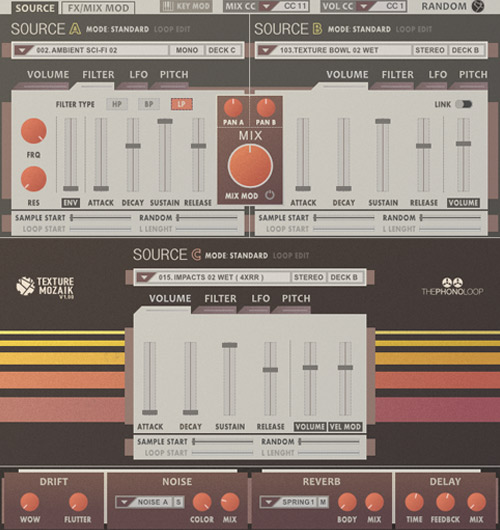
ThePhonoLoop - Texture Mozaik - THE INTERFACE - SOURCE

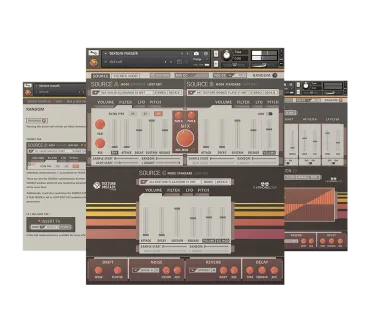
That's the main part of the instrument - here you can load sound sources for Source A,B and C and shape them to your needs using for example volume envelope, filter, lfo and pitch envelope or even randomise some of the parameters using RANDOM button.
You can mix SOURCE A and SOURCE B using the MIX knob, MIDI controller or MIX MOD (step sequencer - more on that in the Introduction video below or Quick Guide inside instrument).

It's also possible to change the sample start of every sound source or even alter the position and length of the loop in each sound sources if the Loop Edit mode is active (more on that in the Introduction video below or Quick Guide inside instrument).

In the bottom part (below SOURCE C) there are controls for WOW and FLUTTER which let you dial additional pitch instability to the sound (on top of the natural Wow and Flutter added to the samples by wonky cassette recorders).

There are also controls for adjusting the COLOR and volume (MIX) of noise, plus a menu to choose from 4 different noise samples.

Finally, there are two send effects - Convolution reverb (with custom impulse responses: 4 spring impulses, 4 hall impulses & 3 corridor impulses) with 2 controls: BODY (dial it in to get fuller, more metallic sound) and MIX knob. There's also simple Delay with 3 controls: TIME, FEEDBACK and MIX.

THE INTERFACE - MODULATION

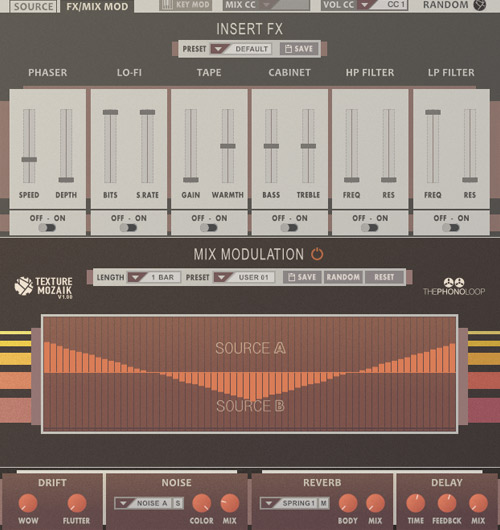
ThePhonoLoop - Texture Mozaik - THE INTERFACE - MODULATION

Here you can adjust the parameters of available INSERT EFFECTS, turn them On and Off and load pre-made presets. It's also possible to save and load your own presets (more on that in the Introduction video below or Quick Guide inside instrument).

There's also the step sequencer (synced to host tempo) for modulating the MIX knob - it’s possible to change the speed / length of the step sequencer using the LENGTH menu. It’s also possible to randomise the value of every step with RANDOM button or to reset it with RESETbutton.

Like in the Insert Effects section - it’s also possible to load pre-made presets or even save your own presets for the MIX MOD sequencer (more on that in the Introduction video below or Quick Guide inside instrument).

QUICK GUIDE

ThePhonoLoop - Texture Mozaik - QUICK GUIDE

Texture Mozaik GUI was designed to be very logical and as user friendly as possible but it's always better to have some kind of guidance - especially when, like in Texture Mozaik, there's a lot of editable parameters. This QUICK GUIDE section is to provide quick help for functions that aren't as straightforward as, for example simple Filter Cutoff knob.

Most of the information from the QUICK GUIDE are also explained in the Introduction video below, so we highly recommend to watch it if you're interested in this instrument.

FEATURES AND REQUIREMENTS

  • Full version of Kontakt 5.8.1 (or higher) required - not compatible with Kontakt Player
  • Over 11 GB of samples (uncompressed, 1540 samples in total)
  • Over 120 sound sources
  • 123 presets (plus another 30 presets from audio demos)
  • Samples recorded on 4 different decks
  • 4 noise samples
  • Organic sound with lots of little imperfections
  • Convolution Reverb with custom impulses (spring, hall, corridor)
  • Lots of sound design options
SMART CO-PURCHASE UPSELL

Frequently Bought Together

Texture Mozaik
Texture Mozaik
$88.74
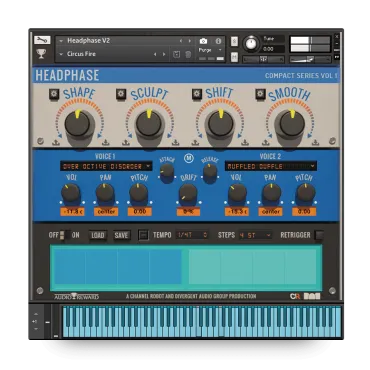
Headphase V2
Headphase V2
$12.50 $25.00
Total for Both: $101.24
VERIFIED BUYER FEEDBACK

Customer Reviews (2)

✓ Verified Owners
5.0
2 Verified Reviews
5 ★
100%
4 ★
0%
3 ★
0%
2 ★
0%
1 ★
0%
Showing Verified Customer Reviews

Sort By:

✓ Verified

Familiar but Different, now with very improved snapshot loading

<p>Familiar but Different, now with very improved snapshot loading</p> <p>Quick summary: Familiar features but they may have a different approaches/restrictions; A large number of fast-loading, good-sounding, very tweakable voices/loops with character; Snapshot loading very improved; nice performance features; a bit pricey but worth it---even more so when it finally does go on sale. Oh, and then there's this: A developer who reads the reviews and responds to an issue.</p> <p>Some details: Three-layers (sources) with identical selections of voices (103 for A and B, reduced to 79 for C), yielding over 800000 combinations. Some voices (or categories of voices) do not pitch-track, some are like construction sets. There are familiar controls for each layer for the volume and pitch envelopes and for the LFO and filter parameters. Voices load virtually instantaneously and now (v1_02) the snapshots themselves just take a second or two, a vast and welcomed improvement over v1_01, allowing more convenient auditioning and exploration of settings and tweaking options.</p> <p>Adjustments are all by ear---there are no numerical readouts for knobs/sliders; Shift+Mouse does allow for fine adjustments. The number of steps cannot be set in the mod table but the number of bars the table operates over can be set in powers-of-two. Randomization is for combined Loop/Sample + Filter + LFO parameters for each source (layer), or for just the filter and/or LFO parameters for each layer, set individually. The voice, and volume and pitch envelopes, are not randomized. The Insert EFX parameters (but not the selection of efx) and the 64 steps of the MOD table can be randomized. You can save 5 efx chains and 5 mod presets but only for a saved snapshot. There are some very effective options for performance via the Key Mods. No user manual but the Quick Guide tabs actually do a good job of helping you to grasp what's going on.</p> <p>Is "suffering" the peccadillos worth it? Oh yeah! This thing has a unique sound quality and is aptly named. It is simultaneously familiar and unusual but, after you get used to it, it has it's own inspirational work flow. Numeric readout would be nice but it's not a deal-breaker (I found myself quickly not missing it). The improved snapshot load times will insure that this thing will get used even more because its wonderfully characteristic sound quality always seems to come to mind---something that gets alluded to in review after review.</p>
✓ Verified

Musique concrète in a box

This is a strikingly unique instrument with a generous and unusual sound library. Expect clangorous vintage sci-fi stabs, tape damaged found sound experiments, and dense foreboding fogs. Texture is the name of the game, but it can be surprisingly melodic as well. It’s already found a home on many of my projects: creeping dread in a horror film score, shifting bedrock for a jazz improvisation, and percussion on a dance track. It is deeply customizable, but I often like to just randomize some parameters and let it do its thing. (I should mention some of the sounds it creates can be downright ridiculous/hilarious as well.) If you like tight, controlled synthesis, this is probably not for you. But I have found this machine to be an endlessly entertaining rabbit hole, and one that challenges me to react and write creatively alongside it.
Texture Mozaik $88.74

Discover More

View All Events

BROWSE ALL

Happening Now

View Black Friday 2026

SHOP LIVE EVENT
Your Playlist CLEAR
Your playlist is currently empty. Visit a product page and add some tracks to your playlist
Audio Player
0:00
0:00