Sign in to Loot Audio
Access your downloads, purchases and more
Access your downloads, purchases and more

Pulse is a revolutionary new downloader offering blazing fast speeds and powerful control over your libraries. Loot Audio uses Pulse to power some of our downloads and to make managing your libraries more efficient for you.
After your purchase we will send you a unique code (you will also find the code in your account). Use the code with Pulse to power your download and installation. More information about Pulse can be found here.
What are Credits?
You earn Credits every time you purchase a product from Loot Audio. 3% of your order is added to your account in the form of Credits.
Use Credits for money off future orders or convert them to Sample Credits to download samples from the Sounds section of the site.
Professional Multi-Track Recording Suite.


$49.00
Earn 126







Mixcraft 10.6 Language Support
With the latest Mixcraft updates, Acoustica has enhanced the virtual studio with new features to inspire users and increase productivity. Every improvement in Mixcraft 10.6 aims to improve ease of use, stability, and innovation, allowing musicians to achieve their music goals faster and with professional-level quality.
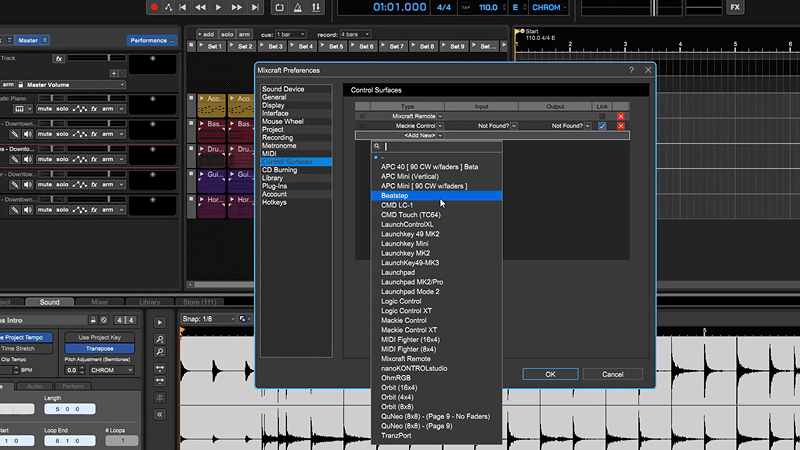
Some of the new features in Mixcraft include Project Templates, which offer task-specific presets for tasks such as podcasting setups, mastering, video editing, and more. MIDI controller support has been expanded, and the new Quick Access panel enables users to quickly add, remove, and reorder instruments and effects on virtual tracks.
Behind the interface improvements is a solid backbone of enhanced stability and plugin support. Mixcraft's robust Plugin Manager displays native and third-party installed virtual instruments and effects plugins, giving users several customization options to manage and navigate their VSTs more easily. And the new Auto-Save feature further reduces the risk of projects lost or corrupted due to misbehaving plug-ins.
The free Mixcraft Remote app for iOS (14+) and Android (14+) lets you easily control your Mixcraft recording software from your smartphone or tablet. You can start recording, playback, change the recording and playback position, control the master volume, undo and redo changes, and save your Mixcraft project from anywhere in your studio. Strap on your guitar, adjust your microphone, and start recording right from your mobile device!
Minimum System Requirements
Recommended System Requirements
Note: