Sign in to Loot Audio
Access your downloads, purchases and more
Access your downloads, purchases and more

Pulse is a revolutionary new downloader offering blazing fast speeds and powerful control over your libraries. Loot Audio uses Pulse to power some of our downloads and to make managing your libraries more efficient for you.
After your purchase we will send you a unique code (you will also find the code in your account). Use the code with Pulse to power your download and installation. More information about Pulse can be found here.
What are Credits?
You earn Credits every time you purchase a product from Loot Audio. 3% of your order is added to your account in the form of Credits.
Use Credits for money off future orders or convert them to Sample Credits to download samples from the Sounds section of the site.
Backwards is the new forward.
$69.00
Earn 189







Lo-Fi Module
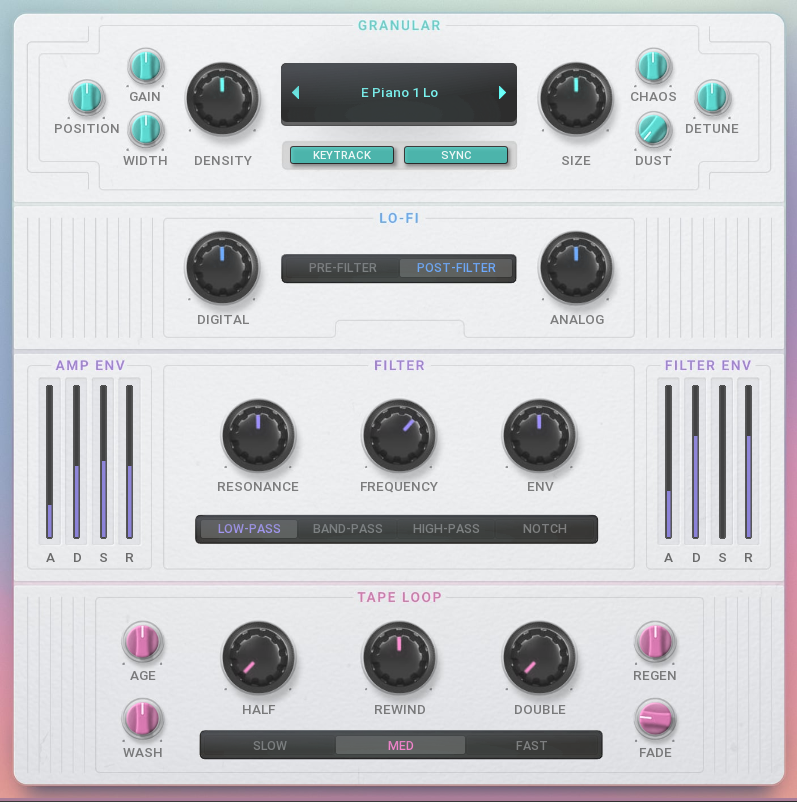
The Lo-Fi section adds character and imperfection with two simple knobs. The Digital control provides bit-crushing grit, while the Analog knob adds warmth, saturation, and subtle pitch instability. A dedicated switch places the Lo-Fi effect either Pre-Filter to be sculpted by the filter, or Post-Filter to affect the final sound.

Filter & Envelopes
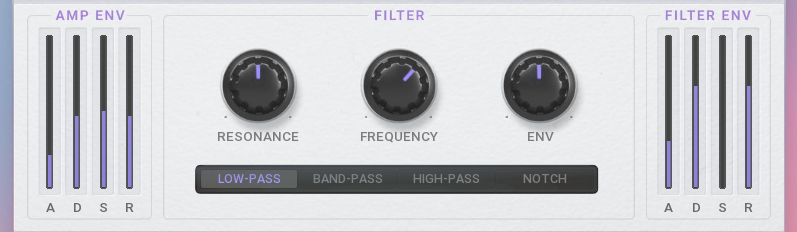
Shape your sound with a versatile multi-mode filter featuring Frequency and Resonance controls. Choose from Low-Pass, Band-Pass, High-Pass, and Notch modes to sculpt your tone. Two dedicated ADSR envelopes control the dynamics: the AMP ENV for overall volume and the FILTER ENV for modulating the cutoff, creating anything from sharp plucks to evolving pads.
Tape Loop
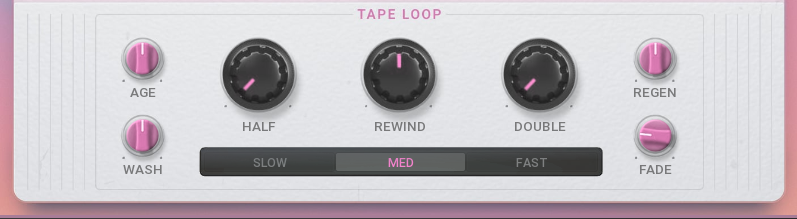
This section emulates a classic reverse tape effect, capturing synced audio and playing it backwards. The Rewind knob controls the core character, while Half (octave down) and Double (octave up) knobs alter playback speed for rhythmic variations. Add authentic artifacts with Age (wear) and Wash (smear). The Regen control creates evolving feedback loops, while Fade ensures smooth transitions.
FX & Master
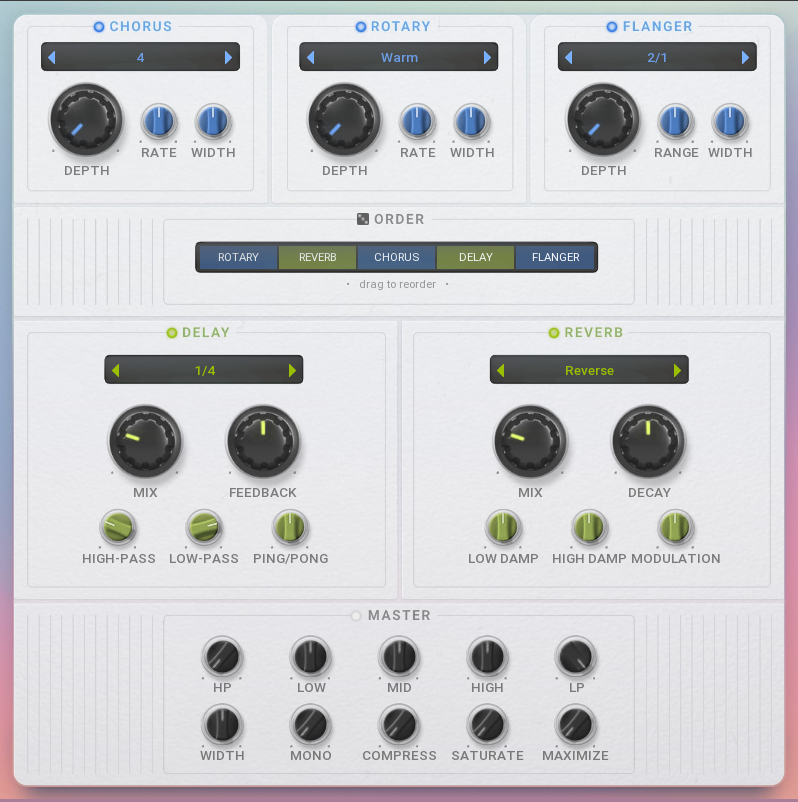
Rewind's effects suite includes five modules: a lush Chorus, swirling Rotary speaker, and a metallic Flanger, plus a tempo-synced Delay with filters and a spacious Reverb. The central Order panel is the main highlight, allowing you to drag and drop these modules into any sequence. This lets you easily create a custom effects chain for truly unique sound design possibilities. The Master section provides final polishing for a mix-ready sound. Sculpt your tone with a 3-band EQ and flanking High-Pass/Low-Pass filters, then adjust the stereo image with the Width and Mono controls. Add punch and warmth using the one-knob Compressor and Saturate effects, then boost the final loudness with the Maximize function.
Quick Results
For instant inspiration and quick adjustments, the Intro screen distils Rewind down to its three most essential controls. The large central Rewind knob controls the amount of the reverse tape loop effect. It's flanked by the Digital and Analog knobs, allowing you to quickly dial in character, from subtle warmth to heavy digital grit. You can also flick through all 128 sound sources directly from this screen. For complete sonic exploration, the dice icon at the bottom is a powerful randomiser; a single click will intelligently change every parameter across the entire instrument, instantly generating new and unexpected patches.
If you already have MSoundFactory or MSoundFactoryLE, Rewind is completely free to download. You just need to run MPluginManager and run it. However you can buy it separately, and use with the free version of MSoundFactory - MSoundFactory Player.
The core of Rewind is its powerful granular sampler. You can select one of the 128 sound sources as your starting point. The engine deconstructs the sample into tiny fragments called "grains" and plays them backwards. You have full control over this process with parameters like Position (where in the sample to start), Density (how many grains play at once), and Size (the length of each grain). Add stereo Width, introduce unpredictability with Chaos and Detune, or sprinkle in some vintage character with the Dust control for added crackle.
Rewind requires MSoundFactory to work.