Sign in to Loot Audio
Access your downloads, purchases and more
Access your downloads, purchases and more

Pulse is a revolutionary new downloader offering blazing fast speeds and powerful control over your libraries. Loot Audio uses Pulse to power some of our downloads and to make managing your libraries more efficient for you.
After your purchase we will send you a unique code (you will also find the code in your account). Use the code with Pulse to power your download and installation. More information about Pulse can be found here.
What are Credits?
You earn Credits every time you purchase a product from Loot Audio. 3% of your order is added to your account in the form of Credits.
Use Credits for money off future orders or convert them to Sample Credits to download samples from the Sounds section of the site.
Experience a new standard of loudness mastery with our comprehensive loudness toolkit. This bundle includes our Limiter, Normaliser and Analyser complete with integrated True Peak Limiter.


.png)


$259.00
Earn 597







An advanced version of our Analyser, Limiter and Normaliser.
The Normaliser comes as a standalone application
The Analyser includes an integrated True Peak Brickwall Limiter & Audio Suite Normaliser
Unparalleled ease of use with clean and comprehensive user-interface
DAW Sync and automatic re-metering reflecting any adjustments for a smarter workflow
Wide array of built-in presets for the very latest loudness standards and recommendations
History overview and alerts letting you easily identify and quickly navigate around your session to areas that require your attention
Custom alert system so you can specify your own parameters
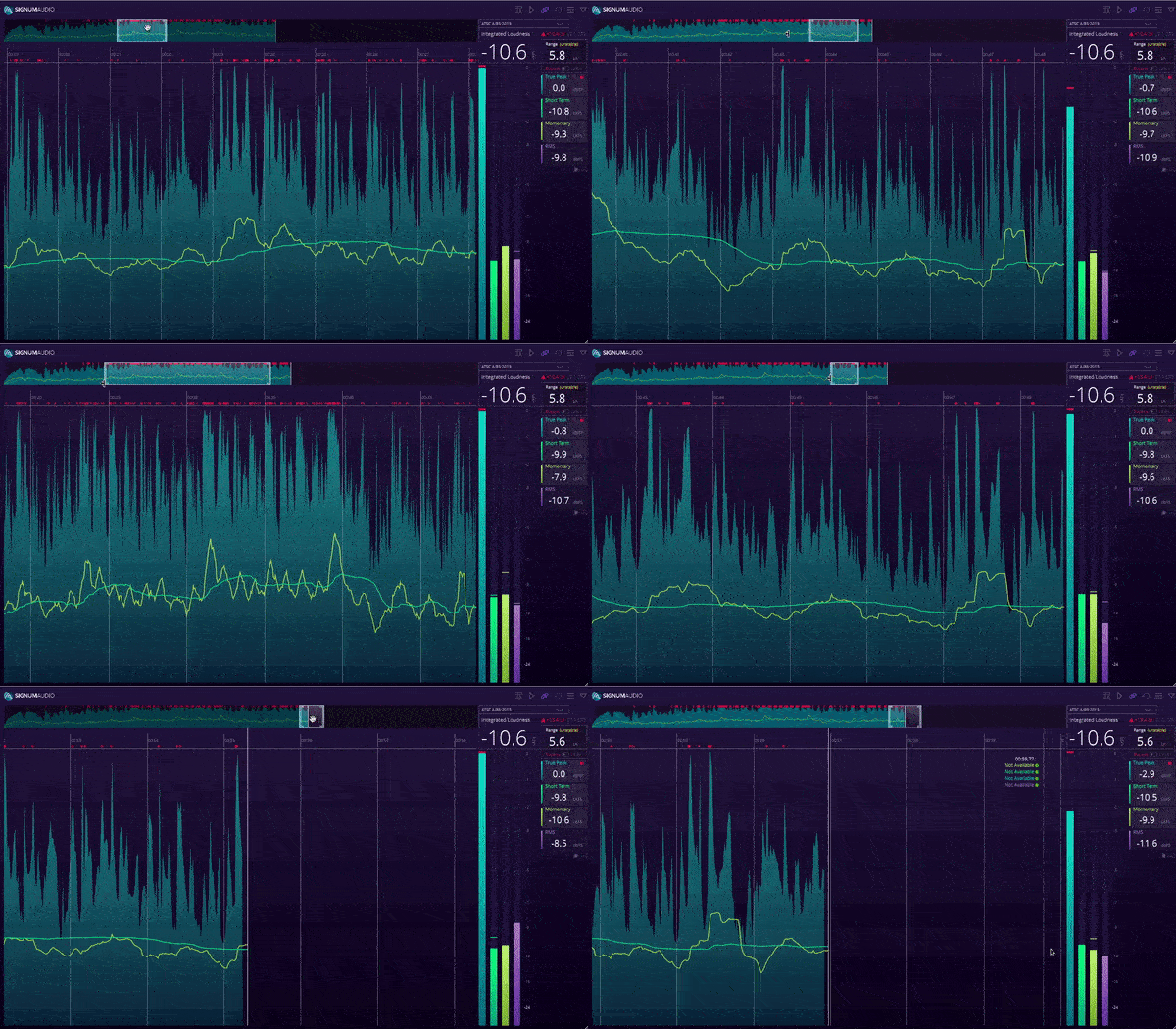
Incredibly insightful history graph
Toggle between readings for short-term & momentary loudness, true peak, and traditional RMS to declutter your session
Flexible and collapsable so you can have a graph or numerical view
Can handle long session - 10+ hours of data
Reloadable session data
Save, Load and Export metering data
Available in Stereo or Surround version. The Surround version expands support for multi-channel configurations up to 10-channel Atmos.
Available for Windows and Mac
Compatible with VST / VST3 / AU / AAX (including Audio Suite)
Pro Tools 12.5 or higher
The Analyser is the backbone of the Suite providing you with all the insights you need. Switching on our ultra-transparent, high precision True Peak Brickwall Limiter in the Analyser will take care of True Peak overshoots for you.
We are very proud of the DSP behind the limiter which rather than having the usual attack and release, uses a wave shaping algorithm to smoothen the waveform. The novel limiter design has been developed from scratch for maximum transparency and brickwall limiting. Peak to True Peak conversion is being done with highest quality distortion free linear phase resampling.
You also get a more versatile Limiter plugin with the bundle, which includes 5 Different release modes to choose from including Linear, Transparent and Pumping, with optional automatic release time calculation depending on content. Easily adjust Gain and Release to tweak your audio just how you want it, seeing clear and precise readings displayed throughout.
The Normaliser allows you to make final checks or provides a quick solution for loudness-compliance if you're in a hurry. Just choose your preset and hit render! The Audio Suite Normaliser is integrated into the Analyser plugin.
Loudness normalisation is never a substitute for meeting compliance at the mixing stage, but it is a great way to give you piece of mind, and to double check your mixes when delivering to a new spec.
Whether you use Pro Tools, Ableton, Logic, Cubase, Premiere Pro (or most other DAWs for that matter), Bute will synchronise with it and lock to the transport. When you make any adjustments in your DAW, it will be automatically reflected on the overall metering and history graph.
Bute is fully compliant with all revisions of ITU-R BS. 1770, EBU R128, ATSC A/85, OP-59, ARIB TR-B32, Spotify, YouTube, Apple Check, Hulu, Netflix, TIDAL, Sony Gaming (ASWG), AES Streaming Recommendation, US Public Radio (PRSS), TIDAL and Pandora. You can also save multiple user defined presets.
The detailed history overview gives you complete oversight and insight of your session. Areas of your audio that need your attention will be shown in red in the history overview. Easily navigate to the areas that require your attention and zoom in and out. Handling a long session? No problem!
CUSTOM ALERT SYSTEM FOR FOR YOUR OWN PARAMETERS
You can specify your desired range parameters in the "Custom Alert System" section of the settings menu. Sections of your audio that go outwith the specified range will appear in yellow on the history overview.
EASILY TOGGLE BETWEEN READINGS
Toggle between short-term and momentary loudness, true-peak, and traditional RMS readings at the click of a button. This means you can only customise the graph to only present the information you need. The same goes for switching between absolute and relative scale.
FLEXIBLE AND SCALABLE
Resize the window how you want, with a collapse button so you can switch between graph and numerical view.
SAVE, RELOAD AND EXPORT METERING DATA
If you need to save multiple sessions for different platforms, you can. Bute will also reload metering data from previous sessions so you can head home and continue the next day where you left off. If you need to prove your programme or aduio file is loudness compliany, you can export CSV logs too.