🚨 Free product included with qualifying orders 🚨🚨 Free product included with qualifying orders 🚨🚨 Free product included with qualifying orders 🚨🚨 Free product included with qualifying orders 🚨🚨 Free product included with qualifying orders 🚨🚨 Free product included with qualifying orders 🚨🚨 Free product included with qualifying orders 🚨🚨 Free product included with qualifying orders 🚨🚨 Free product included with qualifying orders 🚨🚨 Free product included with qualifying orders 🚨
Theme

Forthcoming Events

No forthcoming events scheduled.


Expired Events

Summer Sale Ended: 14 Jul 2026
May 2026 Deals Ended: 31 May 2026

Live Event

Active

Heatwave Sale 2026

Feel The Heat! From industry-leading plugins and Kontakt instruments to essential sample packs and cinematic sound design libraries.

Ends In
17d 20h 50m 19s
VIEW ALL DEALS

0

0

Change country:

We use cookies

We and selected 3rd parties use cookies or similar technologies as specified in our Cookie Policy

You can consent to the use of such technologies by using the "Accept" button

Manage cookies

Essential
Essential cookies required for business process and to make the website usable by enabling basic functions. (always active)
Marketing
Marketing cookies are used to serve personalised ads and analyse performance.

Plugin

Plugin Effects

Sound Particles

Sound Particles 3 Enterprise

Hollywood's Secret Weapon - Now Yours
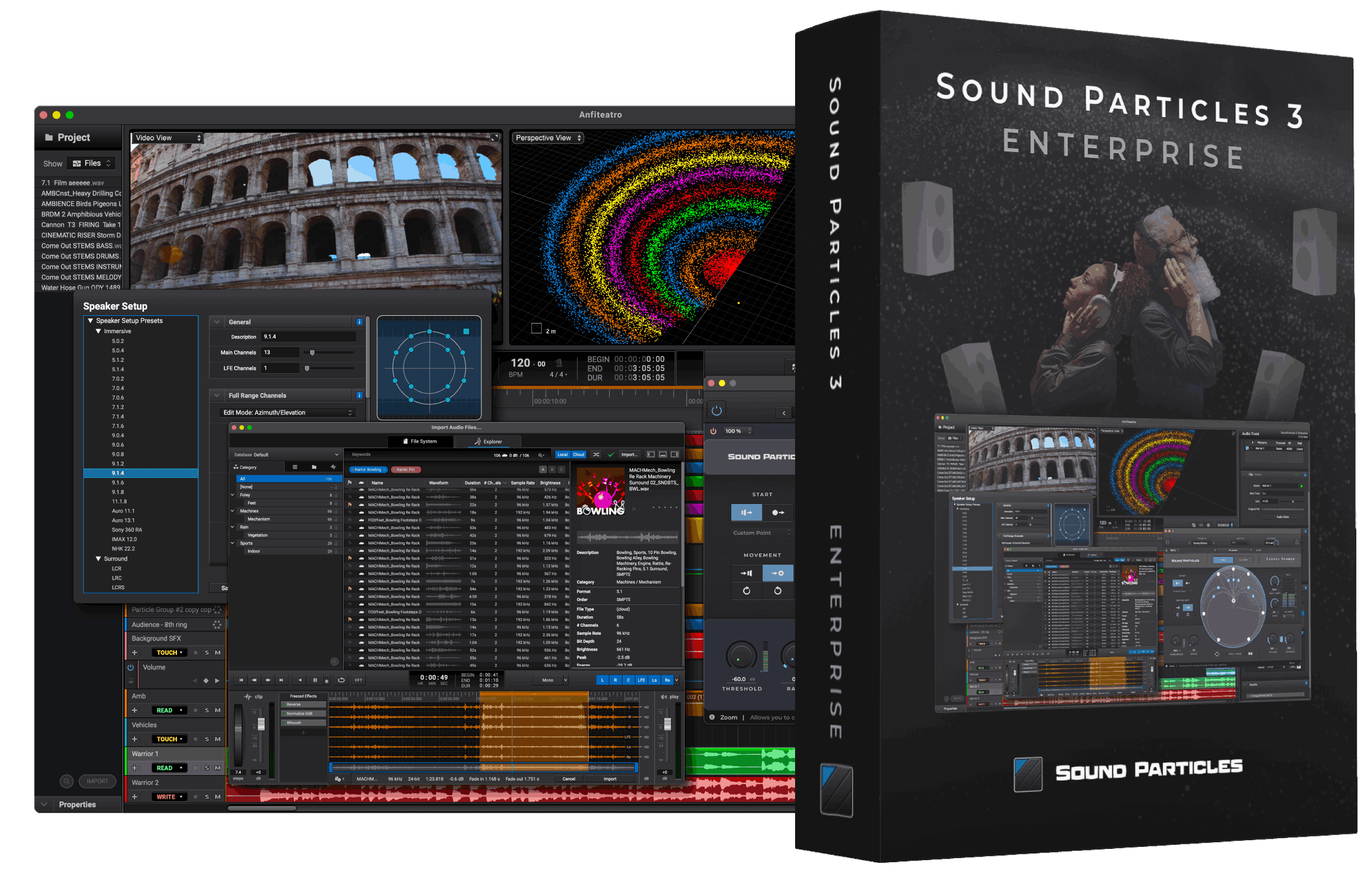
Sound Particles - Sound Particles 3 Enterprise Plugins & FX Software GUI Artwork
Sound Particles - Sound Particles 3 Enterprise Screenshot 2
Sound Particles - Sound Particles 3 Enterprise Screenshot 3
Sound Particles - Sound Particles 3 Enterprise Screenshot 4
Sound Particles - Sound Particles 3 Enterprise Screenshot 5
Sound Particles - Sound Particles 3 Enterprise Screenshot 6
Sound Particles - Sound Particles 3 Enterprise Screenshot 7
SAVE 30%
ENDS IN:

05

d

:

07

h

:

21

m

:

18

s

$1,043.00

$1,490.00

Earn 2499

Digital Download

0

Instant Access Direct download
100% Genuine Official license
Flexible Payments PayPal, Card or Wallet
Support Here to help
Guaranteed Safe & Secure Checkout
Visa Mastercard American Express Apple Pay Google Pay Klarna

Product Overview

Say hello to Sound Particles 3, your new playground for bold ideas, massive scale, and mind-bending sound design. Whether crafting cinematic soundscapes, sculpting immersive environments, or pushing the limits of audio in music, games, or film — Sound Particles 3 lets you multiply, move, randomize, and render sounds in ways no other tool can.

Features

Multiple Types of Tracks

Create tracks that support multiple audio formats simultaneously.

  • Audio Track - used when you want to position sounds at specific positions;
  • [NEW] MIDI Track (coming soon) - records and plays back MIDI notes, either through a virtual instrument or an external MIDI interface;
  • Particle Group - used to create a big number of sound sources (based on a few or many sound files) all playing together at random locations. Perfect for soundscapes;
  • Particle Emitter - Like Particle Groups, but firing sound events through time (instead of playing all at once);
  • Microphone - used to capture overall sound of your virtual scene. Various mic types are available;
  • Video Reference - used to import a video for reference during sound design.

Multiple Presets and Templates Available - start from scene templates or create your own.

Format-Agnostic Session - Need to change output formats (e.g. 5.1 → 7.1.2)? Simply change your microphone type, and you get a perfect render of your scene for that new format (no upmixing).

Microphone Types

Add multiple virtual microphones (different perspectives, different layouts), and movement to them (like a virtual camera).

  • Mono - Omnidirectional, Cardioid, Figure-of-8, Hypercardioid;
  • Stereo - VBAP, XY, AB, ORTF, Decca Tree, Mid/Side, Blumlein;
  • Multichannel - Use one of the 38 preconfigured speaker layouts (e.g. 5.1, 7.1.2, 22.2) or define your own custom layout;
  • Ambisonics - Ambisonics up to 6th-order, Soundfield mic (A-format);
  • [NEW] Binaural - Record your session in binaural, selecting from multiple datasets and subjects or importing your own SOFA file.

Position & Movement Modifiers

Move particles freely with automation or add movement using built-in modifiers.

  • Velocity (Straight Line) - apply constant speed in a straight direction (random directions or not);
  • Acceleration (Straight Line) - gradually increase speed over time;
  • Velocity (Rotation) - make particles rotate around;
  • Acceleration (Rotation) - increase rotational speed progressively.

Randomization - use different distributions to customize the random behavior of each parameter, including position, movement, random audio effects, and much more.

Audio Modifiers

Even if you only have a few audio files for thousands of sound sources (particles), audio modifiers allow you to apply slightly random effects to each particle, creating much more diversity.

  • Random Gain - vary volume randomly across particles;
  • Random Delay - apply random delays to each particle;
  • Random EQ / Filters / Sub-Bands - introduce random tonal variations;
  • Granular Synthesis - particles play tiny sound grains instead of full audio files;
  • Random Time/Pitch - vary playback speed and pitch for natural variation.

MIDI

  • [NEW] Virtual Instrument - assign instruments to MIDI tracks (including multichannel virtual instruments);
  • [NEW] Piano Roll - create or edit MIDI clips with a visual interface;
  • [NEW] Record / Play MIDI (Hardware) - use your MIDI keyboard to record and playback music performances;
  • [NEW] Quantize - correct timing of notes by snapping them to the grid.

Plugins

  • [NEW] VST3 Support - use your plugins at the Clip, Track or Microphone Level;
  • [NEW] Delta - toggle to hear the difference (what the plugin is actually changing);
  • [NEW] Output Format - automatically adapts the output format to your clip;
  • [NEW] Plugin Manager - manage and organize your plugins efficiently.

ADM Support

Each particle is now an object.

  • [NEW] Import / Export - support for ADM BWF files for object-based audio workflows;
  • [NEW] Object Budgeting - limit the number of exported audio objects - Sound Particles 3 will select the most relevant particles for objects, and everything else is rendered to the bed;
  • [NEW] Object Prioritization - control which tracks should have a high priority to become objects;
  • [NEW] Object Reuse - reuse the same object for multiple particles;
  • [NEW] Time Resolution - high-precision time values for accurate automation.

[NEW] Conversational AI

Imagine a ChatGPT controlling Sound Particles (you ask, and it delivers) - watch the software do the heavy lifting in seconds and see the learning curve virtually disappear.

Quick Audio Editing

  • [NEW] Trim, Select, Move, Slice, Duplicate - standard DAW tools to shape your clips;
  • [NEW] Fade + Curve Presets - apply custom or preset fades;
  • [NEW] Multiple Clips per Track - layer and organize efficiently;
  • [NEW] Smart Editing - snaps and editing assistance for fast workflows;
  • Clip Colors - color-code clips for better organization;
  • [NEW] Stereo Width - adjust stereo imaging;
  • [NEW] Center / Rotation - for every track (from mono to immersive), control additional rotation and positioning;
  • [NEW] Multi Format Tracks - add clips with different formats (e.g. 5.1, HOA, 7.1.2, stereo) at the same audio track. Even if there are plugins, the system will automatically adapt to everything.

Audio Editor

  • [NEW] Waveform Editing - edit audio at the waveform level;
  • [NEW] Pitch Bend + Volume - edit pitch and volume per clip;
  • [NEW] Convert to - convert your clip to any output layout with a click;
  • [NEW] Spectral View - visualize the frequency spectrum (FFT);
  • [NEW] Whoosh Effect / Other FX - apply baked sound design effects;
  • [NEW] Non-destructive editing - even after backed, you can always go back and make adjustments.

I/O Manager

  • [NEW] Input / Output Buses + Advanced Matrix - set up channel routing (including custom gains);
  • [NEW] Ambisonics Decoder - decode Ambisonics audio to your studio speakers in a transparent way;
  • [NEW] Bass Management - filter and route low frequencies, or use our presets;
  • Binaural Monitoring - listen to your 3D audio scenes using headphones, using existing HRTF libraries, or even your own SOFA file;
  • Control Room - dedicated monitoring bus;
  • [NEW] Delay/Gain Compensation - correct sync and level mismatches between speakers of your studio;
  • [NEW] Channel Noise Generator - play noise to each output channel, to easily check connections;
  • I/O Presets - save and load your routing preferences;
  • [NEW] Space Controller Built-in - use your phone as a laser pointer to position sounds around you.

Mixing Desk

  • [NEW] Mix Panel - adjust levels per track;
  • [NEW] Automation Modes - Off, Read, Write, Touch, Latch;
  • [NEW] Channel Meters - visual feedback for levels;
  • [NEW] Control Room Volume - adjust global monitoring volume;
  • [NEW] Sub-channel Volumes - fine-tune the volume of each output channel;
  • [NEW] Clip Volume - adjust loudness on a per-clip basis.

Clip List / Explorer

  • [NEW] Organized by File or Clip - sort and filter media easily, with autoplay and search available;
  • [NEW] Explorer - browse, preview, import, and organize your sounds. Search your local libraries or our Cloud (Explorer subscription required). Includes waveform preview and drag & drop;
  • Batch Processing - render multiple scenes or versions with a click - go get a coffee while Sound Particles 3 creates multiple variations of your soundscape.

CGI Integration

  • Import .fbx files - using CGI information to control sound;
  • Transform your 3D objects into particles;
  • Virtual Microphone - your virtual camera is now your virtual mic.

Time Editor

  • Automation Track - visual timeline for automating parameters;
  • [NEW] Project Offset - set starting timecode for your session;
  • [NEW] Custom Time Displays - choose how and where time is displayed;
  • [NEW] Time Display Presets - for music, film, or audio editing;
  • [NEW] Presets + Multi Timelines - manage alternate versions or scenes;
  • [NEW] Export Timecode - use for syncing with external projects.

Multiple Views

  • 3D View - Top, Front, Left, Right, and Perspective View;
  • Video View - Overlay your Video Reference to sync sound to picture;
  • 360º View - 360º horizontal and 180º vertical perspective of the scene, with the particles above it;
  • VR View - preview with a 360º headset-like perspective;
  • Point of View - center the view on any mic or object.

Early Access Available Now

Sound Particles - Sound Particles 3 Enterprise - Early Access Available Now

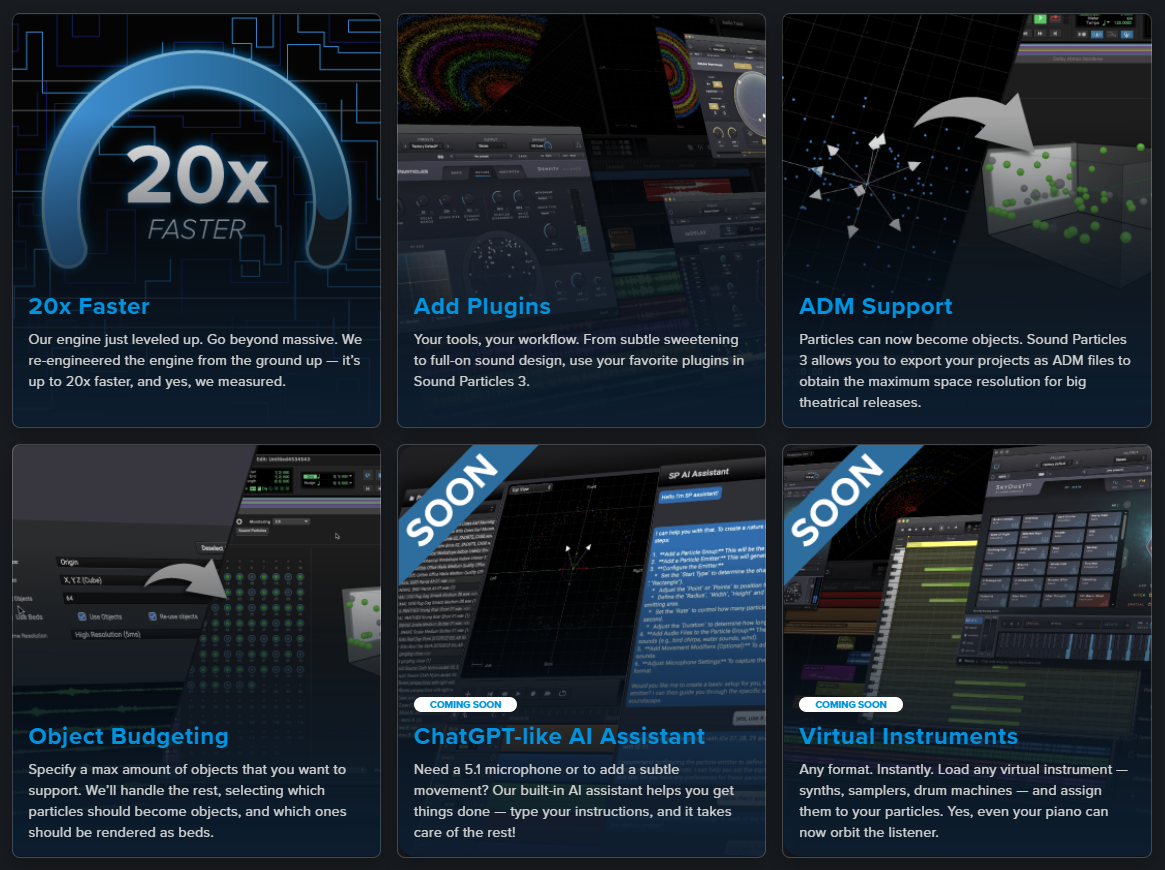
20x Faster

Our engine just leveled up. Go beyond massive. We re-engineered the engine from the ground up — it’s up to 20x faster, and yes, we measured.

Add Plugins

Your tools, your workflow. From subtle sweetening to full-on sound design, use your favorite plugins in Sound Particles 3.

ADM Support

Particles can now become objects. Sound Particles 3 allows you to export your projects as ADM files to obtain the maximum space resolution for big theatrical releases.

Object Budgeting

Specify a max amount of objects that you want to support. We’ll handle the rest, selecting which particles should become objects, and which ones should be rendered as beds.

COMING SOON: ChatGPT-like AI Assistant

Need a 5.1 microphone or to add a subtle movement? Our built-in AI assistant helps you get things done — type your instructions, and it takes care of the rest!

COMING SOON: Virtual Instruments

Any format. Instantly. Load any virtual instrument — synths, samplers, drum machines — and assign them to your particles. Yes, even your piano can now orbit the listener.

ENTERPRISE VERSION

  • Unlimited Particles: Push boundaries with the freedom to use an unlimited number of sound sources in your projects.
  • Unlimited Mic Channels: Enjoy limitless flexibility with support for unlimited microphone channels.
  • Batch Processing: Save time by processing multiple files or projects at once.
  • ADM (Beds + Objects): Import/Export and Integrate ADM workflows with support for beds and objects.
  • CGI Import

EPIC SOUND DESIGN

Sound Particles - Sound Particles 3 Enterprise - EPIC SOUND DESIGN

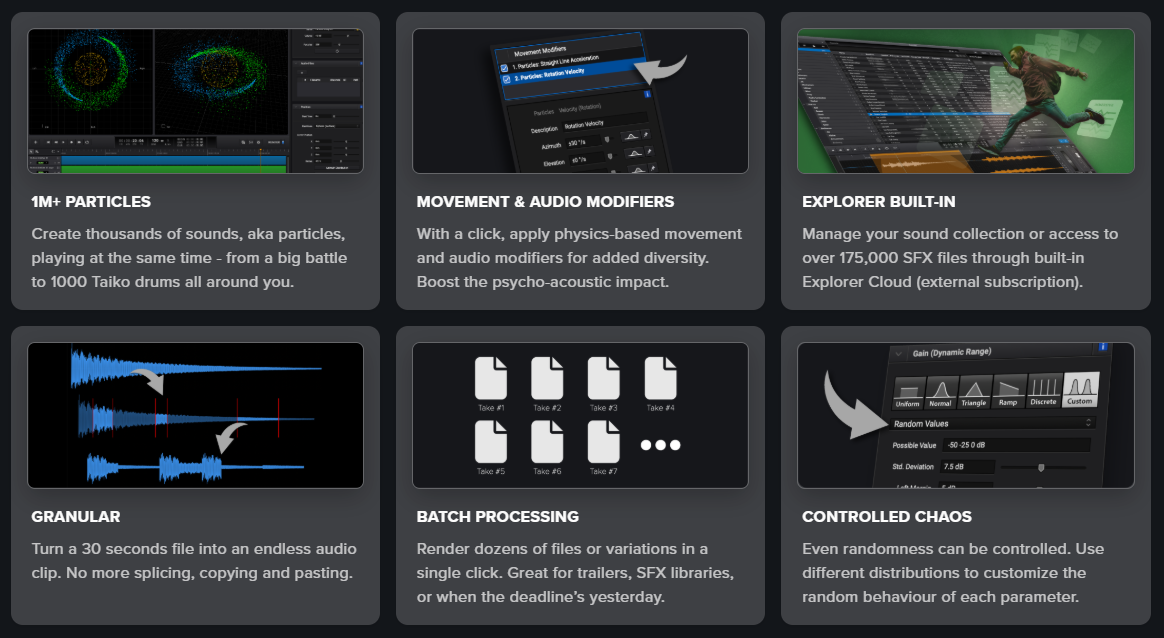
1M+ PARTICLES

Create thousands of sounds, aka particles, playing at the same time - from a big battle to 1000 Taiko drums all around you.

MOVEMENT & AUDIO MODIFIERS

With a click, apply physics-based movement and audio modifiers for added diversity. Boost the psycho-acoustic impact.

EXPLORER BUILT-IN

Manage your sound collection or access to over 175,000 SFX files through built-in Explorer Cloud (external subscription).

GRANULAR

Turn a 30 seconds file into an endless audio clip. No more splicing, copying and pasting.

BATCH PROCESSING

Render dozens of files or variations in a single click. Great for trailers, SFX libraries, or when the deadline’s yesterday.

CONTROLLED CHAOS

Even randomness can be controlled. Use different distributions to customize the random behaviour of each parameter.

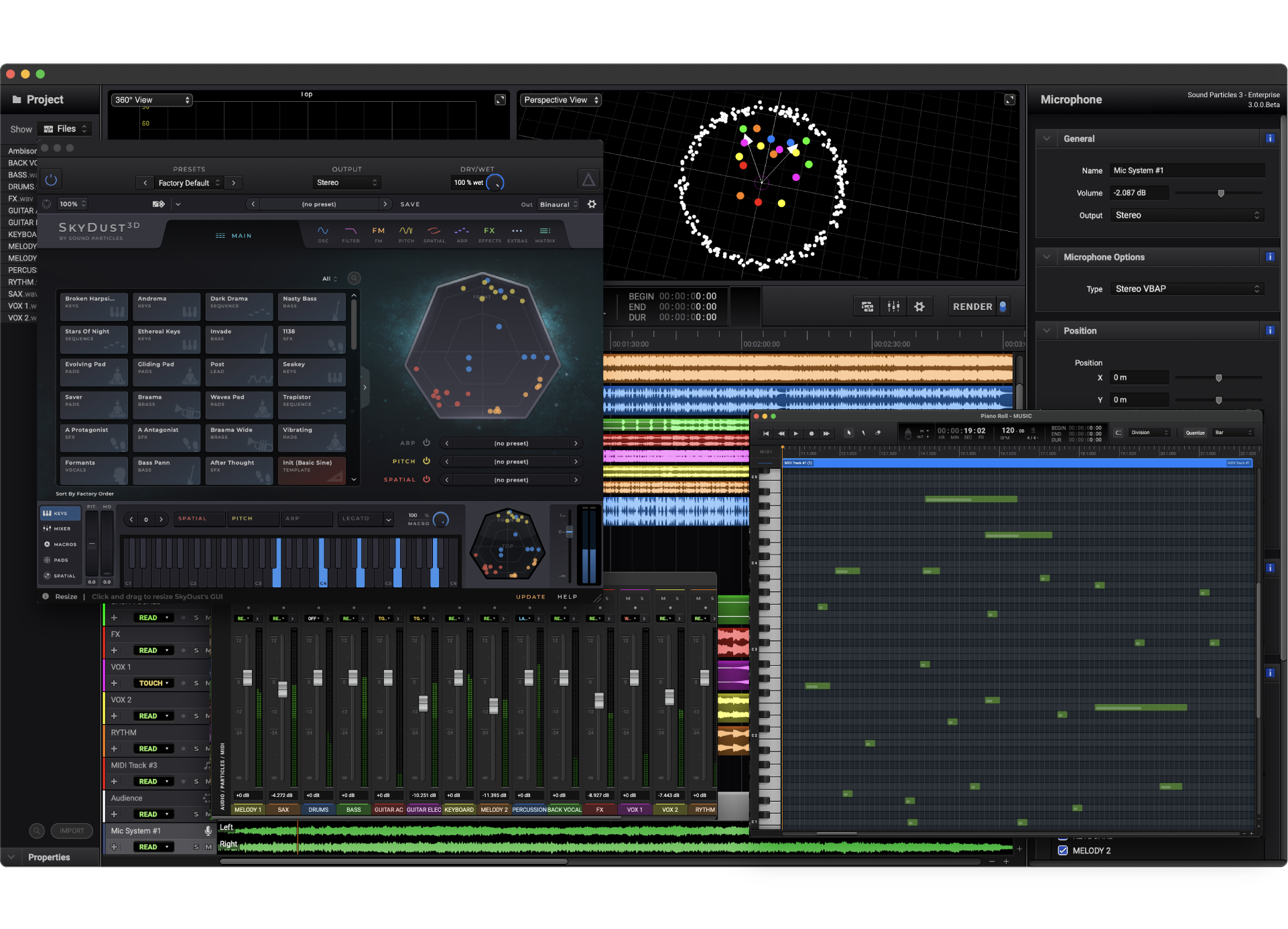
Intuitive User Experience

Sound Particles - Sound Particles 3 Enterprise - Intuitive User Experience

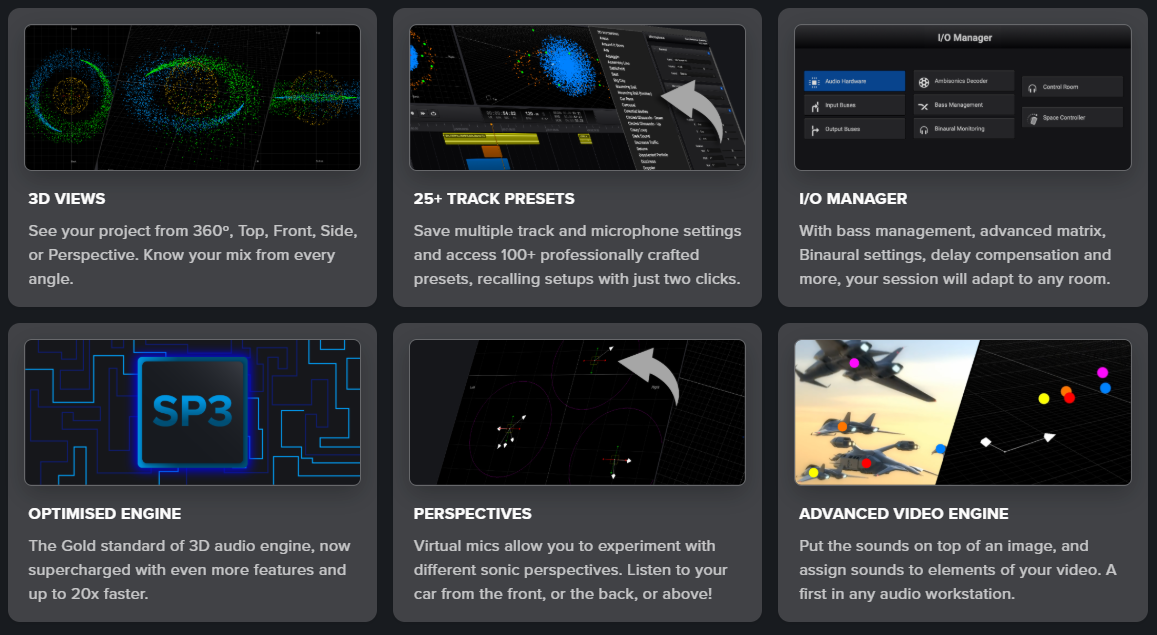
3D VIEWS

See your project from 360º, Top, Front, Side, or Perspective. Know your mix from every angle.

25+ TRACK PRESETS

Save multiple track and microphone settings and access 100+ professionally crafted presets, recalling setups with just two clicks.

I/O MANAGER

With bass management, advanced matrix, Binaural settings, delay compensation and more, your session will adapt to any room.

OPTIMISED ENGINE

The Gold standard of 3D audio engine, now supercharged with even more features and up to 20x faster.

PERSPECTIVES

Virtual mics allow you to experiment with different sonic perspectives. Listen to your car from the front, or the back, or above!

ADVANCED VIDEO ENGINE

Put the sounds on top of an image, and assign sounds to elements of your video. A first in any audio workstation.

THINK SPATIAL

Sound Particles - Sound Particles 3 Enterprise - THINK SPATIAL

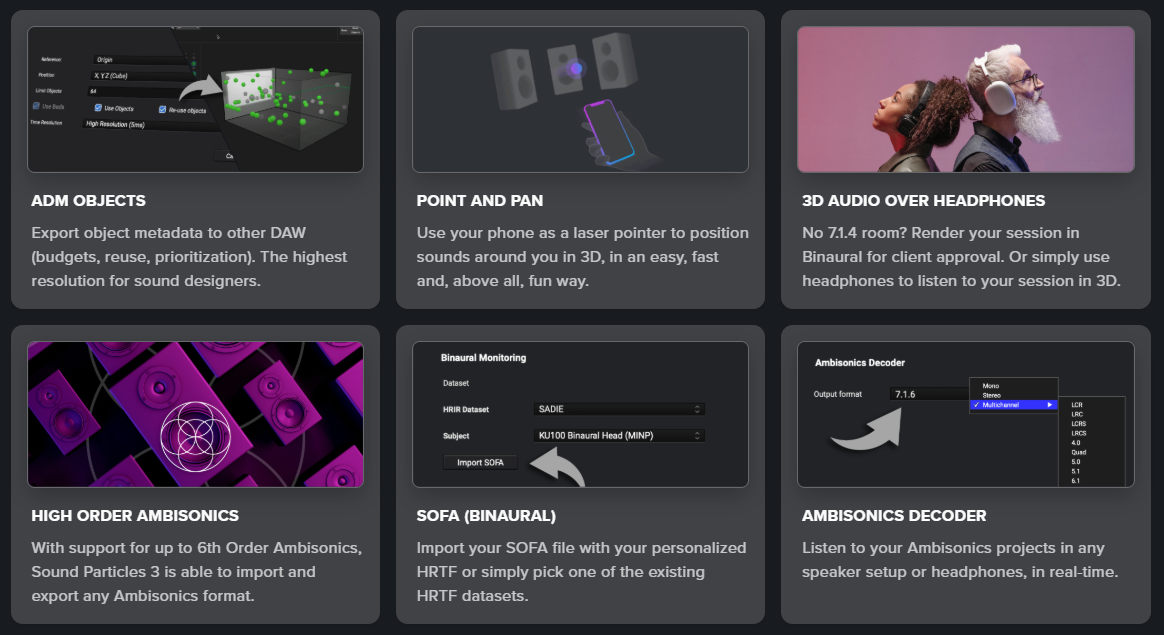
ADM OBJECTS

Export object metadata to other DAW (budgets, reuse, prioritization). The highest resolution for sound designers.

POINT AND PAN

Use your phone as a laser pointer to position sounds around you in 3D, in an easy, fast and, above all, fun way.

3D AUDIO OVER HEADPHONES

No 7.1.4 room? Render your session in Binaural for client approval. Or simply use headphones to listen to your session in 3D.

HIGH ORDER AMBISONICS

With support for up to 6th Order Ambisonics, Sound Particles 3 is able to import and export any Ambisonics format.

SOFA (BINAURAL)

Import your SOFA file with your personalized HRTF or simply pick one of the existing HRTF datasets.

AMBISONICS DECODER

Listen to your Ambisonics projects in any speaker setup or headphones, in real-time.

UNMATCHED FEATURES

Sound Particles - Sound Particles 3 Enterprise - UNMATCHED FEATURES

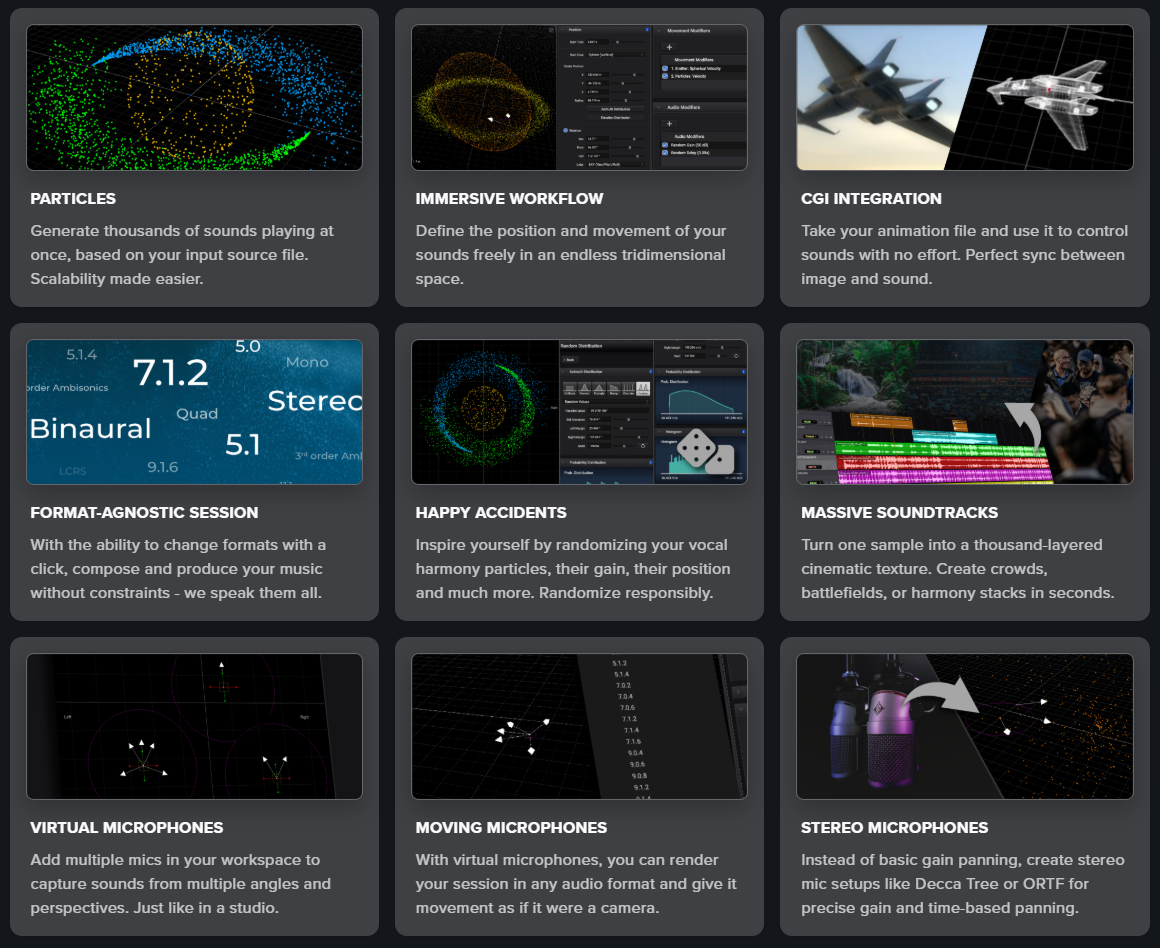
PARTICLES

Generate thousands of sounds playing at once, based on your input source file. Scalability made easier.

IMMERSIVE WORKFLOW

Define the position and movement of your sounds freely in an endless tridimensional space.

CGI INTEGRATION

Take your animation file and use it to control sounds with no effort. Perfect sync between image and sound.

FORMAT-AGNOSTIC SESSION

With the ability to change formats with a click, compose and produce your music without constraints - we speak them all.

HAPPY ACCIDENTS

Inspire yourself by randomizing your vocal harmony particles, their gain, their position and much more. Randomize responsibly.

MASSIVE SOUNDTRACKS

Turn one sample into a thousand-layered cinematic texture. Create crowds, battlefields, or harmony stacks in seconds.

VIRTUAL MICROPHONES

Add multiple mics in your workspace to capture sounds from multiple angles and perspectives. Just like in a studio.

MOVING MICROPHONES

With virtual microphones, you can render your session in any audio format and give it movement as if it were a camera.

STEREO MICROPHONES

Instead of basic gain panning, create stereo mic setups like Decca Tree or ORTF for precise gain and time-based panning.

What is Sound Particles 3

Sound Particles - Sound Particles 3 Enterprise - What is Sound Particles 3

Sound Particles 3 is a standalone immersive audio workstation powered by a 3D engine and a particle system. In plain terms? It’s like having a CGI engine for sound. Create thousands — even millions — of sounds based on a single sample. Arrange them in space. Animate them. Capture them with virtual microphones. Export in any format you like.

From stereo to Dolby Atmos, from sound design to final mix — it’s all here.

Additional Information

Mac OSX 10.15 or higher
Intel and native Apple Silicon Macs

Windows 10 or higher
CPU: 2-core or higher
RAM: 4 GB or higher
Disk Space: 1.3 GB

Categories:

Sound Design Channel Routing and Surround Spatializer

Formats:

Plugin

Genres:

All Genres Cinematic Sound Effects

Tags:

Plugin Software Sound Design

Discover More

View All Events

BROWSE ALL

Happening Now

View Heatwave Sale 2026

SHOP LIVE EVENT
Your Playlist CLEAR
Your playlist is currently empty. Visit a product page and add some tracks to your playlist
Audio Player

0:00
0:00