Sign in to Loot Audio
Access your downloads, purchases and more
Access your downloads, purchases and more

Pulse is a revolutionary new downloader offering blazing fast speeds and powerful control over your libraries. Loot Audio uses Pulse to power some of our downloads and to make managing your libraries more efficient for you.
After your purchase we will send you a unique code (you will also find the code in your account). Use the code with Pulse to power your download and installation. More information about Pulse can be found here.
What are Credits?
You earn Credits every time you purchase a product from Loot Audio. 3% of your order is added to your account in the form of Credits.
Use Credits for money off future orders or convert them to Sample Credits to download samples from the Sounds section of the site.
AAX, AU, VST, iOS and Android



$119.60
$299.00
Earn 287







LFE Support
NEW IN 1.1
It is possible to control the level of the LFE channel
Dolby Atmos
NEW IN 1.1
Create automation data with Space Controller and copy/paste it to a Dolby Atmos-compatible panner
Size
Space Controller allows changing the size of sources, which will control the width of each sound. Higher sizes will make a sound reach for more speakers.
Locks
It is possible to individually hold each position-related parameters, either as coordinates in Cube mode or angles in Sphere.
Modes
Choose from four different modes - Mono, Channels, Rotation and Symmetric - to place and move each source independently, control and rotate the entire sound field, or even use the Symmetric Mode to control the width of a 5.1 recording.
Cube vs Sphere
Space Controller offers the possibility of panning either in Cube or Sphere Mode, depending on your preferred workflow.
Independent Input/Output
Space Controller enables you to choose both the input and output formats independently of each other and to mute certain input and output channels within each format.
Multiple Views
It is possible to select between top and rear views to get consistent visual cues of where the sound is being placed.
Stereo, Multichannel and Immersive Support
From stereo to 5.1, from HOA to Binaural, from 7.1 to Dolby Atmos, Space Controller provides several output options for the panner.
iPod Support
Do you want a cheap dedicated controller for your studio? You can use an iPod touch instead of a mobile phone.
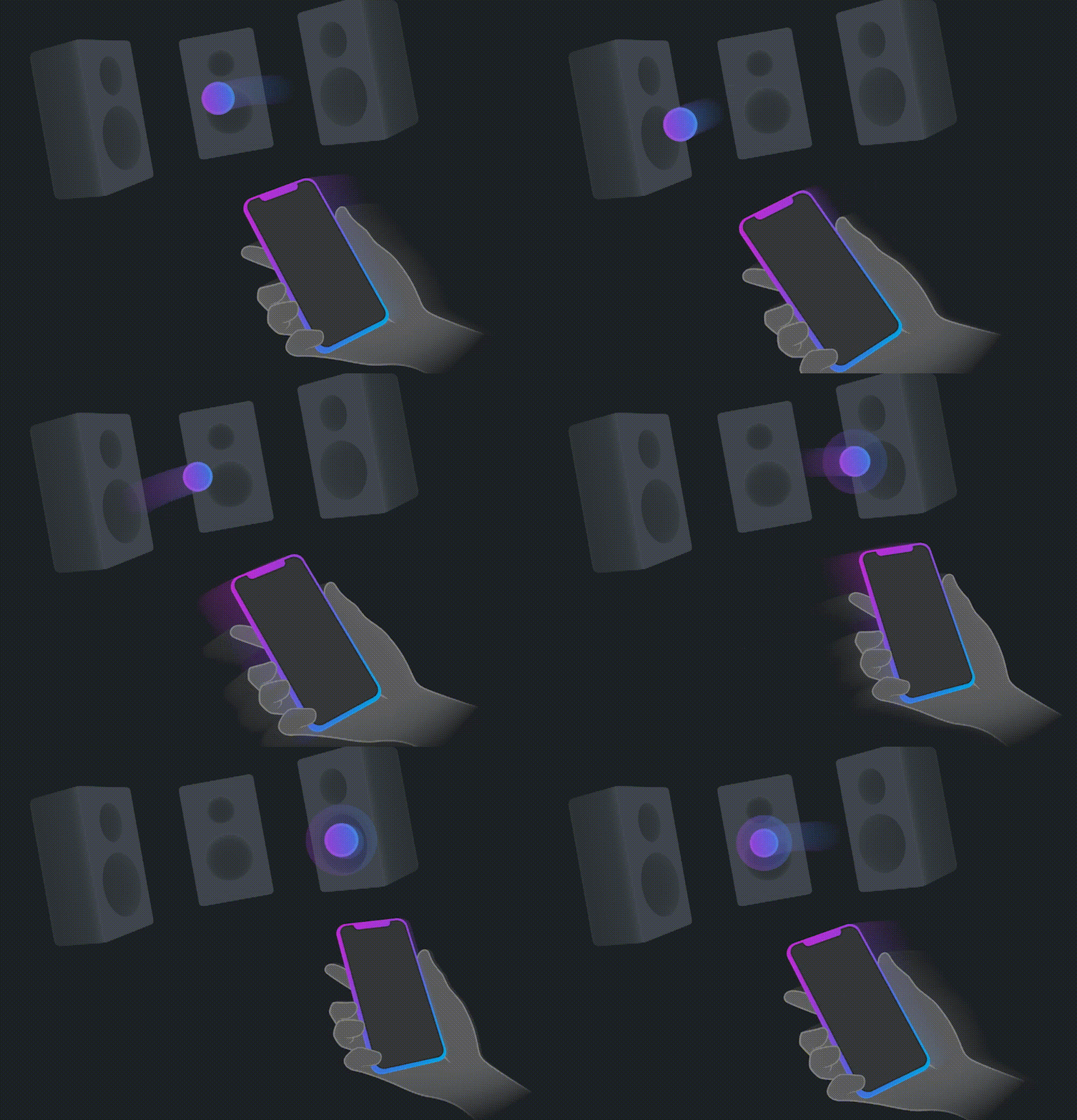
By connecting a mobile device and its motion sensors with any DAW, our patent pending technology offers a highly efficient and intuitive way to control sounds with the palm of your hand. Every movement you can imagine is now possible, easier than ever - and just a touch away.
You now have the ability to:
Panning with knobs in stereo is perfectly fine. However, when working with surround or 3D sound, even when using joysticks, it’s much harder to get the results we're looking for. Space Controller is a plugin and an app, that together allow you to pan sound from stereo to any immersive format, either in a home studio or mixing stage.
If you are working with Ambisonics, VR or other sphere-related workflows, the Sphere Mode is perfect for you. If you prefer a more traditional approach, the Cube Mode is the one you’re looking for.
Space Controller allows you to control sound as: a single mono source, independent channels, rotating entire soundfields, or mirror-like approaches. The plugin gives you the best accuracy and smoothness to control exactly where you want sounds to go.
It is possible to either use the same mobile device to control multiple tracks or use multiple mobile devices to control different channels. Imagine using two devices at the same time: one for the left channel and another for the right channel. The more devices, the more fun!

The Space Controller plugin and all the features it offers allow for absolute spatial freedom. So even without the mobile device and the app, it is still possible to use Space Controller as a regular 3D panner plugin.
ASSIGN PLUGIN
In a DAW, insert an instance of the Space Controller plugin.
LAUNCH THE APP
Launch the Space Controller app in your mobile device and connect it via Bluetooth or Wi-Fi.
POINT & MOVE
Start controlling the source position with your phone by pointing it all around.