Sign in to Loot Audio
Access your downloads, purchases and more
Access your downloads, purchases and more

Pulse is a revolutionary new downloader offering blazing fast speeds and powerful control over your libraries. Loot Audio uses Pulse to power some of our downloads and to make managing your libraries more efficient for you.
After your purchase we will send you a unique code (you will also find the code in your account). Use the code with Pulse to power your download and installation. More information about Pulse can be found here.
What are Credits?
You earn Credits every time you purchase a product from Loot Audio. 3% of your order is added to your account in the form of Credits.
Use Credits for money off future orders or convert them to Sample Credits to download samples from the Sounds section of the site.
Compression With Character

$24.90
Earn 66







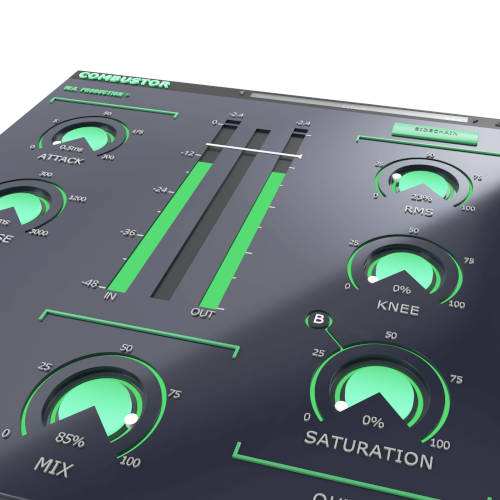
With multiple saturation models, from subtle to screaming, you can choose the type of adaptive saturation for your own audio. Depending on the characteristics of the incoming signal and your compressor settings, saturation will be applied in different ways. Choose type A for a subtle tube effect, or type E for overblown circuitry... and everything in-between. Experiment for yourself by cycling through the different saturation options and tweaking the saturation mix dial to taste.
CONTROLS YOU KNOW
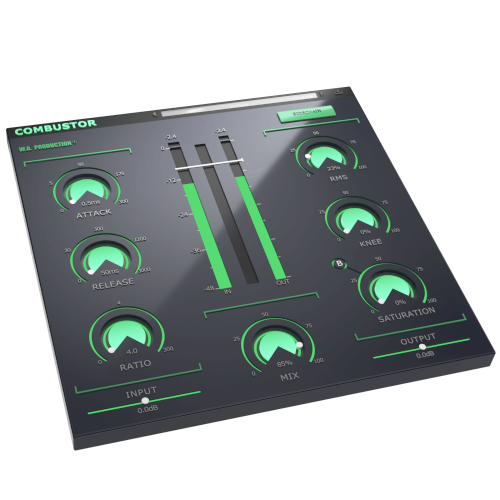
As well as producing creative ways to compress audio, COMBUSTOR is also easy to use, with controls familiar to anyone who’s ever used a standard compressor. All of the normal compressor controls are present and correct: threshold, attack, release, ratio and knee. We’ve even included a sidechain mode for effortless external triggering. With generous parameter ranges, you should be able to achieve almost any compression effect that you need, from transient shaping to glueing tracks together.
Use the Input and Output sliders to compensate for any gain boost or reduction caused by the compression settings with up to +/- 24dB attenuation. This allows for very accurate comparisons when A/Bing. Use the Mix ratio control at the bottom centre of the interface to dial in as much (or as little) of the compression as you like. Apply a conservative ratio for subtle dynamic shaping, or push the control to the limit to hear a 100% effected signal.
VISUAL FEEDBACK
The central stereo meters show exactly what’s happening to the signal as it’s being processed in real time. This allows for accurate monitoring at every stage of the signal chain. As you drag the threshold fader down, you’ll see exactly how much gain reduction is being applied to the audio. Peak indicators will glow red if the signal is running too hot.
PRESETS
With many included presets, it’s easy to select starting points for your own compression experiments. Tailored to specific instruments, genres and audio effects, these factory options can be used on many types of audio. The presets include everything from subtle dynamic shaping to fully-crushed limiting.
Windows 8 and later (64bit)
MacOS 10.15 and later (64bit)
VST, AU, AAX