Sign in to Loot Audio
Access your downloads, purchases and more
Access your downloads, purchases and more

Pulse is a revolutionary new downloader offering blazing fast speeds and powerful control over your libraries. Loot Audio uses Pulse to power some of our downloads and to make managing your libraries more efficient for you.
After your purchase we will send you a unique code (you will also find the code in your account). Use the code with Pulse to power your download and installation. More information about Pulse can be found here.
What are Credits?
You earn Credits every time you purchase a product from Loot Audio. 3% of your order is added to your account in the form of Credits.
Use Credits for money off future orders or convert them to Sample Credits to download samples from the Sounds section of the site.
Subtone generation, musical saturation, surgical transient shaping, and controls specifically designed to clean and polish your bass sounds


$39.90
Earn 108







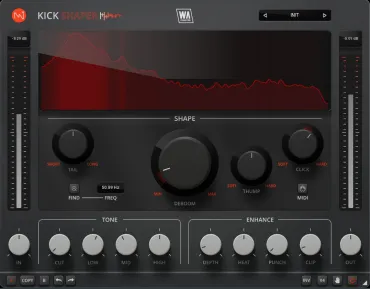
Those who are familiar with BassShaper’s sister plugin “Kickshaper” will remember the Deboom dial. Although sharing a name, the algorithm is entirely different and this time designed specifically for bass information. Activated by amplitude, boominess is tamed, resulting in a cleaner tone.
Using a special pitch tracking system, the Demud control dynamically reduces muddiness caused by note transitions and resonances, making individual pitches more pronounced.
Traditional bass-riding plugins crudely alter the volume level of bass lines. BassShaper’s Level control is far more refined, driven by a pink noise signal, specially tuned to tame amplitude fluctuations and produce a consistently audible bass throughout your track.
Forget hours spent tweaking EQs and compressors - BassShaper delivers unparalleled control with an intuitive interface. Features include subtone generation, musical saturation, surgical transient shaping, and controls specifically designed to clean and polish your bass sounds. Achieve that elusive blend of warmth and clarity, maximising the impact of your low-end.
The streamlined interface and intuitive workflow means that bass editing has never been simpler. Start with expertly designed presets and tweaking from there. Even if you're new to mixing and mastering, you’ll be producing expertly mixed bass lines in seconds.
Subtone
This section of the interface truly brings your audio to life. Unlike transient kicks, bass notes are often more sustained, demanding a deeper presence. Enter Subtone, our low-frequency generator. After cleansing your bass with the Deboom and Demud dials, Subtone injects life back in. It doesn't just add low-end; this function enriches the tone by generating complementary frequencies. Dive an octave below with SUB, or soar an octave above with HIGH, sculpting bass lines that translate to sound systems from club setups to home audio.
EQ & Enhance
Going beyond traditional EQ processing, this control panel splits audio into 3 linear bands and applies broad-range band gain, together with proportional saturation. Boost or cut bands for a fuller, more pronounced bass mix that translates even on small speakers. Alternatively, use the gentle Cut control for minimal phase interference with a 6dB/octave slope.
Enhancement controls include Press, a 670-style compression algorithm with bags of character. Depth control applies analog hardware convolution, making your bass larger, adding deep interest whilst taming excessive highs. Heat brings the meat, introducing characterful saturation. Mix acts as a dry / wet control for parallel processing adventures.
Visual Feedback & Comparison
BassShaper is built on vector graphics with a resizable interface. The live audio is displayed on the central window, showing exactly what’s happening to the signal as it travels through the plugin in real time. This allows for accurate monitoring at every step of the chain. For those who like to experiment, contrast different processing chains with AB comparison, and use the undo / redo buttons to revert any changes. With auto gain compensation, oversampling and limiting options, it’s easy to analyse your changes.
Presets
BassShaper includes a huge number of factory presets, suitable for all kinds of flavours of bass processing in multiple genres. Use the provided parameters as starting points for your own bass sculpting adventures.
W. A. Production are real-life producers making creative plugins to help you achieve studio quality processing quickly and easily. Enjoy!
Sadly, bass compression tends to uniformly compress the entire bass line. However, BassShaper’s Punch knob works differently. Targeting only the transient-heavy portions of the bass line, it applies precise compression or expansion, focussing on the initial milliseconds of each note for a super-defined reproduction.
The Fade control works inversely to Punch, by compressing or expanding only the tail portion of the audio. This allows you to shorten long bass notes or lengthen short ones, giving you another creative way to integrate bass lines with your other instrumentation.
VST, VST3, AU, AAX, both Intel and Apple Silicon-based CPUs as well as Native AAX format.