Sign in to Loot Audio
Access your downloads, purchases and more
Access your downloads, purchases and more

Pulse is a revolutionary new downloader offering blazing fast speeds and powerful control over your libraries. Loot Audio uses Pulse to power some of our downloads and to make managing your libraries more efficient for you.
After your purchase we will send you a unique code (you will also find the code in your account). Use the code with Pulse to power your download and installation. More information about Pulse can be found here.
What are Credits?
You earn Credits every time you purchase a product from Loot Audio. 3% of your order is added to your account in the form of Credits.
Use Credits for money off future orders or convert them to Sample Credits to download samples from the Sounds section of the site.
Delay: Dodged & Defined

$39.90
Earn 108







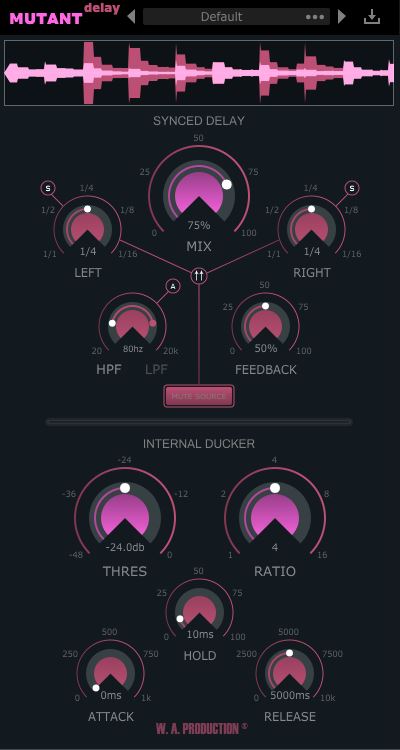
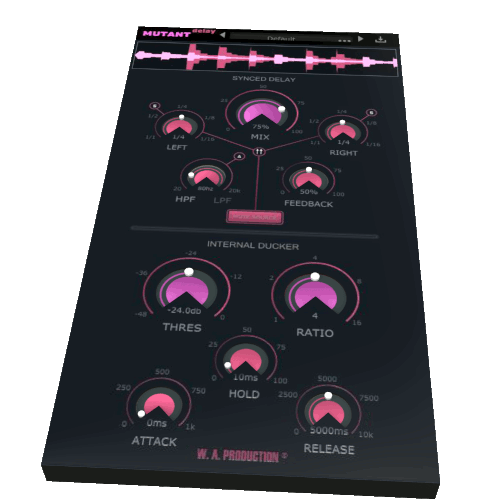
The Mutant Delay logo acts as a bypass control for the whole plugin, and is smoothed to be click and pop free for unhindered A/B testing.
VISUAL FEEDBACK
The waveform graph at the very top of the interface shows the dry source and the wet delay signal in different colours. You can clearly see what the plugin is doing in terms of delay and ducking.
SYNCED DELAY SECTION
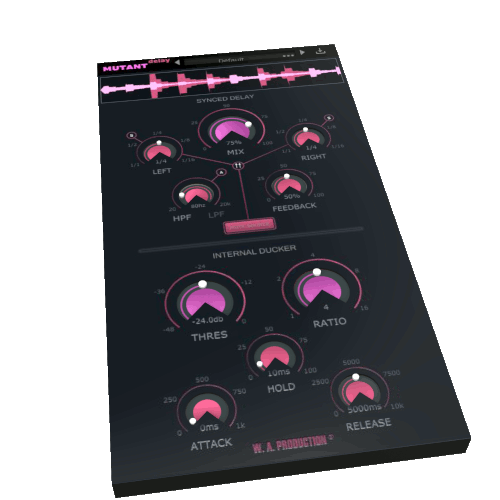
The Synced Delay section of Mutant Delay offers flexible host-synced delay for the left and right channel independently, including High & Low pass filters and a Ping-Pong setting.
MIX & TIME
Use the Mix dial to set the wet delay level. Used in conjunction with the Threshold and Ratio dials within the Internal Ducker section, this parameter can give precise control over the performance of the delay and feedback. Independent delay time controls for the left and right channels can be set from 1/1 to 1/16 with straight, triplet or dotted notes.
The Feedback dial mixes the output of the delay back into the input of the delay line, creating a repetitive delay effect. For more complex delay combinations, you can cross-mix the feedback paths of the left and right delay channel using the Ping-Pong routing option.
FREQUENCY SHAPING
A common delay technique; shaping the frequency of the delay tail adds movement to the feedback and helps with mix clarity, reducing high and low end clutter. Mutant Delay’s High & Low pass filter dials can be used to filter the output of the delayed signal in two different ways. Mode A limits the entire delayed signal to the upper and lower frequency limits. Mode B will introduce the frequency shaping slowly as the delay feeds back - an interesting and creative effect.
INTERNAL DUCKER SECTION
The ducking section of the interface works similarly to a standard compressor and the Threshold and Ratio dials are the main controls for shaping how the ducked signal is processed. Threshold sets the intensity level at which the compressor starts working and the Ratio dial dictates how much gain reduction is applied.
You can fine tune the behaviour of the ducking effect with the Attack, Hold and Release dials. Attack allows you to ignore transients in the delay signal. Hold stabilises the generated gain reduction. Release set the fade out time for the gain reduction. Adjusting these parameters is the key to shaping your bespoke delay. Try setting Attack to zero and dialling in a long Release time for a really atmospheric effect.
PRESETS
Including a wide range of factory presets, Mutant Delay is designed to get you up and running quickly. The specially tailored settings include many types of delay chains, from standard processing right through to special FX. These are all easily accessible from the plugin menu and of course, you can save you own settings as user presets too.
This all-in-one frequency shaped ducked delay gives you precise control over your delayed vocals, synths and so much more. Mutant Delay perfectly controls delay feedback tails, without complex routing and sidechaining, maintaining the clarity of the original signal. It’s just simple and fast.
Windows 8 and later (32 / 64 bit)
macOS 10.15 and later
AAX - ProTools 11 or higher
V2.1.0
20/09/22
V2.1.0 - Updated 21st June 2020: