Sign in to Loot Audio
Access your downloads, purchases and more
Access your downloads, purchases and more

Pulse is a revolutionary new downloader offering blazing fast speeds and powerful control over your libraries. Loot Audio uses Pulse to power some of our downloads and to make managing your libraries more efficient for you.
After your purchase we will send you a unique code (you will also find the code in your account). Use the code with Pulse to power your download and installation. More information about Pulse can be found here.
What are Credits?
You earn Credits every time you purchase a product from Loot Audio. 3% of your order is added to your account in the form of Credits.
Use Credits for money off future orders or convert them to Sample Credits to download samples from the Sounds section of the site.
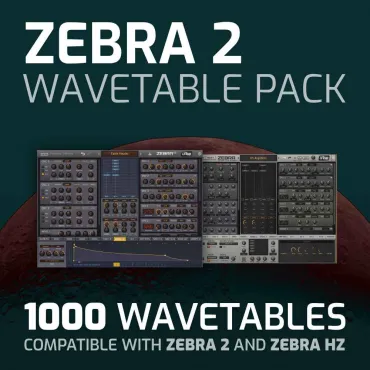
100 ambient presets for Zebra 2 (also known as Zebra Legacy).
$20.00
Earn 54







Infinity Zebra focus on intricate presets that are exceptionally well-suited for sound design, chillout music, downtempo, and ambient genres. Or to greatly enhance cinematic compositions with mesmerizing soundscapes or unheard melodic tones.
Besides obscure sonic landscapes that transcend traditional musical boundaries. Infinity Zebra soundbank is also packed with dreamy polyphonic sequences and deep melodic arps – vibrant and colourful tones that can fit many other styles and genres like ambient techno, ambient trance, electronica and other electronic music productions.
How To install Ocean Swift presets in Zebra Legacy
1) Open Zebra2 to go the presets tab and right-click “LOCAL” folder at the top, now click “Open In Explorer”, a window will open
2) Copy and Paste the preset folders included in download, to the Zebra Local presets folder
NKSF install
Inside of our preset folders you will find a “NKSF” folder, this folder includes all the .nksf files and audio previews, please cut and paste this folder into:
Windows: C:Users**USERNAME**
Mac: Macintosh HD/Library/Application Support/u-he/Zebra2/NKS/
How To install our presets in Zebra HZ
When you install our preset folders to Zebra Legacy they will also be available in Zebra HZ, you will however need to install the .NKSF files, follow the instructions below.
NKSF install
Inside of our preset folders you will find a “NKSF” folder, this folder includes all the .nksf files and audio previews, please cut and paste this folder into:
Windows: C:Users**USERNAME**
Mac: Macintosh HD/Library/Application Support/u-he/ZebraHZ/NKS/
4.0/5.0
(Average of 1 review)
Sort By: