Sign in to Loot Audio
Access your downloads, purchases and more
Access your downloads, purchases and more

Pulse is a revolutionary new downloader offering blazing fast speeds and powerful control over your libraries. Loot Audio uses Pulse to power some of our downloads and to make managing your libraries more efficient for you.
After your purchase we will send you a unique code (you will also find the code in your account). Use the code with Pulse to power your download and installation. More information about Pulse can be found here.
What are Credits?
You earn Credits every time you purchase a product from Loot Audio. 3% of your order is added to your account in the form of Credits.
Use Credits for money off future orders or convert them to Sample Credits to download samples from the Sounds section of the site.
24-band industry standard EQ.


$80.00
Earn 204







EQ Sketch
Setting up initial EQ settings in your equalizer often involves adding a few bands to get started, like a low cut filter, a few bell filters and a high shelf, creating a general starting point. Wouldn't it be great if you could draw that curve in one gesture? Well... now you can!
Of course, EQ Sketch is not about adding many or very precise bands with specific settings; it's about sketching a global curve to start with, adding a few initial LP/HP filters, bells and shelves to start with in a fast and easy way. It might even take a bit of practice to get good at it, but once you do, it's a real time saver, especially in combination with the Instance list.
Dynamic EQ
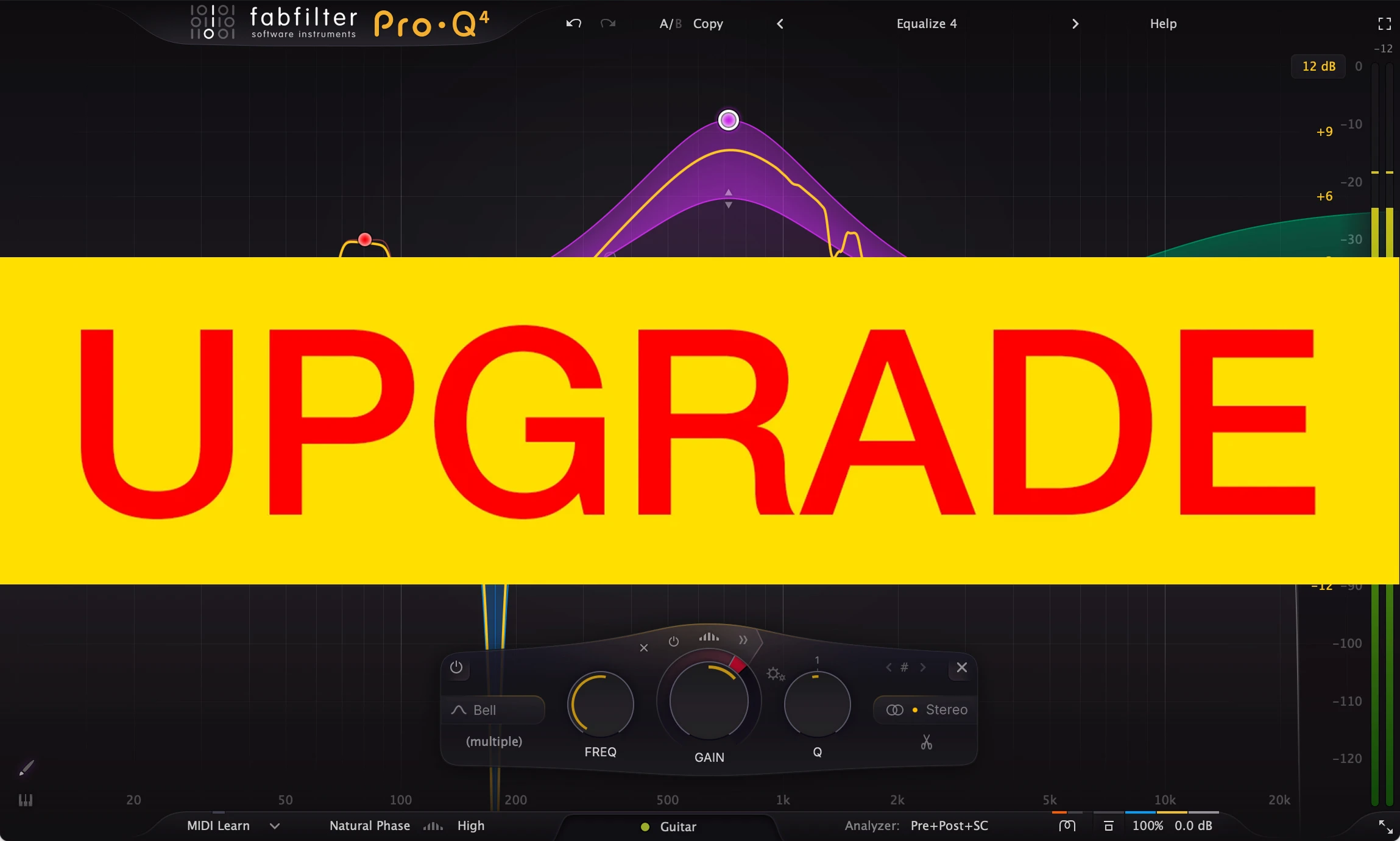
One of Pro-Q 4's standout features is dynamic EQ. Any of Pro-Q's bands (with Bell or Shelf shapes) can be made dynamic, at any slope, with perfect analog matching and in Linear Phase mode.
The dynamic behavior of Pro-Q 4 has been carefully tuned and is highly program dependent: attack, release and knee all depend on the processed audio, the frequency range of the EQ band and the current dynamic range. This results in very natural and smooth sounding compression and expansion, useful for a wide range of dynamic EQing applications.
Spectral dynamics
Pro-Q 4 introduces a new variation on dynamic EQ: Spectral dynamics. With traditional dynamic EQ, the gain of an EQ band depends on the level of the input signal. In Spectral mode, Pro-Q 4 doesn't change the gain of the whole band, but triggers on specific frequencies within that band when it exceeds the threshold, leaving other frequencies untouched.
Spectral dynamic processing is a great way of treating varying problem frequencies in a much more subtle manner compared to using traditional dynamic EQing. Typically, you would need a separate, dedicated and often complex plugin for this type of processing, but Pro-Q 4 makes the process simple to use and easy to understand, as a logical extension of normal dynamic processing.
Instance List
With Pro-Q 4, you can now control any other Pro-Q 4 instance in your session from a single plug-in interface. This is a huge time-saver, making it much easier to setup initial EQing when starting a mix session.
Piano display
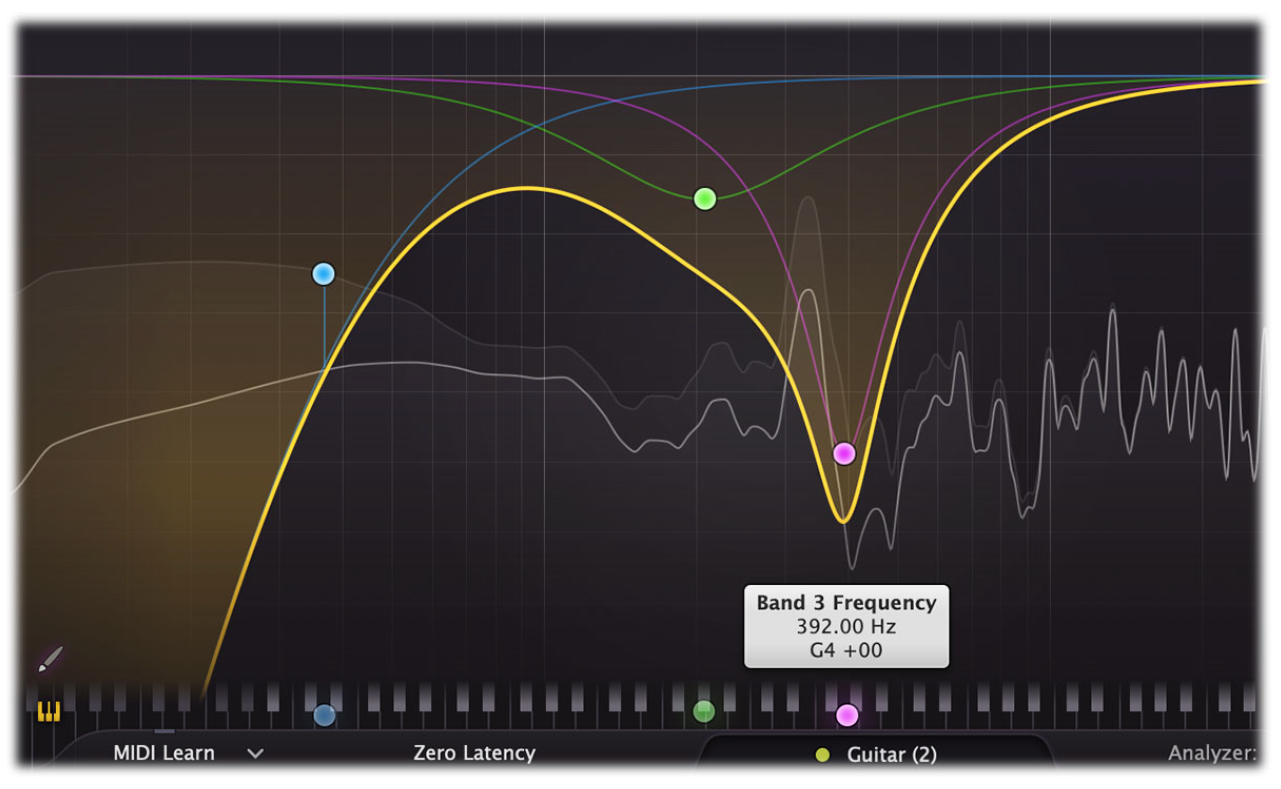
Using the Piano Display button at the bottom left of Pro-Q's interface, just above the bottom bar, you can toggle between the normal frequency scale and a piano keyboard display, via which band frequencies can be adjusted as well. The highlighted keys correspond to an 88-keys grand piano layout, ranging from A0 (27.5 Hz) to C8 (4186.01 Hz).
For every band in the display, there is a corresponding dot on the keyboard. You can interact with the dots in two ways:
While the piano display is active, parameter value displays that show a band's frequency will also show that frequency as a musical note (including cents offset). Note that at any time, also if the piano display is not showing, you can enter frequencies as musical notes. For example, you can double-click on the Frequency knob in the band selection controls and type "D#5 +13", or "A4"
Surround and Dolby Atmos
FabFilter Pro-Q 4 supports all important surround/immersive audio formats, up to 9.1.6 Dolby Atmos (depending on the DAW and plug-in format). When you add Pro-Q 4 to a surround channel, the interface automatically adapts itself to the used multi-channel format. The output level meter will show all channels, with appropriate labels to identify them.
In addition, the Stereo Placement button will now give access to a surround panel with more sophisticated options to choose which speakers are affected by the selected EQ bands.
EQ Match
Lets you choose or record a reference spectrum, compares it to the spectrum of the current input, and adds new EQ bands to make your audio sound like the reference signal. It gets you 'that' sound in less than a minute.
As the EQ Match process often involves comparing audio of different Pro-Q instances, it is available via the Instance list. Just hover above an instance item, click the menu button that appears at the center right, and choose EQ Match.
A top-quality EQ plug-in with perfect analog modeling, dynamic EQ, linear phase processing, and a gorgeous interface with unrivalled ease of use.
Pro-Q 4 offers everything that a demanding engineer could wish for: top-quality linear phase operation in addition to the zero latency and unique Natural Phase modes, smooth dynamic EQ, per-band mid/side processing, full surround support (up to Dolby Atmos 9.1.6), an intelligent solo feature, optional Auto Gain and a built-in, fully customizable spectrum analyzer.
Effortlessly sculpt your sound
Unique features like Spectrum Grab, Full Screen mode and EQ Match will speed up your workflow even more. Try it yourself!
FabFilter Pro-Q 4 is designed to help you achieve your sound in the quickest way possible. Via the large interactive EQ display, you can create bands where you need them, enable dynamic EQ for any band, and select and edit multiple bands at once.
FabFilter goodies
All the goodness of the Pro-Q 3 is still here: highest possible sound quality, dynamic EQ, Natural and Linear Phase processing, universal slope support for all EQ shapes, EQ match, a gorgeous, resizeable interface with full screen mode for easy and precise editing, up to 24 EQ bands, intelligent band solo mode, stereo or mid/side processing, intelligent multi-band selection and editing for maximum ease of use and efficiency, spectrum grab, GPU-powered graphics acceleration, double-click text entry of parameter values, different display ranges: 3 dB and 6 dB ranges for mastering, 12 dB and 30 dB for mixing, Pro Tools hardware control surfaces support, MIDI Learn, undo/redo and A/B comparison, and an extensive help file with interactive help hints.
WINDOWS