Here are a few examples of where and how your AudioMatrix will fit like a glove
Mid-Side Conversions
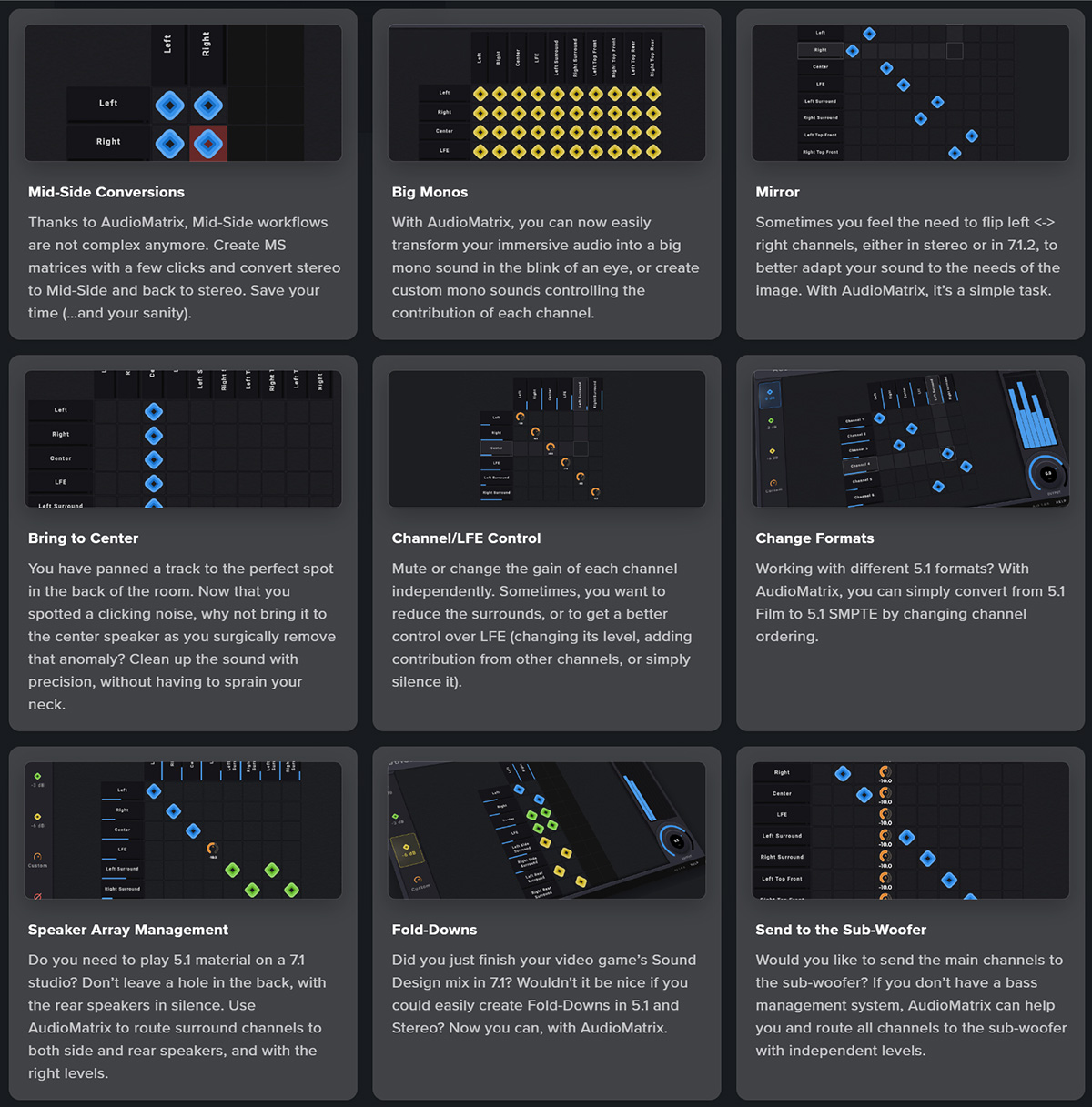
Thanks to AudioMatrix, Mid-Side workflows are not complex anymore. Create MS matrices with a few clicks and convert stereo to Mid-Side and back to stereo. Save your time (…and your sanity).
Big Monos
With AudioMatrix, you can now easily transform your immersive audio into a big mono sound in the blink of an eye, or create custom mono sounds controlling the contribution of each channel.
Mirror
Sometimes you feel the need to flip left <-> right channels, either in stereo or in 7.1.2, to better adapt your sound to the needs of the image. With AudioMatrix, it’s a simple task.
Bring to Center
You have panned a track to the perfect spot in the back of the room. Now that you spotted a clicking noise, why not bring it to the center speaker as you surgically remove that anomaly? Clean up the sound with precision, without having to sprain your neck.
Channel/LFE Control
Mute or change the gain of each channel independently. Sometimes, you want to reduce the surrounds, or to get a better control over LFE (changing its level, adding contribution from other channels, or simply silence it).
Change Formats
Working with different 5.1 formats? With AudioMatrix, you can simply convert from 5.1 Film to 5.1 SMPTE by changing channel ordering.
Speaker Array Management
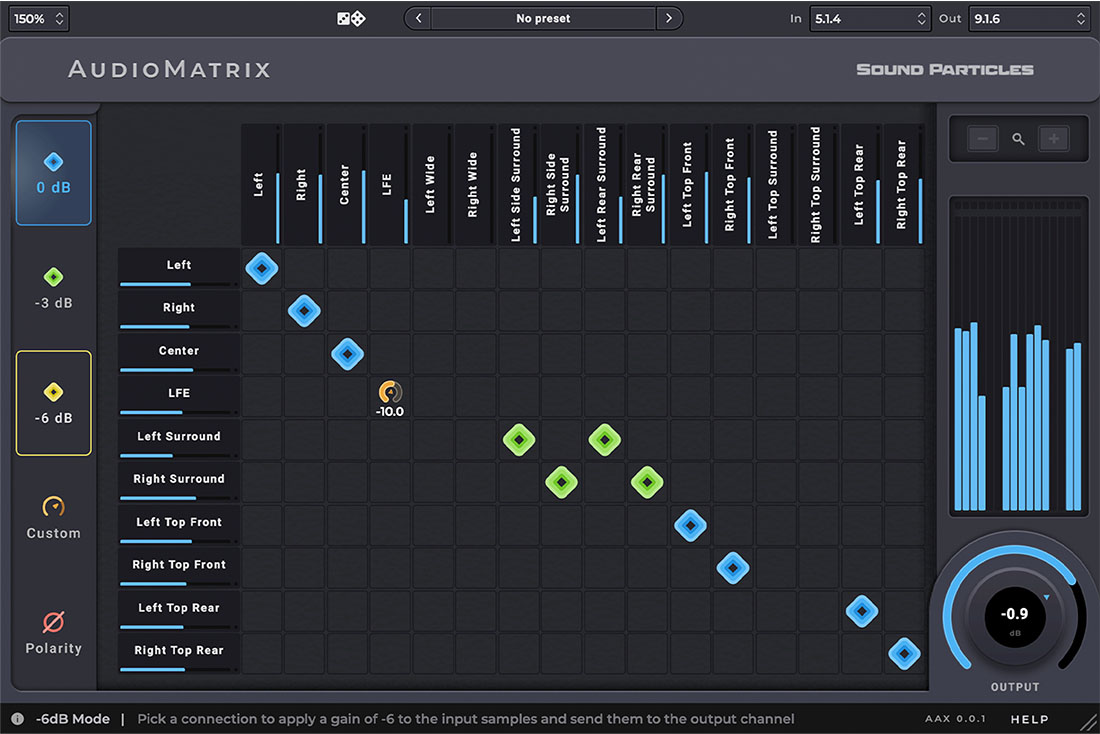
Do you need to play 5.1 material on a 7.1 studio? Don’t leave a hole in the back, with the rear speakers in silence. Use AudioMatrix to route surround channels to both side and rear speakers, and with the right levels.
Fold-Downs
Did you just finish your video game’s Sound Design mix in 7.1? Wouldn't it be nice if you could easily create Fold-Downs in 5.1 and Stereo? Now you can, with AudioMatrix.
Send to the Sub-Woofer
Would you like to send the main channels to the sub-woofer? If you don’t have a bass management system, AudioMatrix can help you and route all channels to the sub-woofer with independent levels.