KICK SECTION
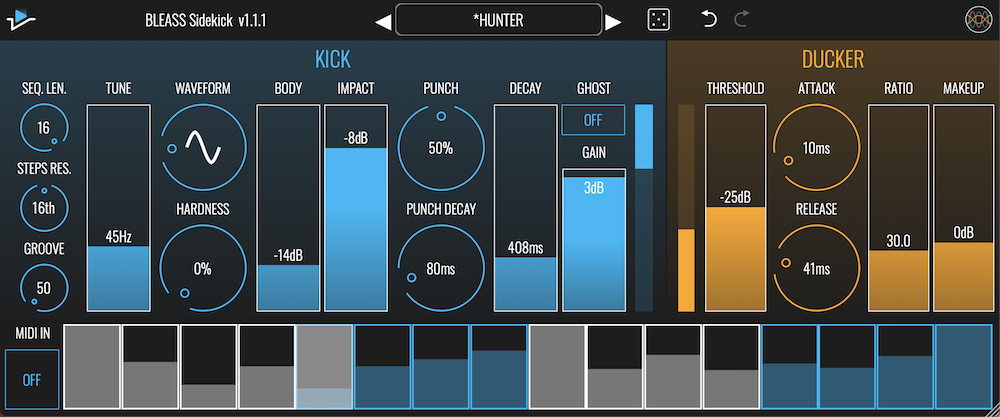
TUNE: Sets the pitch of the kick drum sound, from 20Hz to 100Hz.
WAVEFORM: Selects the waveform that the kick synth will use. The waveform can be morphed smoothly from sine wave to triangle wave.
HARDNESS: Adds overdrive to the kick sound, giving it a harder, brighter edge, and emphasising the pitched part of the sound.
BODY: Mix in a second oscillator tuned an octave above the first, giving a thicker, fuller sound.
IMPACT: Accentuates the initial attack portion of the kick sound, giving more thump and impact.
PUNCH: Adds a resonant filter sweep to the beginning of the kick sound.
PUNCH DECAY: Sets the duration of the Punch filter sweep. Fast settings add a short, punchy transient; longer settings create noticeable filter sweep effects.
DECAY: Controls the overall decay time of the kick drum sound. Use low settings for short, ‘clicky’ kicks; use longer settings for booming and pitched sounds.
GHOST: When enabled, removes the kick sound from the plugin’s output mix. The kick sound can be routed in a different channel thanks to Multi-bus output (iOS: see tutorial) or Multi-out compatible DAWs (Desktop: see tutorial).
GAIN: Sets the output volume level of the kick drum synth.
SEQUENCER SECTION
SEQ. LEN.: Specifies the number of steps in the sequence, from 4 to 16.
STEPS RES.: Sets the length of each step as a note length.
GROOVE: Adds swing timing to the sequencer for a groovier result.
MIDI IN: When enabled, allows you to trigger the kick sequencer from a controller or from a MIDI track within your DAW. Any pattern programmed into the plugin will still play too.
STEP GRID: Shows the steps that will, and will not, trigger the kick synth. The velocity (or loudness) of the trigger is set by dragging up or down within a step’s cell. The alternating grey and blue colour-coding helps you to distinguish each group of four steps.
DUCKER SECTION
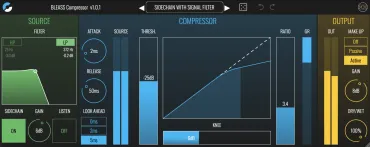
THRESHOLD: Sets the sensitivity of the ducker effect. When the kick’s volume level exceeds the threshold, a compression process will be applied to the audio passing through the plugin, reducing its volume.
ATTACK: Determines how long it takes for the ducker’s compressor to reach full compression once the threshold has been exceeded.
RELEASE: Determines how long it takes for the ducker’s compressor to return to no compression when the kick synth’s signal falls back below the threshold.
RATIO: Controls how much gain reduction will be applied to the plugin’s signal. Works in conjunction with the Threshold control to determine the overall strength of the ducking effect.
MAKEUP: Compensates for any loss of overall signal level that results from the ducking process.