🚨 Free product included with qualifying orders πŸš¨β˜…πŸš¨ Free product included with qualifying orders πŸš¨β˜…πŸš¨ Free product included with qualifying orders πŸš¨β˜…πŸš¨ Free product included with qualifying orders πŸš¨β˜…πŸš¨ Free product included with qualifying orders πŸš¨β˜…πŸš¨ Free product included with qualifying orders πŸš¨β˜…πŸš¨ Free product included with qualifying orders πŸš¨β˜…πŸš¨ Free product included with qualifying orders πŸš¨β˜…πŸš¨ Free product included with qualifying orders πŸš¨β˜…πŸš¨ Free product included with qualifying orders πŸš¨β˜…
Theme

Forthcoming Events

No forthcoming events scheduled.


Expired Events

Summer Sale Ended: 14 Jul 2026
May 2026 Deals Ended: 31 May 2026

Live Event

Active

Heatwave Sale 2026

Feel The Heat! From industry-leading plugins and Kontakt instruments to essential sample packs and cinematic sound design libraries.

Ends In
17d 20h 48m 37s
VIEW ALL DEALS

0

0

Change country:

We use cookies

We and selected 3rd parties use cookies or similar technologies as specified in our Cookie Policy

You can consent to the use of such technologies by using the "Accept" button

Manage cookies

Essential
Essential cookies required for business process and to make the website usable by enabling basic functions. (always active)
Marketing
Marketing cookies are used to serve personalised ads and analyse performance.

Plugin

Plugin Effects

Waves

Nx Virtual Mix Room over Headphones

Virtual acoustic mix room for mixing on headphones.
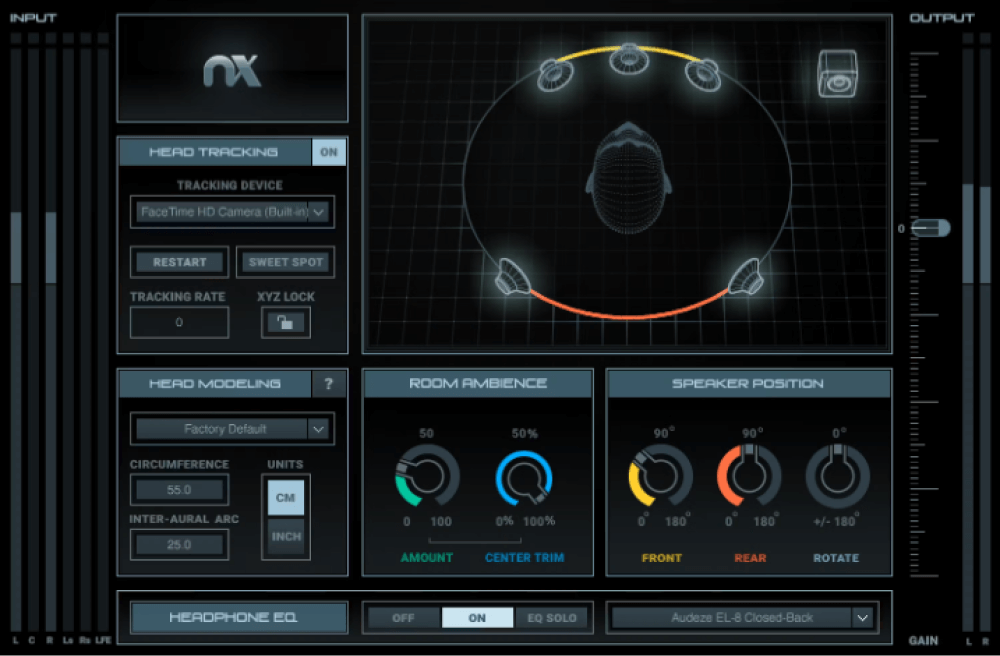
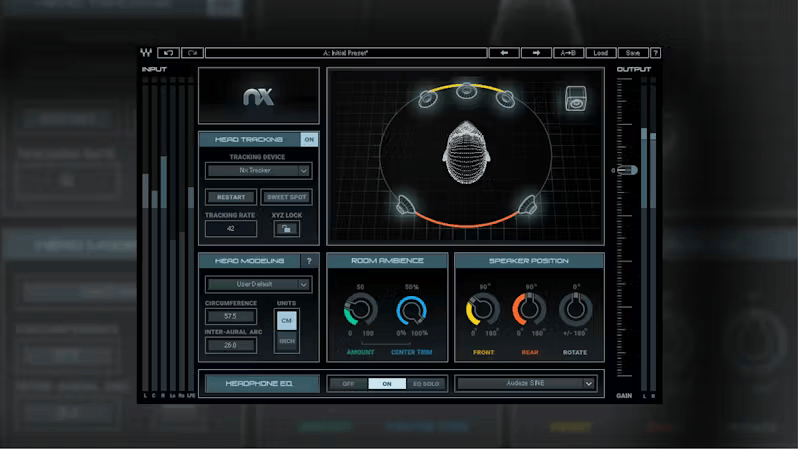
Waves - Nx Virtual Mix Room over Headphones Plugins & FX Software GUI Artwork
Waves - Nx Virtual Mix Room over Headphones Screenshot 2
Waves - Nx Virtual Mix Room over Headphones Screenshot 3
Waves - Nx Virtual Mix Room over Headphones Screenshot 4
Waves - Nx Virtual Mix Room over Headphones Screenshot 5
Waves - Nx Virtual Mix Room over Headphones Screenshot 6
Waves - Nx Virtual Mix Room over Headphones Screenshot 7

$34.99

Earn 78

Digital Download

0

Instant Access Direct download
100% Genuine Official license
Flexible Payments PayPal, Card or Wallet
Support Here to help
Guaranteed Safe & Secure Checkout
Visa Mastercard American Express Apple Pay Google Pay Klarna

Product Overview

Headphone to Speaker Translation You Can Trust

You don’t always have access to an ideal acoustic space. Quality headphones eliminate room issues, but mixes done on headphones rarely translate well to speakers. With consumers listening over both headphones and speakers, you have to be certain that your mixes translate to both.

Nx Virtual Mix Room virtualizes a 3D acoustic space, and includes correction EQ curves for 270 headphone models—so you’ll feel like you’re mixing with speakers, in the perfect control room.

  • Mix with confidence, knowing that mixes will translate over speakers
  • Monitor stereo, surround, and Ambisonics B-format
  • Customize speaker positioning and room ambience
  • EQ correction curves for over 270 headphone models
  • Judge depth, stereo balance, and panning properly with headphones
  • Head tracking for a totally immersive mix experience

Give Your Headphones Flawless Acoustics

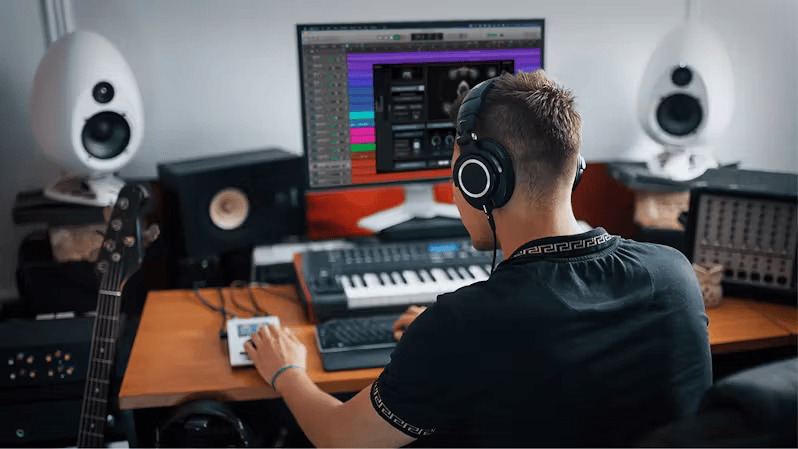
The Sound of Speakers in Headphones

Waves - Nx Virtual Mix Room over Headphones - The Sound of Speakers in Headphones

Headphones make it difficult to judge how some mixing decisions—like stereo placement, panning, reverb amounts, and balance—will translate to speakers. But now, Nx Virtual Mix Room gives you an accurate reality check.

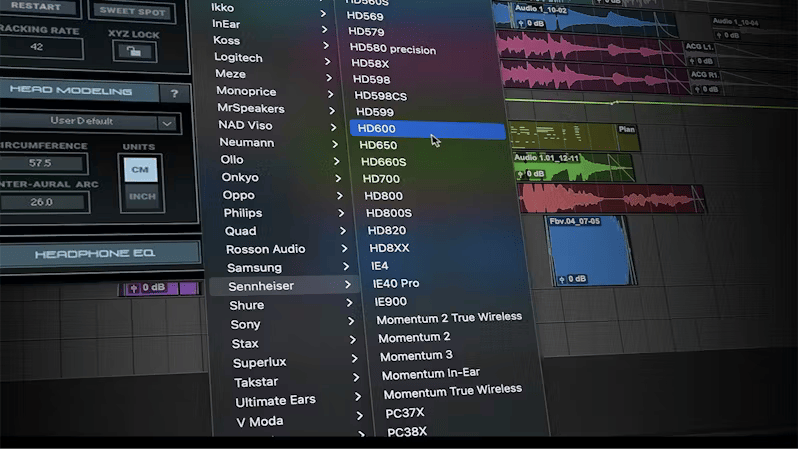
EQ Correction for 270 Headphone Models

Waves - Nx Virtual Mix Room over Headphones - EQ Correction for 270 Headphone Models

Nx uses the state-of-the-art Harman Headphone Target Curve method to correct EQ response for over 270 studio headphones, including models by Sony, Beyerdynamic, Sennheiser, AKG, Audio Technica, Audeze, Focal, and dozens more brands.

Fight Mix Fatigue

Waves - Nx Virtual Mix Room over Headphones - Fight Mix Fatigue

Injecting sound into your ears from headphones is not always the most relaxing way to mix. The feeling of being in a space, and listening to speakers, makes it much easier to do long sessions—without listener fatigue.

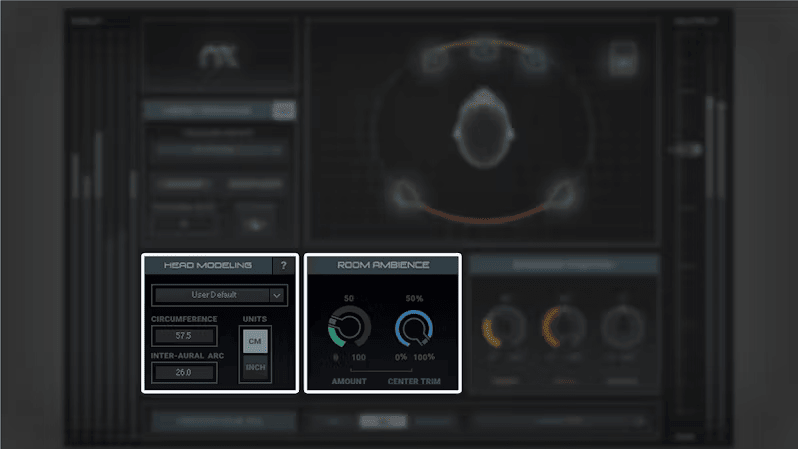
Customize Your Mix Environment

Waves - Nx Virtual Mix Room over Headphones - Customize Your Mix Environment

Customize your virtual mix room by dialing in slightly wetter or drier ambience. For personal adjustment of the 3D effect to your head/ear anatomy, enter your personal head measurements into the plugin’s head anatomy calibration section.

Track Your Head Movements for Enhanced Immersion

Waves - Nx Virtual Mix Room over Headphones - Track Your Head Movements for Enhanced Immersion

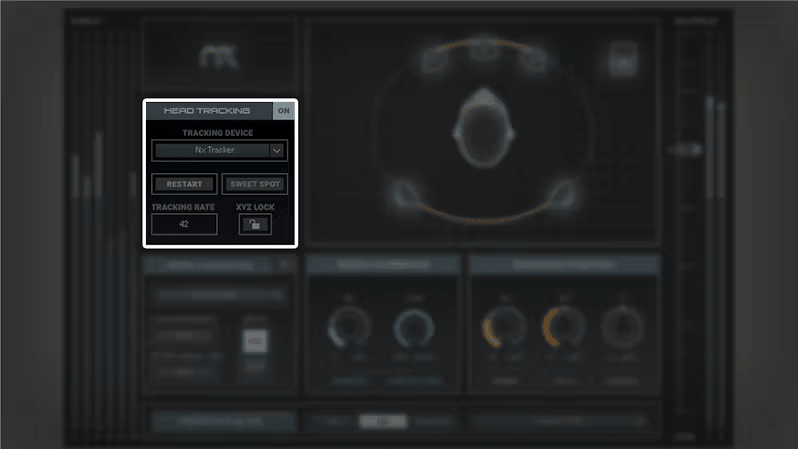
For the ultimate in realism, track head motion so that as you move your head, the sound changes as if you were moving your head in the studio. Track with your computer’s camera, or with the Nx Head Tracker for maximum accuracy.

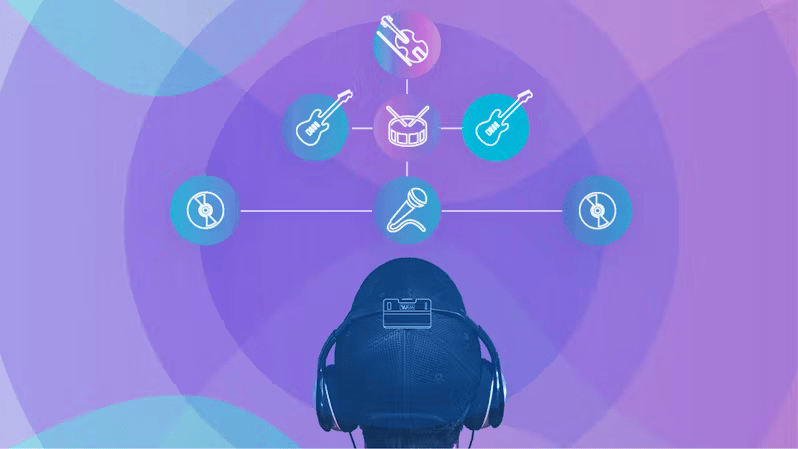
Monitor 5.1/7.1 Mixes on Any Stereo Headphones

Waves - Nx Virtual Mix Room over Headphones - Monitor 5.1/7.1 Mixes on Any Stereo Headphones

Using advanced binaural modeling, your standard headphones can accurately reflect 5.1 and 7.1 mixes—not only stereo. Nx Virtual Room can even monitor Ambisonics B-Format mixes for 360βΈ° and VR projects.

Additional Information

Nx – Virtual Mix Room over Headphones (V15) - System Requirements
  • Mac
  • CPU
    Intel or Silicon Architecture
    See notes regarding Apple Silicon based processors

    Memory
    Minimum: 8 GB RAM (16 GB recommended)
    16 GB free disk space on the system drive

    Operating System
    macOS Monterey 12, Ventura 13, Sonoma 14

    Screen Resolution
    Minimum: 1024x768
    Recommended: 1280x1024 / 1600x1024
    USB displays are not supported as the primary display.

  • Windows
  • CPU
    X64 compatible Intel or AMD CPU

    Memory
    Minimum: 8 GB RAM (16 GB recommended)
    16 GB free disk space on the system drive

    Operating System
    Windows 10 64 bit
    Windows 11

    Screen Resolution
    Minimum: 1024x768
    Recommended: 1280x1024 / 1600x1024

Exceptions & Notes:

  • Nx Head Tracker: See the Support tab of the Nx Head Tracker page.
  • Camera Support and Performance: In general, Nx will support any webcam that works on your system. If you can Skype with it, you can do head tracking with it. Note that MacBook Pros with built-in PCI-based cameras cause CPU to peak in Pro Tools. This has nothing to do with the Nx plugin or head tracking application; it is a system bug of PCI cameras and Pro Tools on MacBook Pro. To avoid this issue, use an external USB camera. [Mac & Windows]
  • Mac computers with built-in iSight cameras: Following the August 2016 update of the Nx plugin, old Mac computers with built-in iSight cameras may experience deterioration in tracking performance. Until we fix this issue, it is advised to use an external USB camera instead of the built-in iSight camera, or, in case you do not have an Nx Head Tracker, do not update the plugin yet. [Mac]
  • Nx Virtual Mix Room Troubleshooter

Categories:

Microphone Modeling Channel Routing and Surround

Formats:

Plugin

Tags:

Effects Plugin Sound Design

Discover More

View All Events

BROWSE ALL

Happening Now

View Heatwave Sale 2026

SHOP LIVE EVENT
Your Playlist CLEAR
Your playlist is currently empty. Visit a product page and add some tracks to your playlist
Audio Player

0:00
0:00