Sign in to Loot Audio
Access your downloads, purchases and more
Access your downloads, purchases and more

Pulse is a revolutionary new downloader offering blazing fast speeds and powerful control over your libraries. Loot Audio uses Pulse to power some of our downloads and to make managing your libraries more efficient for you.
After your purchase we will send you a unique code (you will also find the code in your account). Use the code with Pulse to power your download and installation. More information about Pulse can be found here.
What are Credits?
You earn Credits every time you purchase a product from Loot Audio. 3% of your order is added to your account in the form of Credits.
Use Credits for money off future orders or convert them to Sample Credits to download samples from the Sounds section of the site.
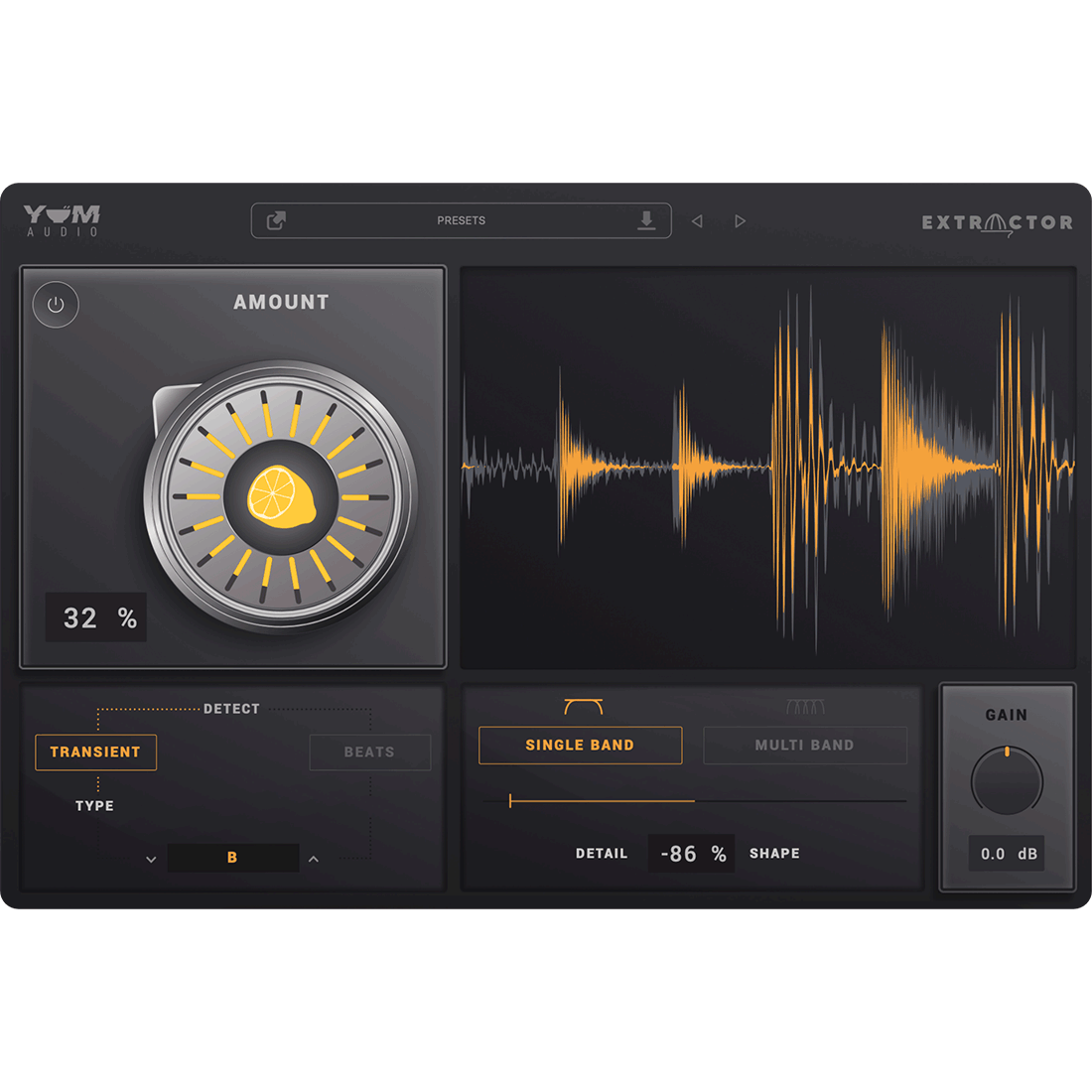
Easily Extract The Frequencies You Need
$74.00
Earn 195







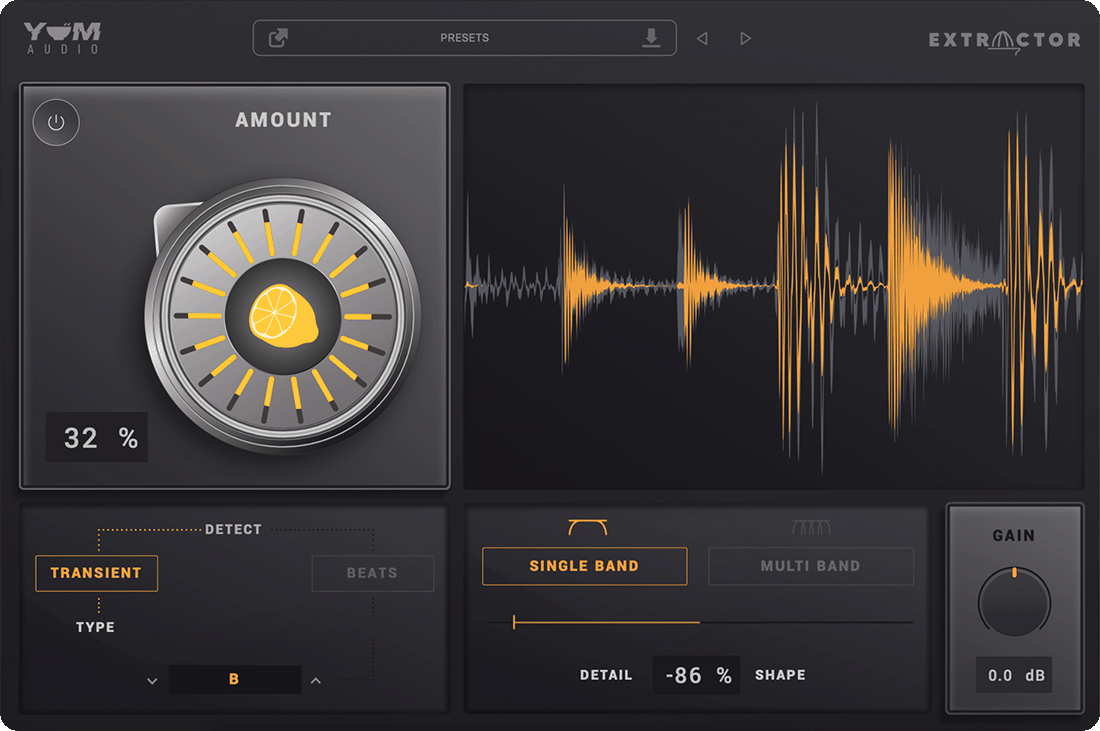
Toggle - Toggle between Extraction processing and Bypassed mode.
Amount - Squeeze any of your loops and extract samples full of definition. From 0% to 100%, move from subtle effects, to tight and controlled sounds, and finally into click and transient sound design territory. This control screams to be automated! Use automation on it to thin out loops in certain sections of your song and bring them back fully when increasing intensity. Doing this will be a game changer in your workflow.
Transient - In Transient mode, Extractor will perform its extraction based on all the transient material it detects in the incoming signal. This can work wonders on percussive and complex loops. Define the intensity of the plugin's reaction by using the added sensitivity slider.
Beats - In Beats Mode, Extractor will be in tight-locked sync with your DAW of choice. At 1/4, for example, an extraction will happen each quarter note. This can be a great setting to extract any kick drum sound from otherwise extremely busy and complex loops.
Display - Powerful wave form display giving you an instant point of reference when tweaking the plugin's controls. The unprocessing and incoming audio is a grey-coloured waveform while the overlayed yellow version shows you the extracted signal.
Single Band - Use the Single Band mode for an Extraction happening on the full frequency spectrum at once. The Detail control in Single Band is in “Shape” mode and controls the decay shape of the single band extraction. Tweak this to make the sound tighter or more open in its response.
Multi Band - Extractor uses the power of mulitband processing to smartly extract and tighten sounds troughout the frequency spectrum. For example, you can extract a kick drum with only a short click at the top end but a long bassy tone at the bottom end from an otherwise noisy and complex loop. The Detail control in Single Band is in “Frequency Bias” mode and controls how tightly the different frequency bands are decaying.
Gain - At the end of the signal path is an output gain control. Use it to set a final gain staging for the plugin to make it fit in perfectly in any of your FX chains and mixes.