Sign in to Loot Audio
Access your downloads, purchases and more
Access your downloads, purchases and more

Pulse is a revolutionary new downloader offering blazing fast speeds and powerful control over your libraries. Loot Audio uses Pulse to power some of our downloads and to make managing your libraries more efficient for you.
After your purchase we will send you a unique code (you will also find the code in your account). Use the code with Pulse to power your download and installation. More information about Pulse can be found here.
What are Credits?
You earn Credits every time you purchase a product from Loot Audio. 3% of your order is added to your account in the form of Credits.
Use Credits for money off future orders or convert them to Sample Credits to download samples from the Sounds section of the site.
AAX Native, AU, AUv3, VST and VST3
$49.50
$99.00
Earn 119







Brightness Analysis
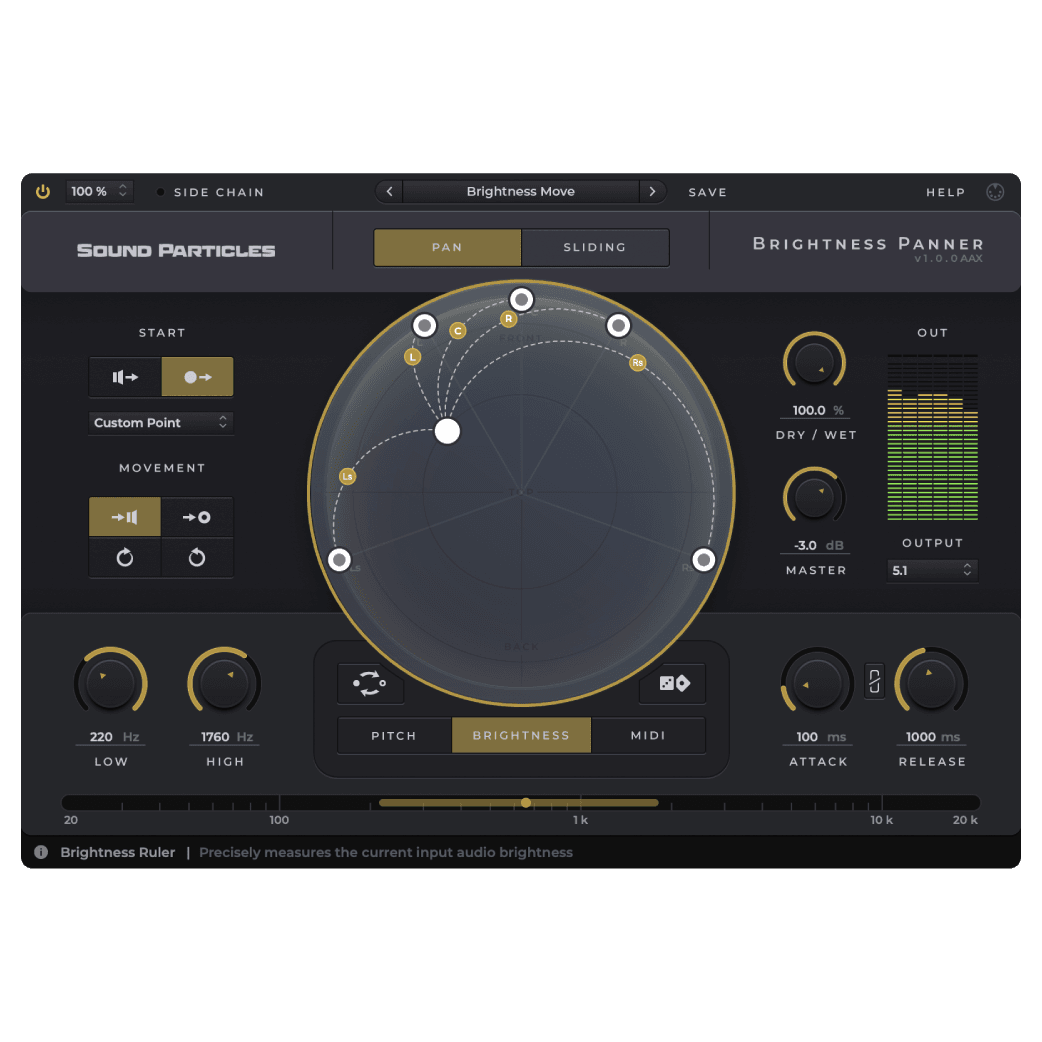
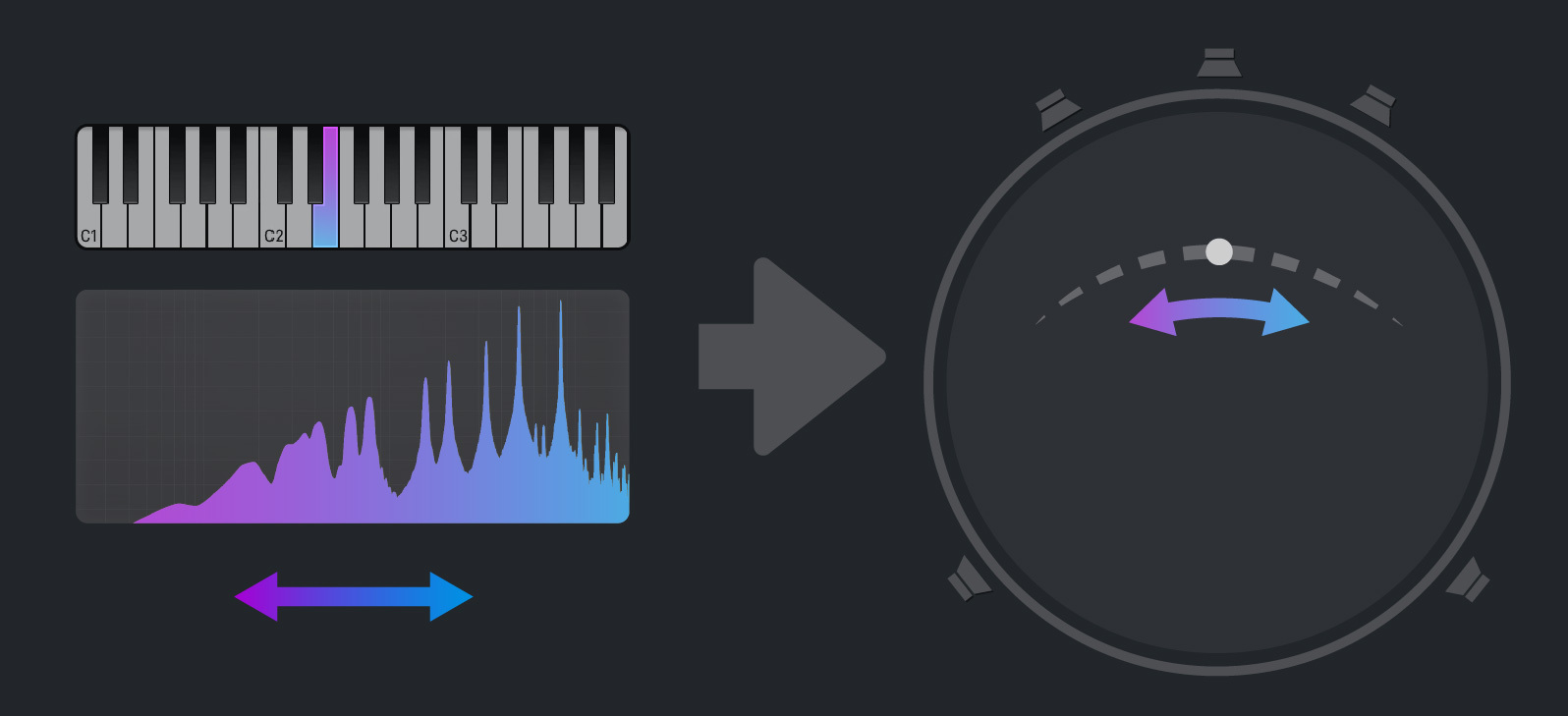
Brightness Panner analyzes the spectrum of sounds in order to pan them in 3D according to a range of frequencies set by the user.
Pitch Analysis
Brightness Panner identifies the pitch of individual notes and pans them in 3D according to a range of pitch values set by the user.
MIDI Analysis
Brightness Panner receives MIDI notes and pans sounds in 3D according to a range of MIDI notes set by the user.
Visualization Dome
Track every single movement the sounds are making through the main component of the plugin’s UI: the dome.
Randomization
Running out of ideas? Don’t worry! Brightnesss Panner has a randomize option that outputs a new result each time you click it.
Dynamic Movement
Easily set how the sounds will move. For instance, will they move from the speakers position to the centre or will they move clockwise starting from a custom position?
Imagine panning being controlled by the pitch of music notes, the brightness of sounds or the MIDI notes you play. From music to audio post, Brightness Panner allows you to move sounds dynamically in a variety of reproduction formats — from stereo to surround 5.1 and 7.1, to Dolby Atmos 7.1.2, Ambisonics up to 3rd order, and Binaural.
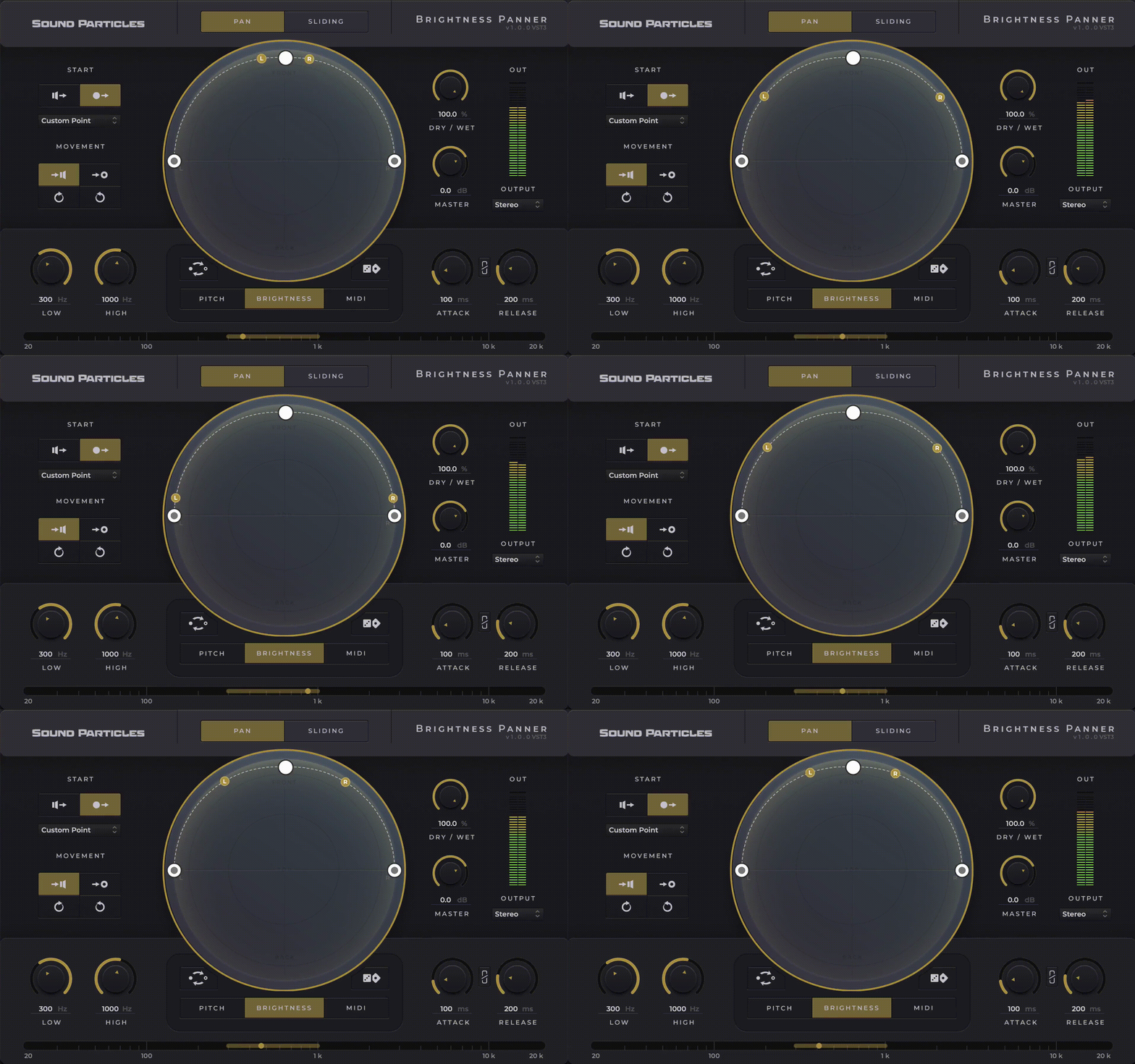
The Pan mode is essentially a normal end-to-end particle-based panning. This type of panning effect changes the position of the sound source between two points (start point -> end point) previously defined by you. Therefore, greater brightness or pitch shifts of the incoming signal, the greater the shift from the starting point to the end point.
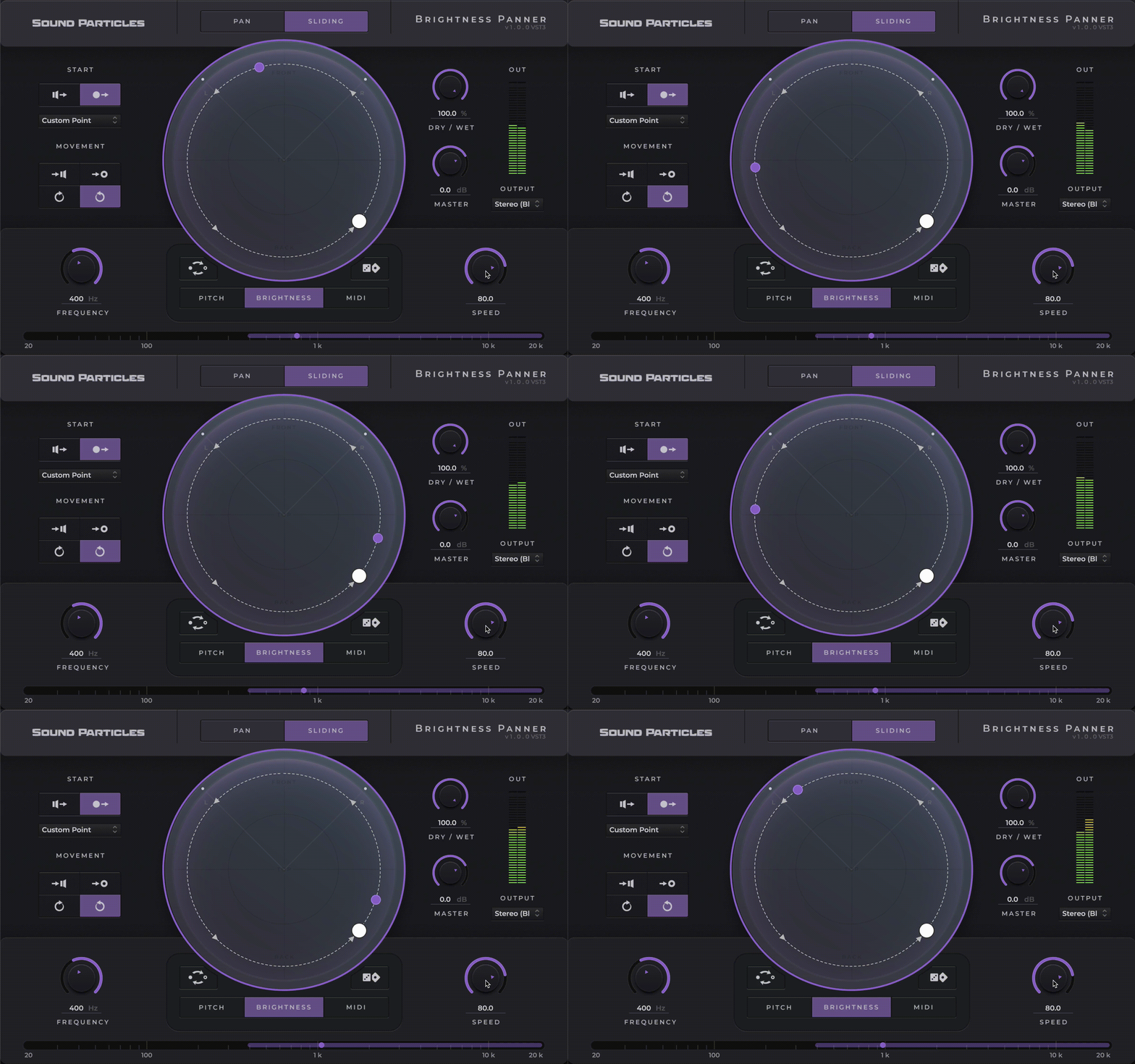
Whenever the audio signal is within the frequency or pitch range, the sound source moves on a trajectory that you define. As opposed to pan mode, the sound source does not return to the starting point as soon as the signal falls outside that range. The sound source will freeze that position until the audio signal is back within the range again, leading to a new shift of the sound source in the dome space.