Sign in to Loot Audio
Access your downloads, purchases and more
Access your downloads, purchases and more

Pulse is a revolutionary new downloader offering blazing fast speeds and powerful control over your libraries. Loot Audio uses Pulse to power some of our downloads and to make managing your libraries more efficient for you.
After your purchase we will send you a unique code (you will also find the code in your account). Use the code with Pulse to power your download and installation. More information about Pulse can be found here.
What are Credits?
You earn Credits every time you purchase a product from Loot Audio. 3% of your order is added to your account in the form of Credits.
Use Credits for money off future orders or convert them to Sample Credits to download samples from the Sounds section of the site.
Rhythmic Auto Panner


$99.00
Earn 237







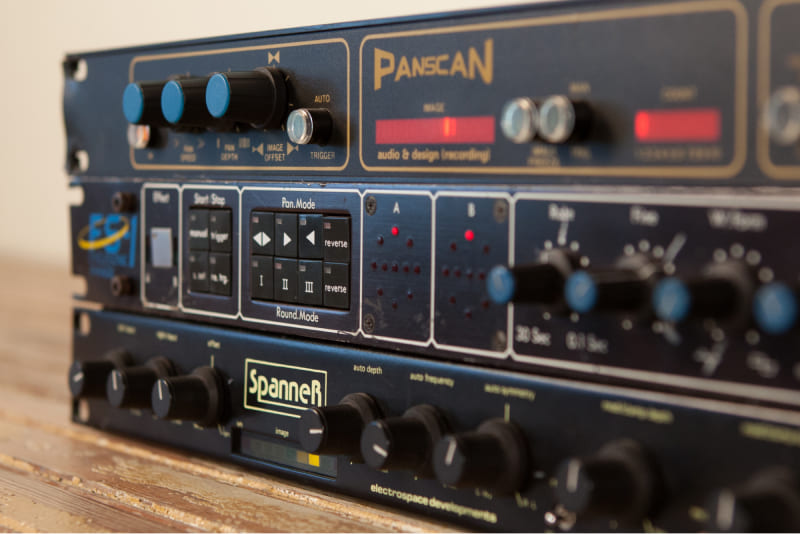
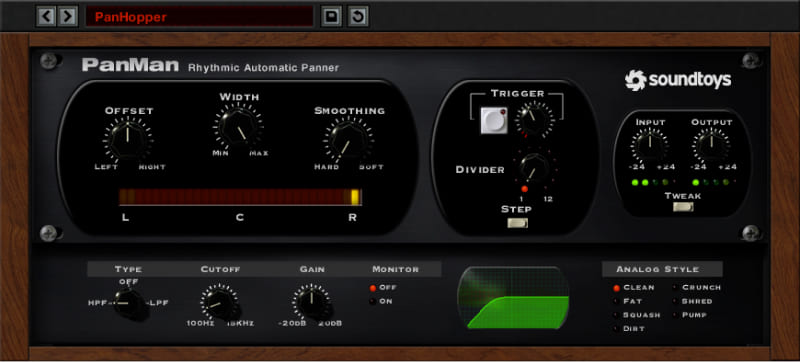
PanMan incorporates features inspired by classic auto-panners. There are classic auto-panners? Yep! And Soundtoys tracked down these obscure boxes, like the Spanner and PanScan, to study what makes them tick. One thing Soundtoys just had to run with comes from the PanScan: the trigger divider. This quirky feature lets you set the number of trigger events it takes to move to a new pan position. For example, you can set it to scan from the left to right in three triggers. Trigger the panning by clicking with your mouse, automate the trigger with your host, or even set a threshold to have it respond to incoming audio. You can even filter the audio going to the trigger so it responds to just low, or high, frequency events. And of course, Soundtoys didn’t stop there: they've added 7 different analog modes that add saturation and a real analog vibe when you push PanMan hard.
Like Soundtoys' other modulation effects, PanMan also offers advanced rhythmic tools that let you create your own signature pan effects. Two different rhythm modes give you tons of possibilities: Step mode lets you choose a new position on each beat and sync it to your host, while the Shape mode lets you choose from a library of custom panning shapes or even draw your own. Open the Tweak panel and you’ll find a bevvy of creative options - you’ll be amazed at how versatile PanMan can be.
For panning effects that follow the feel of the music, you can even set the threshold control and trigger PanMan using the dynamics of your track. Move the width, speed and offset controls based on the rhythm of the audio. Create sounds that sweep whenever the snare drum hits. Change the speed of the panning based on the loudness of a vocal. With PanMan, you’ll come up with creative new pan-based effects you didn’t think were possible.
Current Version: 5.4
Apple Silicon and VST 3 Compatible
Plug-in Formats (64-bit only):
Supported Sample Rates:
System Requirements:
Supported Hosts: